configparser模块提供了ConfigParser类,该类实现了INI文件中的基本配置语言。你可以使用它来编写可以被最终用户轻松定制的Python程序。
Section 171.1: 程序化创建配置文件
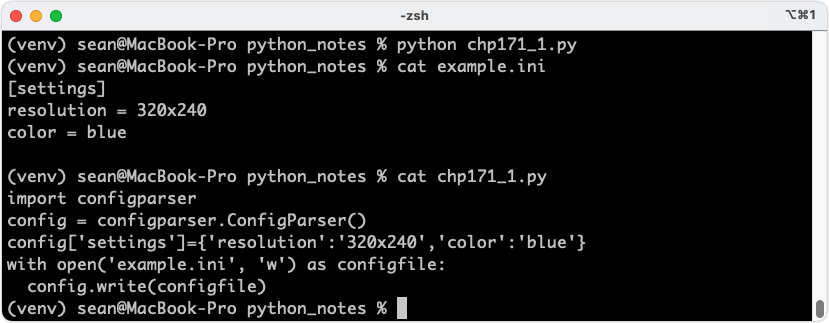
配置文件包含部分,每个部分包含键和值。configparser模块可以用来读取和写入配置文件。创建配置文件:
import configparser

config = configparser.ConfigParser()
config['settings']={'resolution':'320x240','color':'blue'}
with open('example.ini', 'w') as configfile:
  config.write(config)
输出文件包含以下结构:
[settings]
resolution = 320x240
color = blue
 如果你想更改特定字段,获取该字段并分配值:
settings=config['settings']
settings['color']='red'
Section 171.2: 基本用法
在config.ini中:
[DEFAULT]
debug = True
name = Test
password = password

[FILES]
path = /path/to/file
在Python中:
from ConfigParser import ConfigParser
config = ConfigParser()

#Load configuration file
config.read("config.ini")

# Access the key "debug" in "DEFAULT" section
config.get("DEFAULT", "debug")
# Return 'True'

# Access the key "path" in "FILES" destion
config.get("FILES", "path")
# Return '/path/to/file'
注意事项
ConfigParser类:ConfigParser类用于读取和写入配置文件。- 它支持默认部分
[DEFAULT],其中的键值对可以被其他部分继承。
- 读取配置文件:
- 使用
config.read("config.ini")加载配置文件。 - 使用
config.get(section, key)获取特定部分中的键值。
- 使用
- 写入配置文件:
- 使用
config.write(configfile)将配置写入文件。 - 可以通过修改
config对象中的值来更新配置文件。
- 使用
- 默认部分:
[DEFAULT]部分中的键值对可以被其他部分继承。- 如果其他部分中没有定义某个键,则会使用
[DEFAULT]部分中的值。
示例
假设你有一个配置文件config.ini,内容如下:
[DEFAULT]
debug = True
name = Test
password = password

[FILES]
path = /path/to/file
你可以使用以下代码读取和修改配置文件:
import configparser

# 创建ConfigParser对象
config = configparser.ConfigParser()

# 加载配置文件
config.read("config.ini")

# 获取配置值
debug = config.get("DEFAULT", "debug")
print("Debug mode:", debug)  # 输出:Debug mode: True

path = config.get("FILES", "path")
print("File path:", path)  # 输出:File path: /path/to/file

# 修改配置值
config['FILES']['path'] = '/new/path/to/file'

# 保存修改后的配置文件
with open('config.ini', 'w') as configfile:
    config.write(configfile)
修改后的config.ini文件内容如下:
[DEFAULT]
debug = True
name = Test
password = password

[FILES]
path = /new/path/to/file
通过这种方式,你可以轻松地读取、修改和保存配置文件。


