Section 19.6: 访问键和值
在处理字典时,经常需要访问字典中的所有键和值,可以是for循环、列表推导式,也可以是普通列表。
给定一个字典,例如
mydict = {
'a': '1',
'b': '2'
}
您可以使用 keys() 方法获取键的列表:
print(mydict.keys())
# Python2: ['a', 'b']
# Python3: dict_keys(['b', 'a'])
如果您想要一个值列表,请使用 values() 方法:
print(mydict.values())
# Python2: ['1', '2']
# Python3: dict_values(['2', '1'])
如果要同时处理键及其对应的值,可以使用 items() 方法:
print(mydict.items())
# Python2: [('a', '1'), ('b', '2')]
# Python3: dict_items([('b', '2'), ('a', '1')])
python3的执行结果:
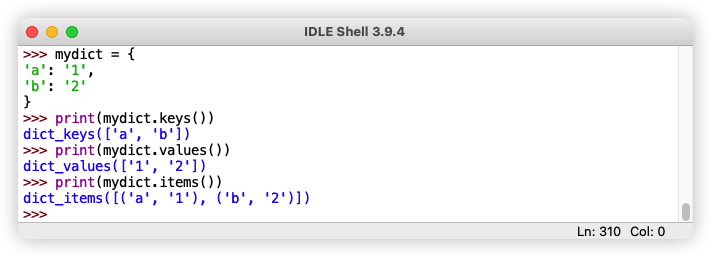
注意: 由于 dict 是未排序的,所以 keys()、values() 和 items() 没有排序顺序。如果您在意这些方法返回的顺序,请使用 sort()、sorted() 或 OrderedDict。
Python 2/3 的区别: 在 Python 3 中,这些方法返回特殊的可迭代对象,而不是列表,它们等同于 Python 2 中的 iterkeys()、itervalues() 和 iteritems()方法。这些对象在大多数情况下可以像列表一样使用,但也有一些不同之处。详情请参见 PEP 3106。
Section 19.7: 访问字典值
dictionary = {"Hello": 1234, "World": 5678}
print(dictionary["Hello"])
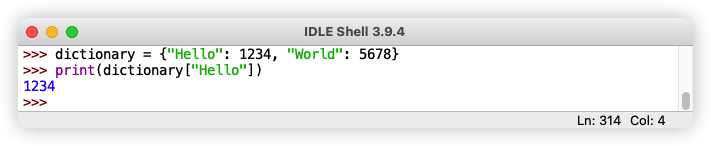
上述代码将打印 1234。
本例中的字符串 "Hello" 称为键。通过将 key 放在方括号中,可以在 dict 中查找一个值。
在 dict 定义中,数字 1234 位于相应的冒号之后。这就是"Hello"在此dict中映射的值。
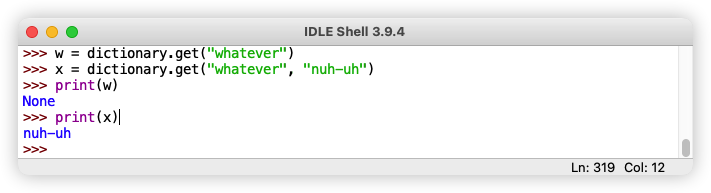
用一个不存在的键来查找这样一个值,会引发一个 KeyError 异常,如果未被捕获,执行就会停止。如果我们想访问一个值而不冒KeyError的风险,我们可以使用dictionary.get方法。默认情况下,如果键不存在,该方法将返回 None。如果查找失败,我们可以传给它第二个值来代替 None 返回值。
w = dictionary.get("whatever")
x = dictionary.get("whatever", "nuh-uh")
在这个例子中,w 将得到值 None,x 将得到值 "nuh-uh"。
Section 19.8: 创建字典
创建字典的规则:
- 每个键都必须是
唯一的(否则将被重写) - 每个键都必须是 “可散列 ”的(可以使用 “hash ”函数对其进行散列,否则将抛出 “类型错误”)。
- 键没有特定的顺序。
# Creating and populating it with values
stock = {'eggs': 5, 'milk': 2}

# Or creating an empty dictionary
dictionary = {}

# And populating it after
dictionary['eggs'] = 5
dictionary['milk'] = 2

# Values can also be lists
mydict = {'a': [1, 2, 3], 'b': ['one', 'two', 'three']}

# Use list.append() method to add new elements to the values list
mydict['a'].append(4) # => {'a': [1, 2, 3, 4], 'b': ['one', 'two', 'three']}
mydict['b'].append('four') # => {'a': [1, 2, 3, 4], 'b': ['one', 'two', 'three', 'four']}

# We can also create a dictionary using a list of two-items tuples
iterable = [('eggs', 5), ('milk', 2)]
dictionary = dict(iterable)

# Or using keyword argument:
dictionary = dict(eggs=5, milk=2)

# Another way will be to use the dict.fromkeys:
dictionary = dict.fromkeys((milk, eggs)) # => {'milk': None, 'eggs': None}
dictionary = dict.fromkeys((milk, eggs), (2, 5)) # => {'milk': 2, 'eggs': 5}
Section 19.9: 创建有序字典
您可以创建一个有序字典,在遍历字典中的键时,它将遵循确定的顺序。
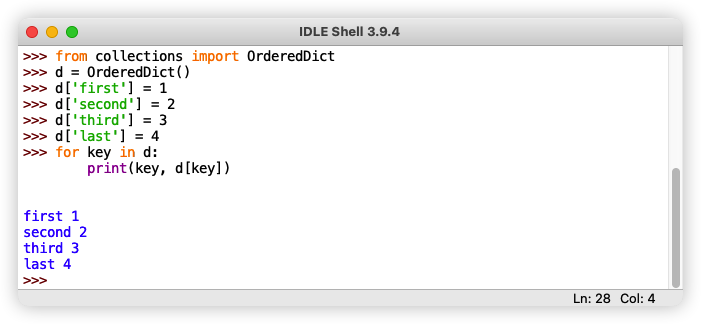
使用 collections 模块中的 OrderedDict。迭代时,它将始终按照原始插入顺序返回字典元素。
from collections import OrderedDict
d = OrderedDict()
d['first'] = 1
d['second'] = 2
d['third'] = 3
d['last'] = 4

# Outputs "first 1", "second 2", "third 3", "last 4"
for key in d:
    print(key, d[key])
Section 19.10: 使用 ** 操作符解压字典
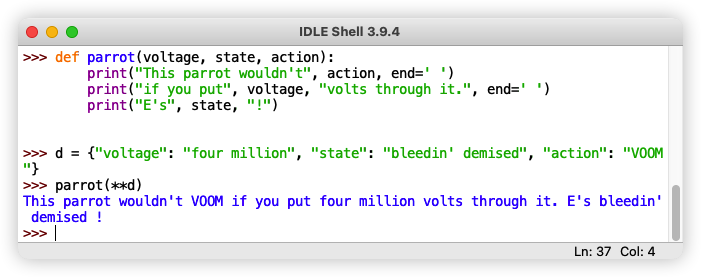
您可以使用 ** 关键字参数解包操作符,将字典中的键值对传送到函数的参数中。官方文档中的一个简化示例
>>> def parrot(voltage, state, action):
...     print("This parrot wouldn't", action, end=' ')
...     print("if you put", voltage, "volts through it.", end=' ')
...     print("E's", state, "!")
...
>>> d = {"voltage": "four million", "state": "bleedin' demised", "action": "VOOM"}
>>> parrot(**d)

This parrot wouldn't VOOM if you put four million volts through it. E's bleedin' demised !
从 Python 3.5 开始,您也可以使用此语法合并任意数量的 dict 对象。
>>> fish = {'name': "Nemo", 'hands': "fins", 'special': "gills"}
>>> dog = {'name': "Clifford", 'hands': "paws", 'color': "red"}
>>> fishdog = {**fish, **dog}
>>> fishdog

{'hands': 'paws', 'color': 'red', 'name': 'Clifford', 'special': 'gills'}
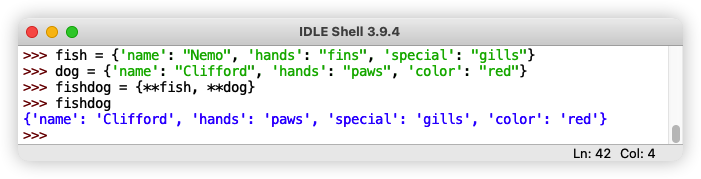
正如本例所示,重复的键会映射到其最靠后的值(例如,"Clifford" 会覆盖 "Nemo")。
Section 19.11: 尾部的逗号
与列表和元组一样,您也可以在字典的尾部加入(保留)逗号。
role = {"By day": "A typical programmer",
"By night": "Still a typical programmer", }
PEP 8 规定,在尾部逗号和收尾括号之间应留一个空格。
Section 19.12: dict() 构造函数
dict() 构造函数可用于从关键字参数创建字典,或从键值对的单个可迭代字典创建字典,或从单个字典和关键字参数创建字典。
dict(a=1, b=2, c=3) # {'a': 1, 'b': 2, 'c': 3}
dict([('d', 4), ('e', 5), ('f', 6)]) # {'d': 4, 'e': 5, 'f': 6}
dict([('a', 1)], b=2, c=3) # {'a': 1, 'b': 2, 'c': 3}
dict({'a' : 1, 'b' : 2}, c=3) # {'a': 1, 'b': 2, 'c': 3}
Section 19.13: Dictionaries Example
字典将键映射到值。
car = {}
car["wheels"] = 4
car["color"] = "Red"
car["model"] = "Corvette"
可以通过键值访问字典值。
print "Little " + car["color"] + " " + car["model"] + "!"
# This would print out "Little Red Corvette!"
字典也可以用 JSON 格式创建:
car = {"wheels": 4, "color": "Red", "model": "Corvette"}
字典值可以遍历:
for key in car:
    print key + ": " + car[key]

# wheels: 4
# color: Red
# model: Corvette
Section 19.14: 字典值的所有组合
options = {
    "x": ["a", "b"],
    "y": [10, 20, 30]
}
给定一个字典(如上图所示),其中有一个列表,代表要为相应键探索的一组值。假设要探索 “x”=“a” 与 “y”=10 的组合,然后是 “x”=“a” 与 “y”=10 的组合,依此类推,直到探索完所有可能的组合。
您可以使用以下代码创建一个列表,返回所有这些值的组合。
import itertools

options = {
    "x": ["a", "b"],
    "y": [10, 20, 30]}

keys = options.keys()
values = (options[key] for key in keys)
combinations = [dict(zip(keys, combination)) for combination in itertools.product(*values)]
print(combinations)
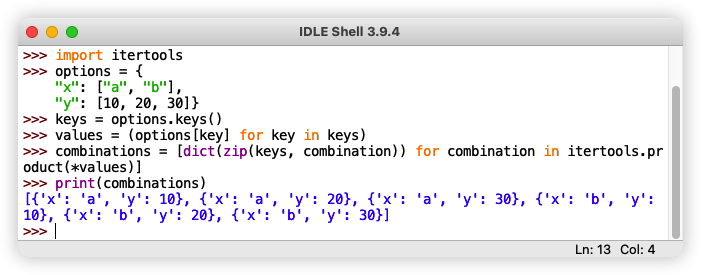
这样,变量组合中就存储了以下列表:
[{'x': 'a', 'y': 10},
 {'x': 'b', 'y': 10},
 {'x': 'a', 'y': 20},
 {'x': 'b', 'y': 20},
 {'x': 'a', 'y': 30},
 {'x': 'b', 'y': 30}]


