Section 20.2: 访问列表值
Python 列表索引是从零开始,就像其他语言中的数组一样。
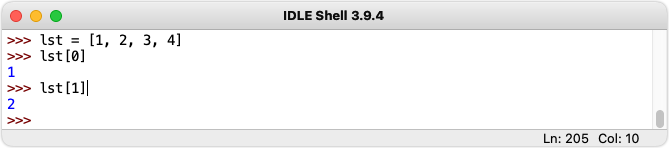
lst = [1, 2, 3, 4]
lst[0] # 1
lst[1] # 2
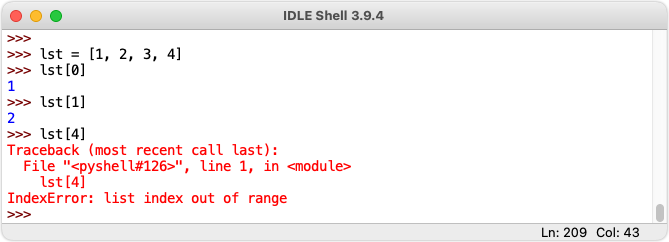
如果试图访问超出列表范围的索引,将引发 “索引错误”。
lst[4] # IndexError: list index out of range
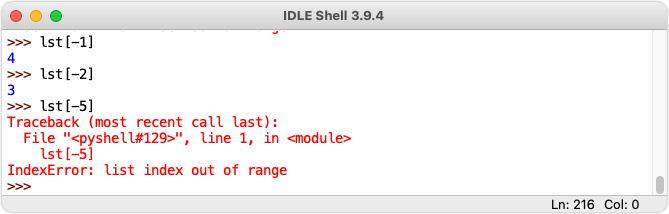
负指数被解释为从列表末尾开始计数。
lst[-1] # 4
lst[-2] # 3
lst[-5] # IndexError: list index out of range
其功能等同于
lst[len(lst)-1] # 4

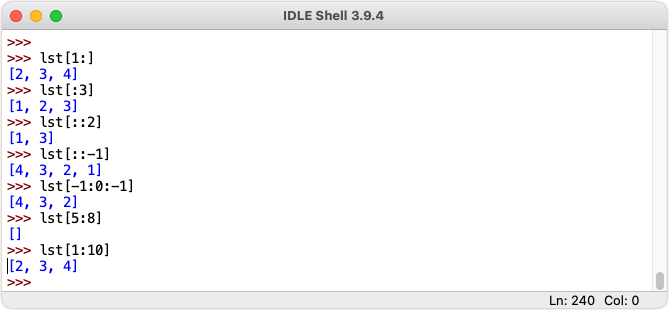
列表允许使用切分符号 "lst[start:end:step]"。切分符号的输出是一个新的列表,包含从索引 start 到 end-1 的元素。如果省略了选项,start 默认为列表的开头,end 默认为列表的结尾,step 默认为 1:
lst[1:] # [2, 3, 4]
lst[:3] # [1, 2, 3]
lst[::2] # [1, 3]
lst[::-1] # [4, 3, 2, 1]
lst[-1:0:-1] # [4, 3, 2]
lst[5:8] # [] 因为起始索引大于 lst 的长度,所以返回空列表
lst[1:10] # [2, 3, 4] 与省略结尾索引相同
有鉴于此,您可以通过调用
lst[::-1] # [4, 3, 2, 1]

当使用负数的步长时,起始索引必须大于终止索引,否则结果将是一个空列表。
lst[3:1:-1] # [4, 3]

使用负步长指数相当于以下代码:
reversed(lst)[0:2] # 0 = 1 -1
                   # 2 = 3 -1
使用的指数比负指数化中使用的指数少 1,并且是相反的。
高级切分
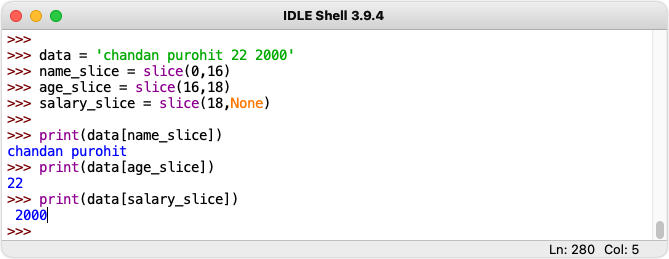
当列表被切分时,列表对象的 __getitem__()方法会被调用,并得到一个切分对象。Python 有一个内置的 slice 方法来生成 slice 对象。我们可以用它来存储一个切片,并在以后重复使用,就像这样、
data = 'chandan purohit 22 2000' # 假设数据字段长度固定
name_slice = slice(0,16)
age_slice = slice(16,18)
salary_slice = slice(19,None)

# 现在我们可以有更多可读的切片了
print(data[name_slice]) # chandan purohit
print(data[age_slice]) # '22'
print(data[salary_slice]) # '2000'
通过在我们的类中重载 __getitem__,为我们的对象提供切分功能,这一点非常有用。
Section 20.3: 检查列表是否为空
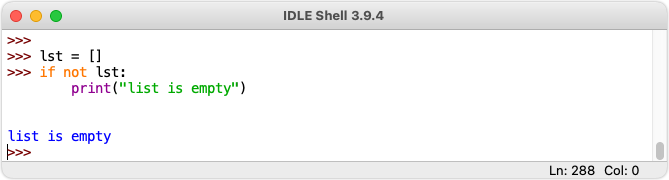
列表的空性与布尔值 False 相关联,因此无需检查 len(lst) == 0,只需检查 lst 或 not lst 即可。
lst = []
if not lst:
    print("list is empty")

# Output: list is empty
Section 20.4: 对列表进行迭代
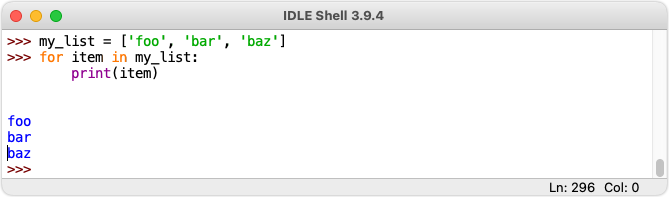
Python 支持直接在 list 上使用 for 循环:
my_list = ['foo', 'bar', 'baz']
for item in my_list:
    print(item)

# Output: foo
# Output: bar
# Output: baz
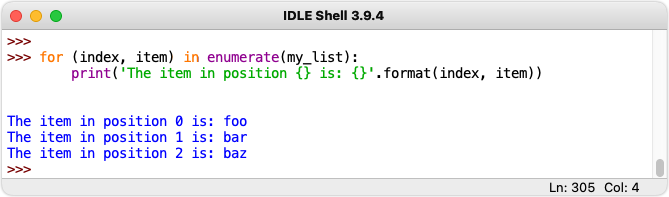
您还可以同时获得每个项目的位置:
for (index, item) in enumerate(my_list):
    print('The item in position {} is: {}'.format(index, item))

# Output: The item in position 0 is: foo
# Output: The item in position 1 is: bar
# Output: The item in position 2 is: baz
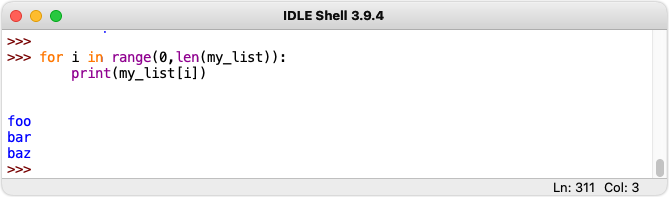
根据索引值迭代列表的另一种方法:
for i in range(0,len(my_list)):
    print(my_list[i])

#output:
>>>
foo
bar
baz
请注意,迭代时更改列表中的项目可能会产生意想不到的结果:
for item in my_list:
    if item == 'foo':
        del my_list[0]
    print(item)

# Output: foo
# Output: baz
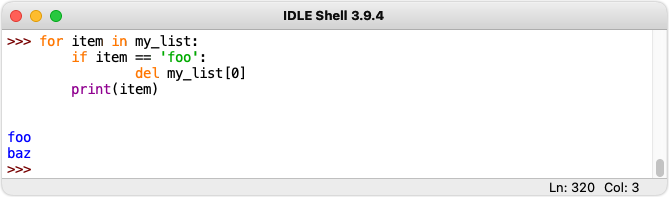
在最后一个例子中,我们在第一次迭代时删除了第一个项目,但这导致跳过。
Section 20.5: 检查项目是否在列表中
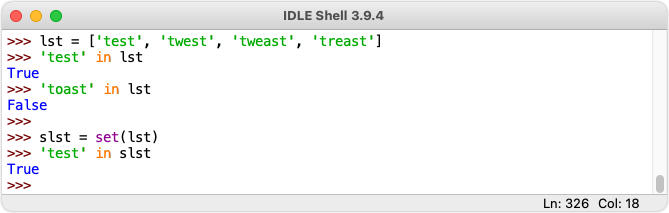
Python 使得检查一个项目是否在列表中变得非常简单。只需使用 in 操作符。
lst = ['test', 'twest', 'tweast', 'treast']

'test' in lst
# Out: True

'toast' in lst
# Out: False
注意:在集合上使用
in运算符比在列表上使用快。如果需要在可能很大的列表上多次使用它,可能需要将list转换为set,然后测试set上是否存在元素。
slst = set(lst)
'test' in slst
# Out: True
Section 20.6: Any 和 All
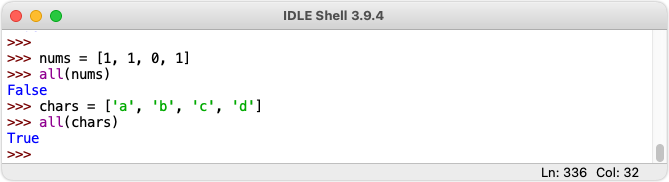
您可以使用 all() 来确定迭代器中的所有值是否都为 True
nums = [1, 1, 0, 1]
all(nums)
# False
chars = ['a', 'b', 'c', 'd']
all(chars)
# True
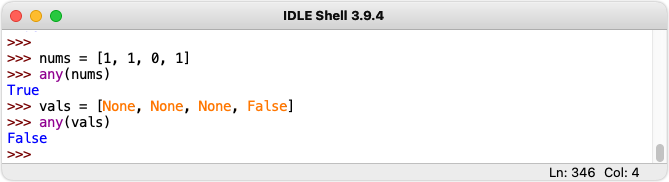
同样,any() 可以确定迭代器中的一个或多个值是否为 True
nums = [1, 1, 0, 1]
any(nums)
# True
vals = [None, None, None, False]
any(vals)
# False
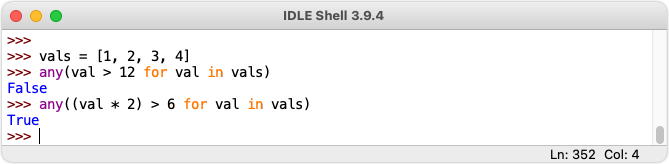
虽然本示例使用的是列表,但需要注意的是,这些内置函数适用于任何可迭代对象,包括生成器。
vals = [1, 2, 3, 4]
any(val > 12 for val in vals)
# False
any((val * 2) > 6 for val in vals)
# True