Section 43.1: 导入一个模块
使用导入语句:
>>> import random
>>> print(random.randint(1, 10))
4
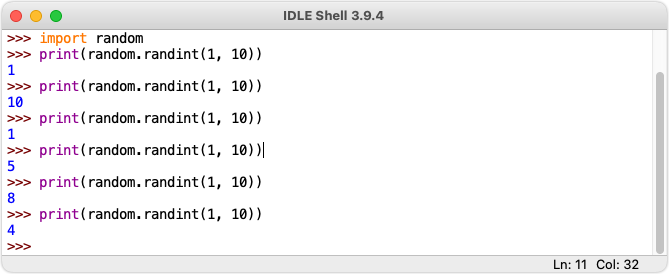
import 模块将导入一个模块,然后允许你使用 module.name 语法引用其对象,例如值、函数和类。在上例中,导入了包含 randint 函数的 random 模块。因此,通过导入 random 可以使用 random.randint 调用 randint。
你可以导入一个模块,然后将其指定为不同的名称:
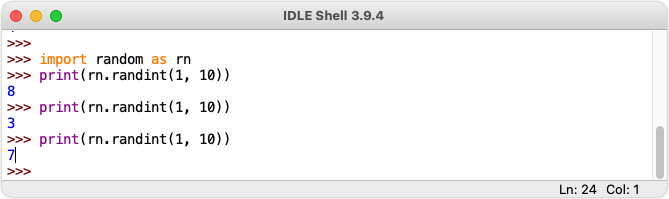
>>> import random as rn
>>> print(rn.randint(1, 10))
4
如果您的 python 文件 main.py 与 custom.py 位于同一文件夹。可以这样导入
import custom
也可以从模块中导入函数:
>>> from math import sin
>>> sin(1)
0.8414709848078965

要向模块的更深处导入特定函数,只能在 import 关键字的左侧使用点操作符(.):
from urllib.request import urlopen
在 python 中,我们有两种从顶层调用函数的方法。一种是 "import",另一种是 "from"。当名称可能发生冲突时,我们应该使用 import。假设我们的 hello.py 文件和 world.py 文件中的函数名称相同。那么 "import" 语句就会很好用。
from hello import function
from world import function

function() # world's 的函数将被调用。而不是 hello 的
一般来说,import 将为您提供一个命名空间。
import hello
import world

hello.function() # 将专门调用 hello 的函数
world.function() # 将专门调用 world 的函数
但是,如果你确信在整个项目中不可能有相同的函数名,就应该使用 from 语句。
可以在同一行中进行多次导入:
>>> # 多个模块
>>> import time, socket, random
>>> # 多个函数
>>> from math import sin, cos, tan
>>> # 多个常量
>>> from math import pi, e

>>> print(pi)
3.141592653589793
>>> print(cos(45))
0.5253219888177297
>>> print(time.time())
1482807222.7240417
上述关键字和语法也可以组合使用:
>>> from urllib.request import urlopen as geturl, pathname2url as path2url, getproxies
>>> from math import factorial as fact, gamma, atan as arctan
>>> import random, time, sys

>>> print(time.time())
1482807222.7240417
>>> print(arctan(60))
1.554131203080956
>>> filepath = "/tmp/cute cat(demo).png"
>>> print(path2url(filepath))
/tmp/cute%20cat%28demo%29.png
Section 43.2: __all__ 特殊变量
模块可以使用名为 __all__ 的特殊变量来限制使用 from mymodule import * 时导入的变量。
下面是一个模块
# mymodule.py

__all__ = ['imported_by_star']

imported_by_star = 42
not_imported_by_star = 21
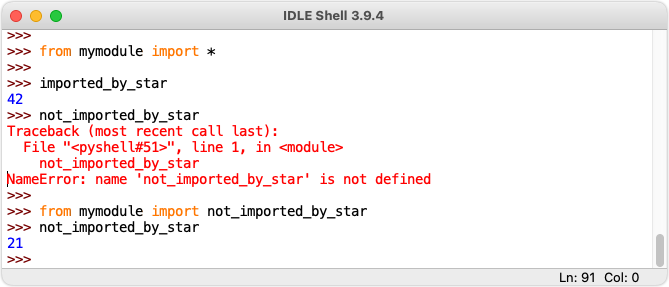
使用 from mymodule import * 时,只导入 imported_by_star:
>>> from mymodule import *
>>> imported_by_star
42
>>> not_imported_by_star
Traceback (most recent call last):
    File "<stdin>", line 1, in <module>
NameError: name 'not_imported_by_star' is not defined
不过,not_imported_by_star 可以明确导入:
>>> from mymodule import not_imported_by_star
>>> not_imported_by_star
21
Section 43.3: 从任意文件系统位置导入模块
如果要导入一个既不是 Python 标准库内置模块也不是侧包的模块,可以在 sys.path中添加模块所在目录的路径。当一台主机上存在多个 Python 环境时,这可能会很有用。
import sys
sys.path.append("/path/to/directory/containing/your/module")
import mymodule
重要的是,你要追加的是找到 mymodule 的目录路径,而不是模块本身的路径。
Section 43.4: 从模块导入所有名称
from module_name import *
例如
from math import *
sqrt(2) # instead of math.sqrt(2)
ceil(2.7) # instead of math.ceil(2.7)
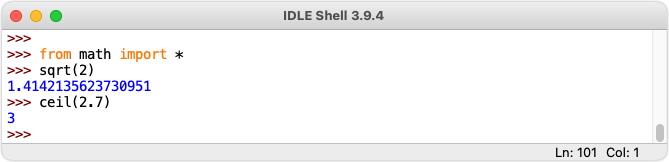
这将把 math 模块中定义的所有名称导入全局名称空间,但以下划线开头的名称除外(下划线表示编写者认为该名称仅供内部使用)。
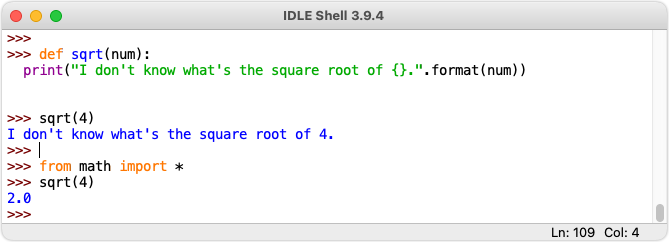
警告: 如果已经定义或导入了同名函数,它将被覆盖。推荐的方法是只导入特定的名称 from math import sqrt, ceil :
def sqrt(num):
  print("I don't know what's the square root of {}.".format(num))

sqrt(4)
# Output: I don't know what's the square root of 4.

from math import *
sqrt(4)
# Output: 2.0
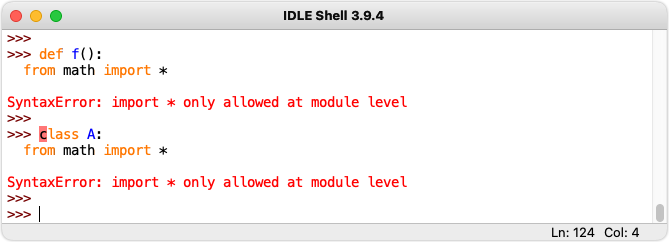
星号导入只允许在模块级使用。尝试在类或函数定义中执行星号导入会导致 SyntaxError。
def f():
  from math import *
和
class A:
  from math import *
都是以失败告终:
SyntaxError: import * only allowed at module level
Section 43.5: 程序化导入
要通过函数调用导入模块,请使用 importlib模块(从 Python 2.7 版开始包含该模块):
import importlib
random = importlib.import_module("random")
importlib.import_module()函数还可以直接导入软件包的子模块:
collections_abc = importlib.import_module("collections.abc")
对于旧版本的 Python,请使用 imp 模块。
Python 2.x 版本 ≤ 2.7
使用函数 imp.find_module 和 imp.load_module 执行编程导入。
摘自 标准库文档
import imp, sys
def import_module(name):
  fp, pathname, description = imp.find_module(name)
  try:
    return imp.load_module(name, fp, pathname, description)
  finally:
    if fp:
      fp.close()
切勿使用 __import__()以编程方式导入模块!有一些涉及 sys.modules、fromlist 参数等的微妙细节很容易被忽略,而 importlib.import_module()会帮你处理这些细节。
Section 43.6: PEP8 的导入规则
一些推荐的 PEP8导入样式指南:
- 导入应单独成行:
python
from math import sqrt, ceil # Not recommended
from math import sqrt # Recommended
from math import ceil
- 在模块顶部按如下顺序排列导入:
- 标准库导入
- 相关第三方导入
- 本地应用程序/库特定导入
-
应避免通配符导入,因为这会导致当前命名空间中的名称混乱。如果使用
from module import *,代码中的特定名称是否来自模块就会变得不清楚。如果有多个from module import *类型的语句,情况就会更加严重。 -
避免使用相对导入;而应使用显式导入。
Section 43.7: 从模块导入特定名称
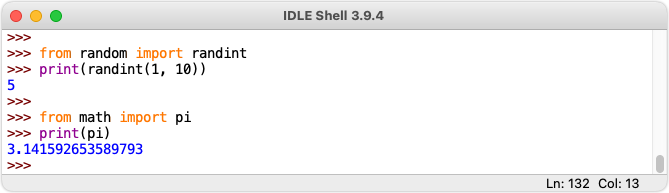
您可以只导入指定的名称,而不是导入整个模块:
from random import randint # Syntax "from MODULENAME import NAME1[, NAME2[, ...]]"
print(randint(1, 10)) # Out: 5
之所以需要 from random,是因为 python 解释器必须知道应该从哪个资源导入函数或类,而 import randint 则指定了函数或类本身。
下面是另一个例子(与上例类似):
from math import pi
print(pi) # Out: 3.14159265359
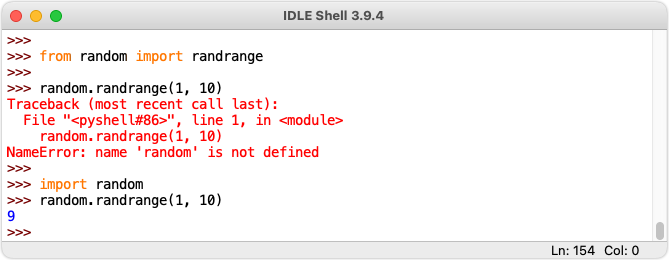
下面的示例会引发错误,因为我们没有导入模块:
random.randrange(1, 10) # works only if "import random" has been run before
输出:
NameError: name 'random' is not defined
python 解释器不明白您说的 random是什么意思。需要在示例中添加 import random 来声明它:
import random
random.randrange(1, 10)
Section 43.8: 导入子模块
from module.submodule import function
该函数从 module.submodule 导入。
Section 43.9: 重新导入模块
使用交互式解释器时,你可能需要重新加载模块。如果你正在编辑一个模块,并想导入最新版本,或者你对现有模块的某个元素打了补丁,并想还原你的改动,这可能会很有用。
请注意,你不能再次 import 模块来恢复原状:
import math
math.pi = 3
print(math.pi) # 3
import math
print(math.pi) # 3
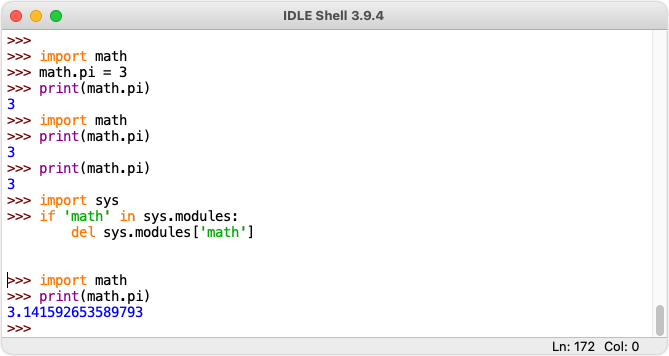
这是因为解释器会注册你导入的每个模块。当你试图重新导入一个模块时,解释器会在寄存器中看到它,但什么也不会做。因此,重新导入的最困难方法是从寄存器中删除相应项目后再使用 import:
print(math.pi) # 3
import sys
if 'math' in sys.modules: # Is the ``math`` module in the register?
  del sys.modules['math'] # If so, remove it.
import math
print(math.pi) # 3.141592653589793
不过,还有一种更直接、更简单的方法。就是使用reload函数。python 3 中reload函数已移至 importlib模块:
import math
math.pi = 3
print(math.pi) # 3
from importlib import reload
reload(math)
print(math.pi) # 3.141592653589793
Section 43.10: __import__()函数
__import__()函数可用于导入只有在运行时才知道名称的模块
if user_input == "os":
  os = __import__("os")
# equivalent to import os
该函数还可用于指定模块的文件路径
mod = __import__(r"C:/path/to/file/anywhere/on/computer/module.py")


