Section 45.1: 四舍五入:四舍五入、下限、上限、截位
除了内置的 “round ”函数,“math ”模块还提供了 “floor”、“ceil ”和 “trunc ”函数。
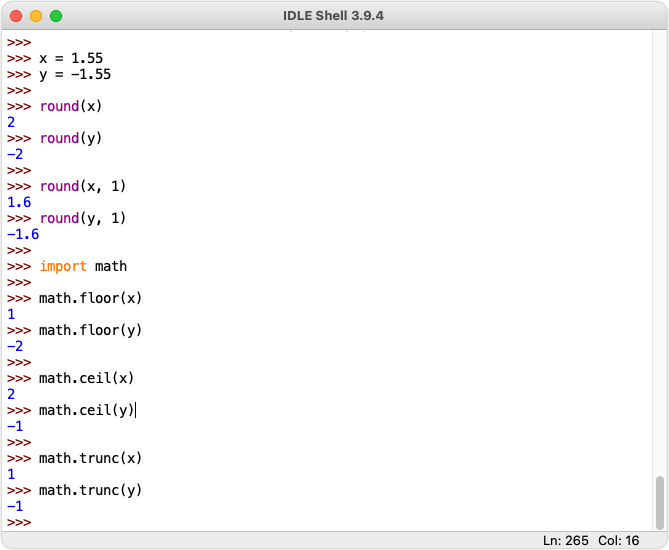
x = 1.55
y = -1.55

# 四舍五入到最近的整数
round(x) # 2
round(y) # -2

# 第二个参数给出四舍五入到小数点后几位(默认为 0)
round(x, 1) # 1.6
round(y, 1) # -1.6

# math 是一个模块,所以要先导入,然后再使用。
import math

# 求小于 x 的最大整数
math.floor(x) # 1
math.floor(y) # -2

# 求大于 x 的最小整数
math.ceil(x) # 2
math.ceil(y) # -1

# 去掉 x 的小数部分
math.trunc(x) # 1, 对于正数,相当于 math.floor
math.trunc(y) # -1, 对于负数,相当于 math.ceil
floor、ceil 和 trunc 总是返回一个 Integral 值,而 round 在调用一个参数时返回一个 Integral 值。
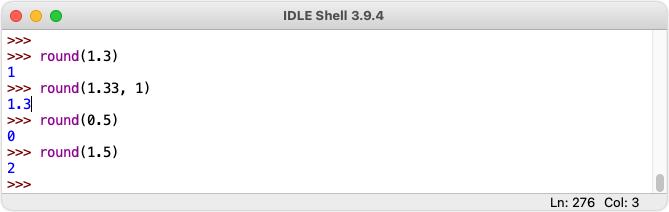
round(1.3) # 1
round(1.33, 1) # 1.3
round 打破平局,取最接近的偶数。这可以纠正在进行大量计算时偏向较大数字的情况。
round(0.5) # 0
round(1.5) # 2
警告!
与任何浮点表示法一样,有些分数无法精确表示。这可能会导致一些意想不到的舍入行为。
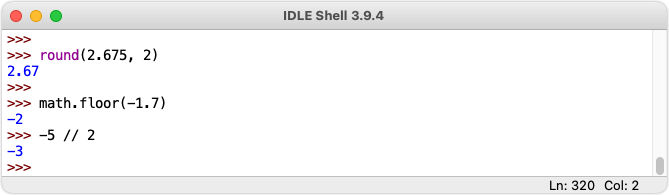
round(2.675, 2) # 2.67, 不是 2.68!
关于负数的 floor、trunc 和整除的警告
对于负数,Python(以及 C++ 和 Java)会从零开始四舍五入。考虑一下
>>> math.floor(-1.7)
-2.0
>>> -5 // 2
-3
Section 45.2: 三角的计算
计算斜边的长度
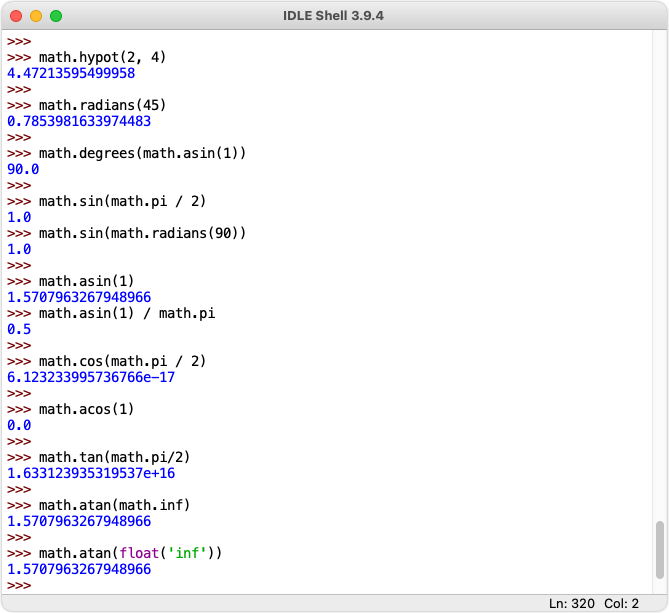
math.hypot(2, 4) # Just a shorthand for SquareRoot(2**2 + 4**2)
# Out: 4.47213595499958
将度转换成/转换成弧度
所有 math 函数都期望使用 radians(弧度),因此您需要将度转换成弧度:
math.radians(45) # Convert 45 degrees to radians
# Out: 0.7853981633974483
所有反三角函数的结果都以弧度为单位返回,因此您可能需要将其转换回度:
math.degrees(math.asin(1)) # Convert the result of asin to degrees
# Out: 90.0
正弦、余弦、正切和反函数
# Sine and arc sine
math.sin(math.pi / 2)
# Out: 1.0
math.sin(math.radians(90)) # Sine of 90 degrees
# Out: 1.0

math.asin(1)
# Out: 1.5707963267948966 # "= pi / 2"
math.asin(1) / math.pi
# Out: 0.5

# Cosine and arc cosine:
math.cos(math.pi / 2)
# Out: 6.123233995736766e-17
# 几乎为零,但并不精确,因为 "pi" 是精度有限的浮点数!

math.acos(1)
# Out: 0.0

# Tangent and arc tangent:
math.tan(math.pi/2)
# Out: 1.633123935319537e+16
# 非常大,但不完全是 “Inf”,因为 "pi" 是精度有限的浮点数
Python 3.x Version ≥ 3.5
math.atan(math.inf)
# Out: 1.5707963267948966 # This is just "pi / 2"

math.atan(float('inf'))
# Out: 1.5707963267948966 # This is just "pi / 2"
除了 math.atan 函数外,还有一个双参数的 math.atan2 函数,它能计算正确的象限并避免除以零的陷阱:
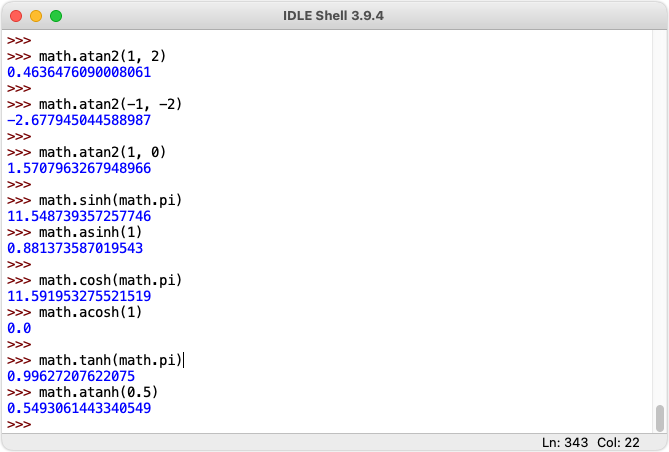
math.atan2(1, 2) # 相当于 "math.atan(1/2)"
# Out: 0.4636476090008061 # ≈ 26.57 degrees, 1st quadrant

math.atan2(-1, -2) # 不等于 "math.atan(-1/-2)" == "math.atan(1/2)"
# Out: -2.677945044588987 # ≈ -153.43 degrees (or 206.57 degrees), 3rd quadrant

math.atan2(1, 0) # math.atan(1/0) would raise ZeroDivisionError
# Out: 1.5707963267948966 # This is just "pi / 2"
双曲正弦、余弦和正切
# Hyperbolic sine function
math.sinh(math.pi) # = 11.548739357257746
math.asinh(1) # = 0.8813735870195429

# Hyperbolic cosine function
math.cosh(math.pi) # = 11.591953275521519
math.acosh(1) # = 0.0

# Hyperbolic tangent function
math.tanh(math.pi) # = 0.99627207622075
math.atanh(0.5) # = 0.5493061443340549
Section 45.3: 更快的指数化 Pow
从命令行使用 timeit 模块:
> python3 -m timeit 'for x in range(50000): b = x**3'
10 loops, best of 3: 51.2 msec per loop
> python3 -m timeit 'from math import pow' 'for x in range(50000): b = pow(x,3)'
100 loops, best of 3: 9.15 msec per loop
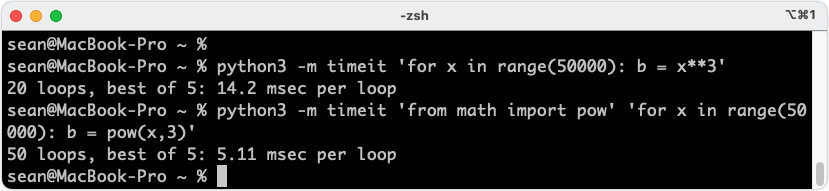
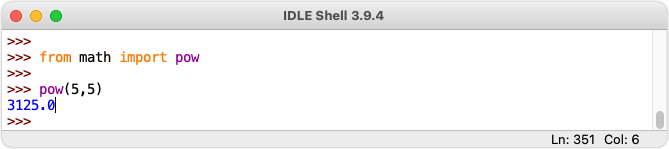
内置的 ** 运算符经常派上用场,但如果对性能要求较高,可以使用 math.pow。但请注意,即使参数是整数,pow 也会返回浮点数:
>>> from math import pow
>>> pow(5,5)
3125.0
Section 45.4: 无穷大和 NaN("非数字")
在所有 Python 版本中,我们都可以用以下方式表示无穷大和 NaN("非数字"):
pos_inf = float('inf') # 正无穷大
neg_inf = float('-inf') # 负无穷大
not_a_num = float('nan') # NaN ("非数字")
在 Python 3.5 及更高版本中,我们还可以使用已定义的常量 math.inf 和 math.nan:
Python 3.x Version ≥ 3.5
pos_inf = math.inf
neg_inf = -math.inf
not_a_num = math.nan
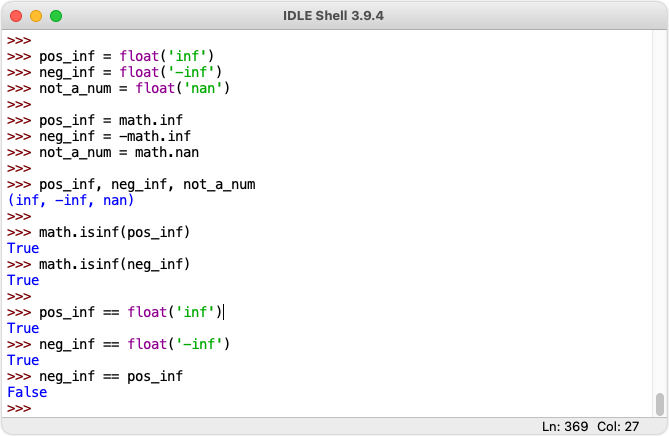
字符串表示法显示为 inf 和 -inf 以及 nan:
pos_inf, neg_inf, not_a_num
# Out: (inf, -inf, nan)
我们可以用 isinf 方法测试正无穷大或负无穷大:
math.isinf(pos_inf)
# Out: True

math.isinf(neg_inf)
# Out: True
我们可以通过直接比较,专门测试正无穷大或负无穷大:
pos_inf == float('inf') # or == math.inf in Python 3.5+
# Out: True

neg_inf == float('-inf') # or == -math.inf in Python 3.5+
# Out: True

neg_inf == pos_inf
# Out: False
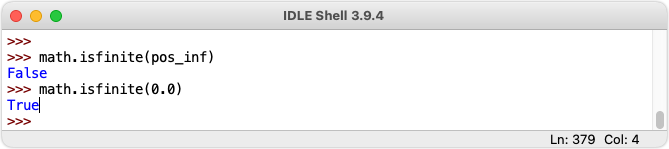
Python 3.2 及更高版本还允许检查有限性:
Python 3.x Version ≥ 3.2
math.isfinite(pos_inf)
# Out: False

math.isfinite(0.0)
# Out: True
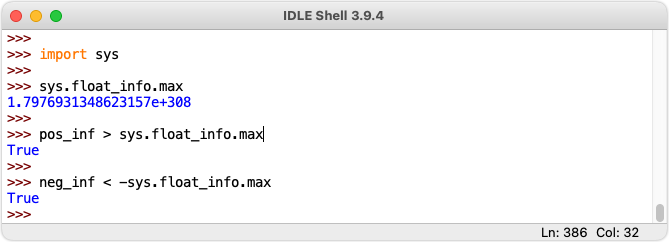
比较运算符对正无穷大和负无穷大均有效:
import sys

sys.float_info.max
# Out: 1.7976931348623157e+308 (this is system-dependent)

pos_inf > sys.float_info.max
# Out: True

neg_inf < -sys.float_info.max
# Out: True
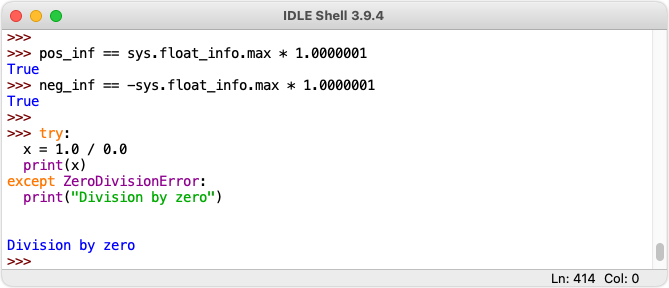
但是,如果算术表达式产生的值大于可以用 float 表示的最大值,它就会变成无穷大:
pos_inf == sys.float_info.max * 1.0000001
# Out: True

neg_inf == -sys.float_info.max * 1.0000001
# Out: True
然而,除以零的结果并不是无穷大(或适当情况下的负无穷大),而是会引发 ZeroDivisionError 异常。
try:
  x = 1.0 / 0.0
  print(x)
except ZeroDivisionError:
  print("Division by zero")

# Out: Division by zero
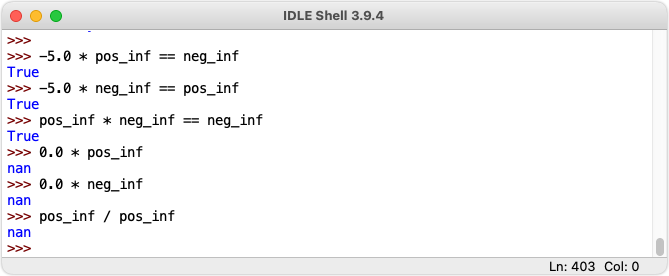
对无穷大进行算术运算只会得到无穷大的结果,有时甚至是 “NaN”:
-5.0 * pos_inf == neg_inf
# Out: True

-5.0 * neg_inf == pos_inf
# Out: True

pos_inf * neg_inf == neg_inf
# Out: True

0.0 * pos_inf
# Out: nan

0.0 * neg_inf
# Out: nan

pos_inf / pos_inf
# Out: nan
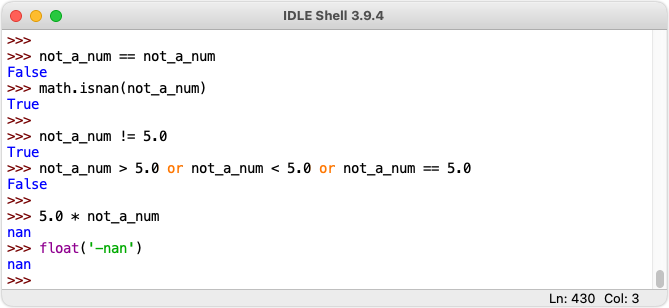
NaN 永远不等于任何东西,甚至不等于它自己。我们可以用 isnan 方法来测试它:
not_a_num == not_a_num
# Out: False

math.isnan(not_a_num)
Out: True
NaN 总是比较 “不等于”,但绝不会小于或大于:
not_a_num != 5.0 # or any random value
# Out: True

not_a_num > 5.0 or not_a_num < 5.0 or not_a_num == 5.0
# Out: False
对 NaN 的算术运算总是给出 NaN。这包括乘以-1:不存在 “负 NaN”。
5.0 * not_a_num
# Out: nan

float('-nan')
# Out: nan
Python 3.x Version ≥ 3.5
-math.nan
Out: nan
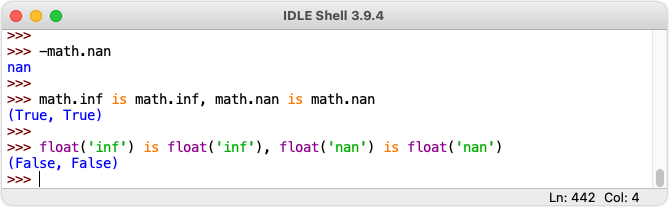
NaN 和 infinity 的旧 float 版本与 Python 3.5+ 数学库常量之间有一个微妙的区别:
Python 3.x Version ≥ 3.5
math.inf is math.inf, math.nan is math.nan
# Out: (True, True)

float('inf') is float('inf'), float('nan') is float('nan')
# Out: (False, False)
Section 45.5: 对数
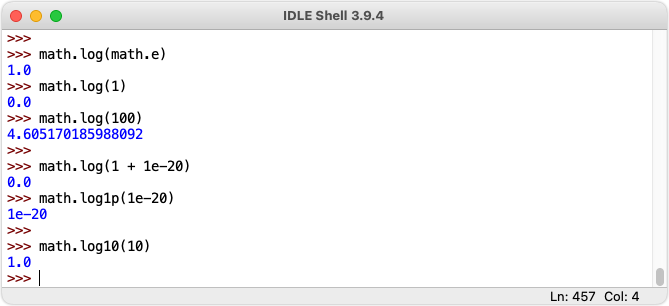
math.log(x)给出 x 的自然对数(以 e 为底)。
math.log(math.e) # 1.0
math.log(1) # 0.0
math.log(100) # 4.605170185988092
由于浮点数的限制,math.log 在计算接近 1 的数字时会失去精度。为了精确计算接近 1 的对数,可以使用 math.log1p,它计算的是 1 加上参数的自然对数:
math.log(1 + 1e-20) # 0.0
math.log1p(1e-20) # 1e-20
math.log10 可用于基 10 的对数:
math.log10(10) # 1.0
Section 45.6: 常数
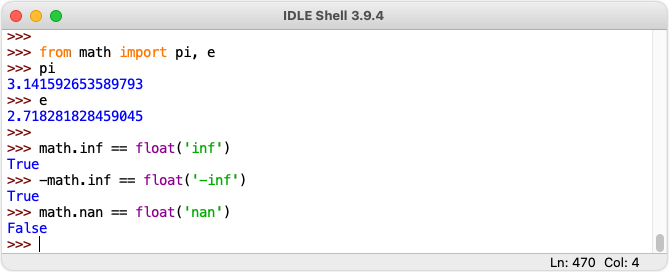
math 模块包括两个常用数学常量。
math.pi- 数学常数 pimath.e- 数学常数 e(自然对数的底数)
>>> from math import pi, e
>>> pi
3.141592653589793
>>> e
2.718281828459045
Python 3.5 及更高版本有无穷大和 NaN(“非数字”)常量。向 float() 传递字符串的旧语法仍然有效。
Python 3.x Version ≥ 3.5
math.inf == float('inf')
# Out: True

-math.inf == float('-inf')
# Out: True

# NaN never compares equal to anything, even itself
math.nan == float('nan')
# Out: False
Section 45.7: 虚数
Python 中的虚数用目标数字后面的 “j ”或 “J ”表示。
1j # 相当于-1 的平方根。
1j * 1j # = (-1+0j)
Section 45.8: 复制标志
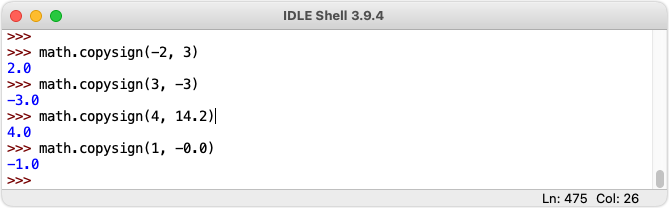
在 Python 2.6 及更高版本中,math.copysign(x, y) 返回带有 y 符号的 x。
math.copysign(-2, 3) # 2.0
math.copysign(3, -3) # -3.0
math.copysign(4, 14.2) # 4.0
math.copysign(1, -0.0) # -1.0, 在支持带符号零的平台上
Section 45.9: 复数和 cmath 模块
cmath 模块类似于 math 模块,但为复数平面定义了适当的函数。
首先,复数是一种数值类型,是 Python 语言本身的一部分,而不是由库类提供。
库类提供的。因此,我们不需要为普通的算术表达式 import cmath。
请注意,我们使用的是 j (或 J),而不是 i。
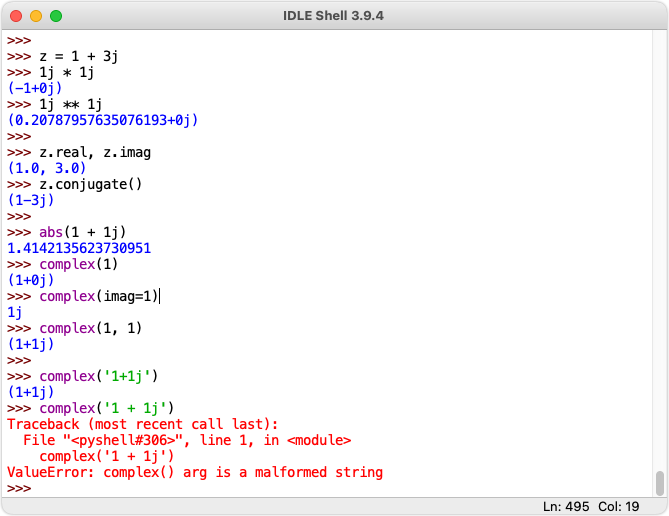
z = 1 + 3j
我们必须使用 1j,因为 j 是一个变量的名称,而不是一个数字字面。
1j * 1j
# Out: (-1+0j)
1j ** 1j
# Out: (0.20787957635076193+0j)
# "i to the i" == math.e ** -(math.pi/2)
我们有实部和 imag(虚部),以及复共轭:
# real part and imaginary part are both float type
z.real, z.imag
# Out: (1.0, 3.0)

z.conjugate()
# Out: (1-3j) # z.conjugate() == z.real - z.imag * 1j
内置函数 abs 和 complex 也是语言本身的一部分,无需导入:
abs(1 + 1j)
# Out: 1.4142135623730951 # square root of 2

complex(1)
# Out: (1+0j)

complex(imag=1)
# Out: (1j)

complex(1, 1)
# Out: (1+1j)
函数 complex 可以接受字符串,但不能有空格:
complex('1+1j')
# Out: (1+1j)

complex('1 + 1j')
# Exception: ValueError: complex() arg is a malformed string
但对于大多数函数,我们确实需要模块,例如 sqrt:
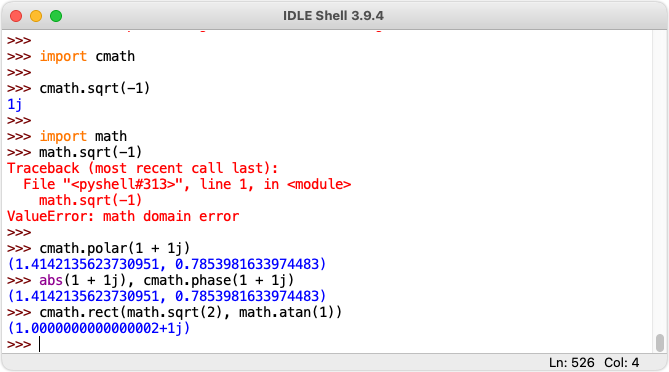
import cmath

cmath.sqrt(-1)
# Out: 1j
自然,对于复数和实数,sqrt 的行为是不同的。在非复数math中,负数的平方根会引发异常:
import math

math.sqrt(-1)
# Exception: ValueError: math domain error
提供了极坐标之间的转换函数:
cmath.polar(1 + 1j)
# Out: (1.4142135623730951, 0.7853981633974483) # == (sqrt(1 + 1), atan2(1, 1))

abs(1 + 1j), cmath.phase(1 + 1j)
# Out: (1.4142135623730951, 0.7853981633974483) # same as previous calculation

cmath.rect(math.sqrt(2), math.atan(1))
# Out: (1.0000000000000002+1.0000000000000002j)
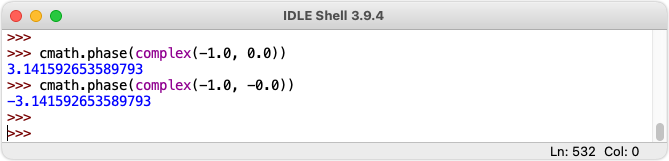
复数分析的数学领域超出了本示例的范围,但复数平面上的许多函数都有一个 “分支切点”,通常沿着实轴或虚轴。大多数现代平台都支持 IEEE 754 中规定的 “带符号零”,这为分支切口两侧的函数提供了连续性。下面的示例来自 Python 文档:
cmath.phase(complex(-1.0, 0.0))
# Out: 3.141592653589793

cmath.phase(complex(-1.0, -0.0))
# Out: -3.141592653589793
cmath 模块还提供了许多与 math 模块直接对应的函数。
除了 sqrt 之外,还有 exp、log、log10、三角函数及其反函数(sin、cos、tan、asin、acos、atan)以及双曲函数及其反函数(sinh、cosh、tanh、asinh、acosh、atanh)的复数版本。但请注意,math.atan2(反正切的双参数形式)没有对应的复数。
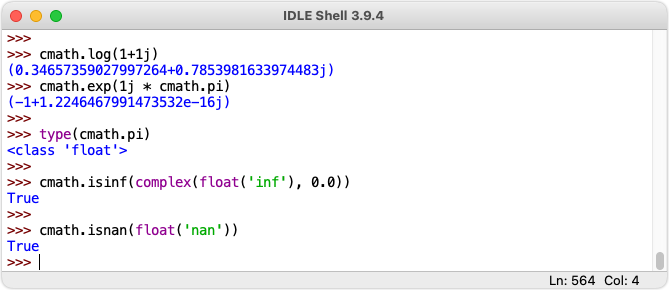
cmath.log(1+1j)
# Out: (0.34657359027997264+0.7853981633974483j)

cmath.exp(1j * cmath.pi)
# Out: (-1+1.2246467991473532e-16j) # e to the i pi == -1, within rounding error
提供常数 pi 和 e。请注意,它们是 float 而不是 complex。
type(cmath.pi)
# Out: <class 'float'>
cmath 模块还提供了复杂版本的 isinf 和 (Python 3.2+) isfinite。参见 "无穷大与 NaN"。如果复数的实部或虚部都是无限的,则该复数被认为是无限的。
cmath.isinf(complex(float('inf'), 0.0))
# Out: True
同样,cmath 模块提供了复杂版本的 isnan。参见 “无穷大与 NaN”。如果复数的实部或虚部都 “不是数”,则该复数被视为 “不是数”。
cmath.isnan(float('nan'))
# Out: True
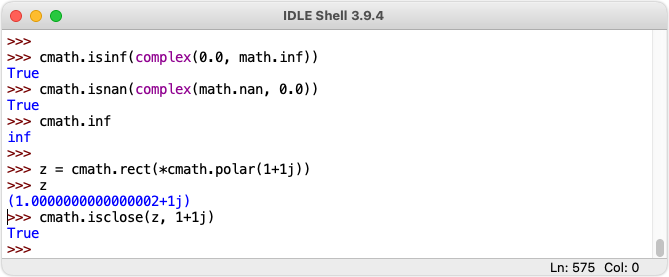
注意没有与 math.inf 和 math.nan 常量对应的 cmath 常量(来自 Python 3.5 及更高版本)
Python 3.x Version ≥ 3.5
cmath.isinf(complex(0.0, math.inf))
# Out: True

cmath.isnan(complex(math.nan, 0.0))
# Out: True

cmath.inf
# Exception: AttributeError: module 'cmath' has no attribute 'inf'
在 Python 3.5 及更高版本中,cmath 和 math 模块中都有一个 isclose 方法。
Python 3.x Version ≥ 3.5
z = cmath.rect(*cmath.polar(1+1j))

z
# Out: (1.0000000000000002+1.0000000000000002j)

cmath.isclose(z, 1+1j)
# True