Section 49.1: 将数据存储到文件中
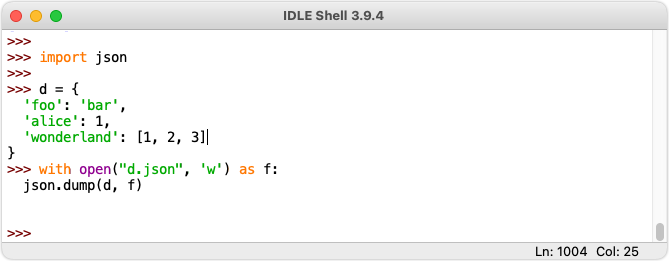
以下代码段将 d 中存储的数据编码为 JSON 格式,并将其存储到文件中(用文件的实际名称替换 filename )。
import json

d = {
  'foo': 'bar',
  'alice': 1,
  'wonderland': [1, 2, 3]
}

with open(filename, 'w') as f:
  json.dump(d, f)
Section 49.2: 从文件中读取数据
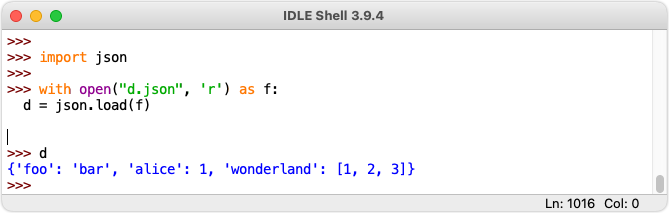
以下代码段打开一个 JSON 编码文件(用文件的实际名称替换 filename ),并返回存储在文件中的对象。
import json

with open(filename, 'r') as f:
  d = json.load(f)
Section 49.3: 格式化 JSON 输出结果
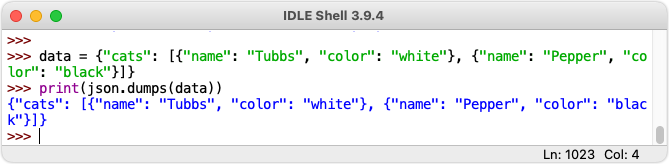
假设我们有以下数据
>>> data = {"cats": [{"name": "Tubbs", "color": "white"}, {"name": "Pepper", "color": "black"}]}
仅仅将其转换为 JSON 并没有什么特别之处:
print(json.dumps(data))
{"cats": [{"name": "Tubbs", "color": "white"}, {"name": "Pepper", "color": "black"}]}
设置缩进以获得更漂亮的输出
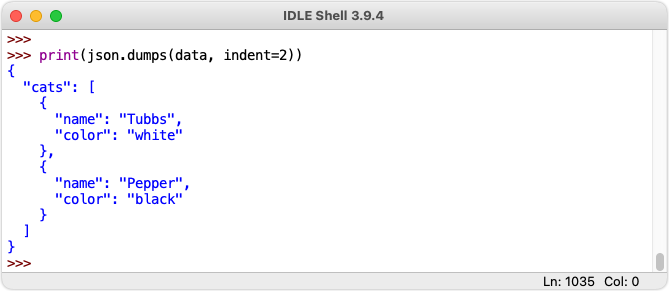
如果我们想要漂亮的打印效果,可以设置缩进大小:
>>> print(json.dumps(data, indent=2))
{
  "cats": [
    {
      "name": "Tubbs",
      "color": "white"
    },
    {
      "name": "Pepper",
      "color": "black"
    }
  ]
}
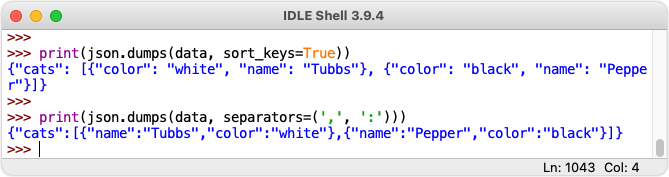
按字母顺序排列键值,以获得一致的输出结果 默认情况下,输出中的键值顺序是未定义的。我们可以按字母顺序排列,确保输出结果始终一致:
print(json.dumps(data, sort_keys=True))
{"cats": [{"color": "white", "name": "Tubbs"}, {"color": "black", "name": "Pepper"}]}
剔除空白以获得紧凑的输出
我们可能希望去掉不必要的空格,这可以通过设置不同于默认,和 : 的分隔符字符串来实现:
print(json.dumps(data, separators=(',', ':')))
{"cats":[{"name":"Tubbs","color":"white"},{"name":"Pepper","color":"black"}]}
Section 49.4: load vs loads, dump vs dumps
json 模块包含读写 unicode 字符串和读写文件的函数。这些函数以函数名后面的 s 来区分。在这些示例中,我们使用的是 StringIO 对象,但同样的函数也适用于任何类文件对象。
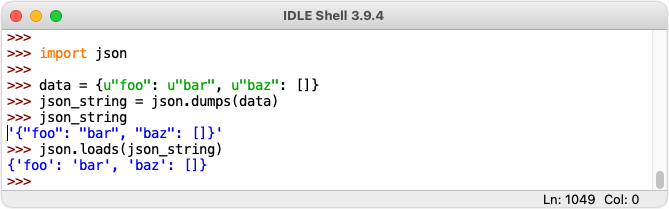
这里我们使用基于字符串的函数:
import json

data = {u"foo": u"bar", u"baz": []}
json_string = json.dumps(data)
# u'{"foo": "bar", "baz": []}'
json.loads(json_string)
# {u"foo": u"bar", u"baz": []}
在这里,我们使用基于文件的功能:
import json
from io import StringIO

json_file = StringIO()
data = {u"foo": u"bar", u"baz": []}
json.dump(data, json_file)
json_file.seek(0) # Seek back to the start of the file before reading
json_file_content = json_file.read()
# u'{"foo": "bar", "baz": []}'
json_file.seek(0) # Seek back to the start of the file before reading
json.load(json_file)
# {u"foo": u"bar", u"baz": []}
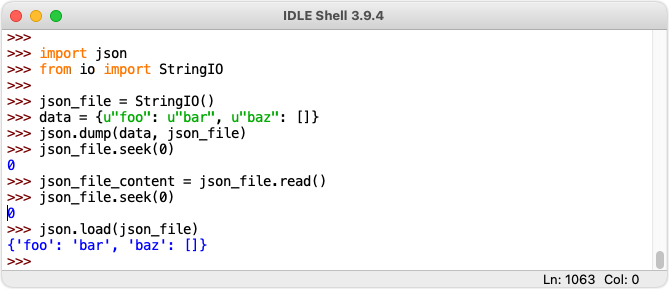
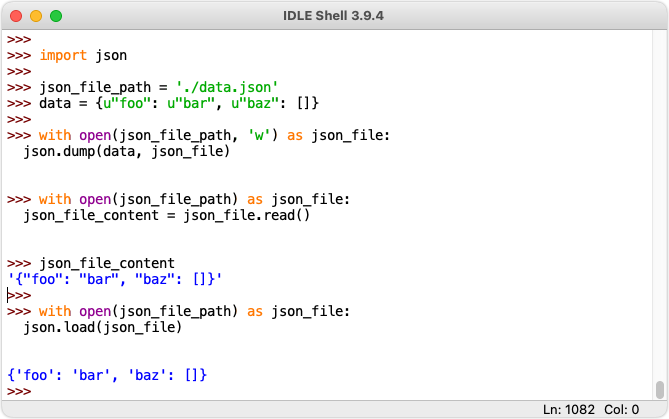
正如你所看到的,主要区别在于转储 json 数据时必须将文件句柄传递给函数,而不是捕获返回值。另外值得注意的是,为了避免数据损坏,在读取或写入数据前,必须先找到文件的起始位置。打开文件时,光标位于位置 0,因此下面的方法也可以使用:
import json

json_file_path = './data.json'
data = {u"foo": u"bar", u"baz": []}

with open(json_file_path, 'w') as json_file:
  json.dump(data, json_file)

with open(json_file_path) as json_file:
  json_file_content = json_file.read()
  # u'{"foo": "bar", "baz": []}'

with open(json_file_path) as json_file:
  json.load(json_file)
  # {u"foo": u"bar", u"baz": []}
有了这两种处理 json 数据的方法,您就可以习惯性地、高效地使用基于 json 的格式,例如 pyspark 的 json-per-line:
# loading from a file
data = [json.loads(line) for line in open(file_path).splitlines()]

# dumping to a file
with open(file_path, 'w') as json_file:
  for item in data:
    json.dump(item, json_file)
    json_file.write('\n')
记得要将上面代码中的 file_path 替换为实际的文件路径
Section 49.5: 从命令行调用 json.tool 以漂亮地打印 JSON 输出
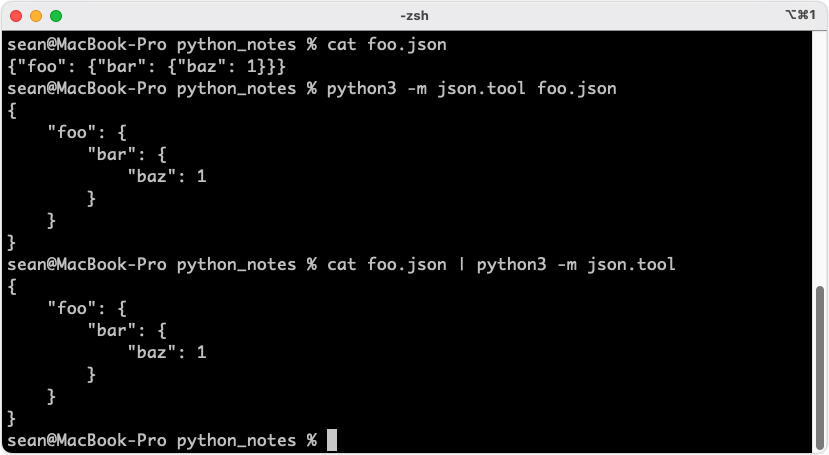
给定某个 JSON 文件 "foo.json",如
{"foo": {"bar": {"baz": 1}}}
我们可以直接从命令行调用模块(将文件名作为参数传递)来漂亮打印:
$ python3 -m json.tool foo.json
{
    "foo": {
        "bar": {
            "baz": 1
        }
    }
}
该模块还将从 STDOUT 接收输入,因此(在 Bash 中)我们同样可以这样做:
$ cat foo.json | python3 -m json.tool
Section 49.6: JSON 编码自定义对象
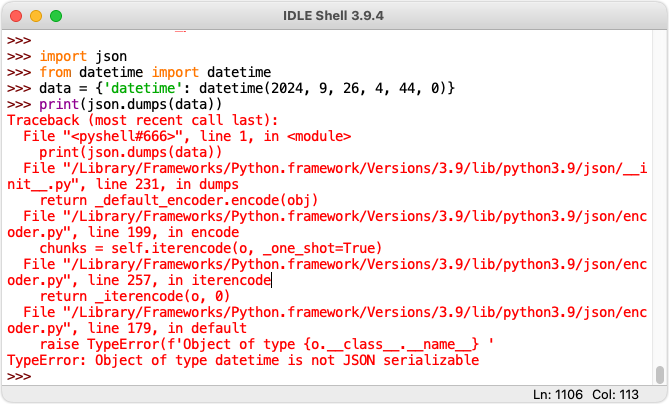
如果我们尝试以下方法
import json
from datetime import datetime
data = {'datetime': datetime(2024, 9, 26, 4, 44, 0)}
print(json.dumps(data))
我们会收到一个错误,提示 TypeError: Object of type datetime is not JSON serializable。
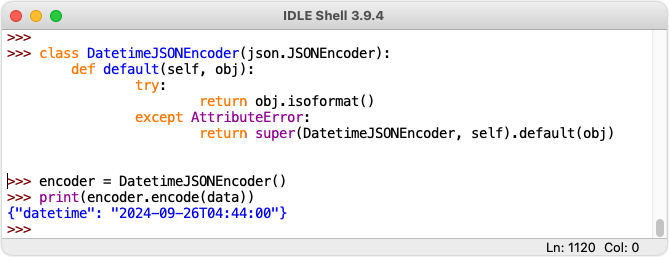
为了能正确序列化 datetime 对象,我们需要编写自定义代码来转换它:
class DatetimeJSONEncoder(json.JSONEncoder):
  def default(self, obj):
    try:
      return obj.isoformat()
    except AttributeError:
      # obj 没有 isoformat 方法;让内置 JSON 编码器来处理吧
      return super(DatetimeJSONEncoder, self).default(obj)
然后使用该编码器类代替 json.dumps:
encoder = DatetimeJSONEncoder()
print(encoder.encode(data))
# prints {"datetime": "2016-09-26T04:44:00"}
Section 49.7: 从 Python dict 创建 JSON
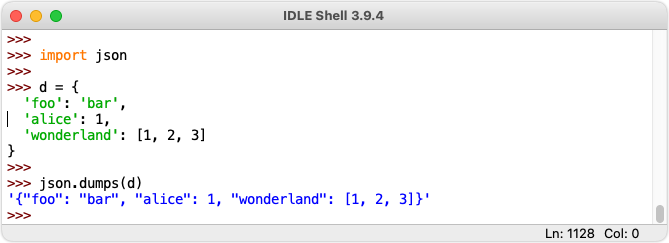
import json
d = {
  'foo': 'bar',
  'alice': 1,
  'wonderland': [1, 2, 3]
}
json.dumps(d)
上述代码段将返回以下内容:
'{"wonderland": [1, 2, 3], "foo": "bar", "alice": 1}'
Section 49.8: 从 JSON 创建 Python dict
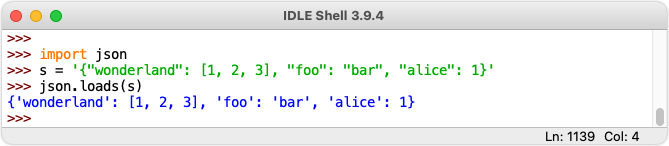
import json
s = '{"wonderland": [1, 2, 3], "foo": "bar", "alice": 1}'
json.loads(s)
上述代码段将返回以下内容:
{u'alice': 1, u'foo': u'bar', u'wonderland': [1, 2, 3]}