| Parameter | Description |
|---|---|
base64.b64encode(s, altchars=None) |
|
| s | 类似字节的对象 |
| altchars | altchars一个长度为 2+ 的类字节对象,用于在创建 Base64 字母表时替换 “+”和“=”字符。额外字符将被忽略。 |
base64.b64decode(s, altchars=None, validate=False) |
|
| s | 类似字节的对象 |
| altchars | 长度为 2+ 的类字节对象,用于在创建 Base64 字母表时替换 “+”和“=”字符。额外字符将被忽略。 |
| validate | 如果 validate 为 True,则在进行填充检查前不会丢弃不在正常 Base64 字母表或替代字母表中的字符 |
base64.standard_b64encode(s) |
|
| s | 类似字节的对象 |
base64.standard_b64decode(s) |
|
| s | 类似字节的对象 |
base64.urlsafe_b64encode(s) |
|
| s | 类似字节的对象 |
base64.urlsafe_b64decode(s) |
|
| s | 类似字节的对象 |
b32encode(s) |
|
| s | 类似字节的对象 |
b32decode(s) |
|
| s | 类似字节的对象 |
base64.b16encode(s) |
|
| s | 类似字节的对象 |
base64.b16decode(s) |
|
| s | 类似字节的对象 |
base64.a85encode(b, foldspaces=False, wrapcol=0, pad=False, adobe=False) |
|
| b | 类似字节的对象 |
| foldspaces | 如果 foldspaces 为 True,将使用字符 y 代替 4 个连续空格。 |
| wrapcol | 换行符前的字符数(0 表示没有) |
| pad | 如果 pad 为 True,则在编码前将字节填充为 4 的倍数 |
| adobe | 如果 adobe 为 "True",则编码序列将使用与 Adobe 产品相同的<~ 和 ~>。 |
base64.a85decode(b, foldspaces=False, adobe=False, ignorechars=b'\t\n\r\v') |
|
b |
类似字节的对象 |
foldspaces |
如果 foldspaces 为 True,将使用字符 y 代替 4 个连续空格。 |
adobe |
如果 adobe 为 True,则编码序列将使用与 Adobe 产品相同的<~和 ~>。 |
ignorechars |
在编码过程中忽略的类似字节的字符对象 |
base64.b85encode(b, pad=False) |
|
b |
类似字节的对象 |
pad |
如果 pad 为 True,则在编码前将字节填充为 4 的倍数 |
base64.b85decode(b) |
|
b |
类似字节的对象 |
base 64 编码是使用弧度 64 将二进制编码为 ASCII 字符串格式的通用方案。base64 模块是标准库的一部分,这意味着它与 Python 一起安装。了解字节和字符串对本主题至关重要,可以在此处复习。本主题将解释如何使用 base64 模块的各种功能和数基。
Section 58.1: 编码和解码 Base64
要在脚本中包含 base64 模块,必须先导入该模块:
import base64
base64 编码和解码函数都需要一个 bytes-like object。要将字符串转换成字节,我们必须使用 Python 内置的编码函数对其进行编码。最常用的是 UTF-8 编码,但是这些标准编码的完整列表(包括使用不同字符的语言)可以在 Python 官方文档 链接这里 中找到。下面是将字符串编码为字节的示例:
s = "Hello World!"
b = s.encode("UTF-8")
最后一行的输出结果是
b'Hello World!'
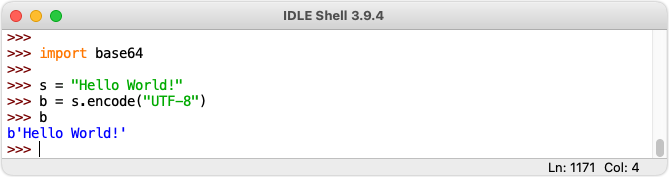
b 前缀用于表示值是字节对象。
要对这些字节进行 Base64 编码,我们需要使用 base64.b64encode() 函数:
import base64
s = "Hello World!"
b = s.encode("UTF-8")
e = base64.b64encode(b)
print(e)
该代码的输出结果如下
b'SGVsbG8gV29ybGQh'
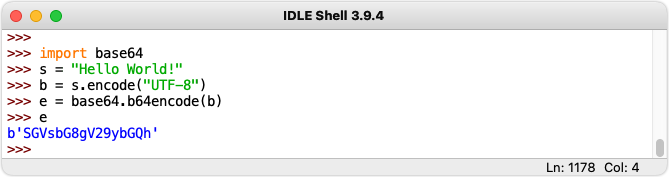
仍在字节对象中。要从这些字节中获取字符串,我们可以使用 Python 的 decode() 方法,并使用 UTF-8 编码:
import base64
s = "Hello World!"
b = s.encode("UTF-8")
e = base64.b64encode(b)
s1 = e.decode("UTF-8")
print(s1)
输出结果将是
SGVsbG8gV29ybGQh
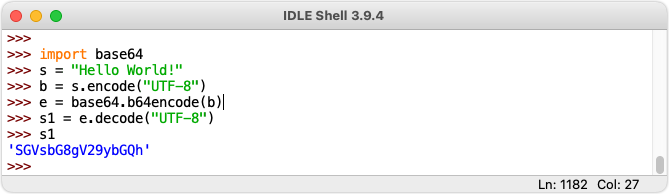
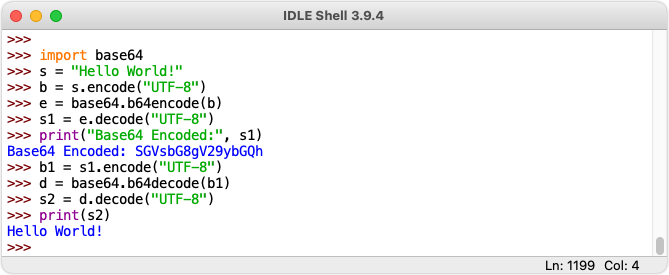
如果我们想对字符串进行编码然后解码,可以使用 base64.b64decode() 方法:
import base64
# Creating a string
s = "Hello World!"
# Encoding the string into bytes
b = s.encode("UTF-8")
# Base64 Encode the bytes
e = base64.b64encode(b)
# Decoding the Base64 bytes to string
s1 = e.decode("UTF-8")
# Printing Base64 encoded string
print("Base64 Encoded:", s1)
# Encoding the Base64 encoded string into bytes
b1 = s1.encode("UTF-8")
# Decoding the Base64 bytes
d = base64.b64decode(b1)
# Decoding the bytes to string
s2 = d.decode("UTF-8")
print(s2)
如您所料,输出将是原始字符串:
Base64 Encoded: SGVsbG8gV29ybGQh
Hello World!
Section 58.2: 编码和解码 Base32
base64 模块还包括 Base32 的编码和解码函数。这些函数与 Base64 函数非常相似:
import base64

# Creating a string
s = "Hello World!"
# Encoding the string into bytes
b = s.encode("UTF-8")
# Base32 Encode the bytes
e = base64.b32encode(b)
# Decoding the Base32 bytes to string
s1 = e.decode("UTF-8")
# Printing Base32 encoded string
print("Base32 Encoded:", s1)
# Encoding the Base32 encoded string into bytes
b1 = s1.encode("UTF-8")
# Decoding the Base32 bytes
d = base64.b32decode(b1)
# Decoding the bytes to string
s2 = d.decode("UTF-8")
print(s2)
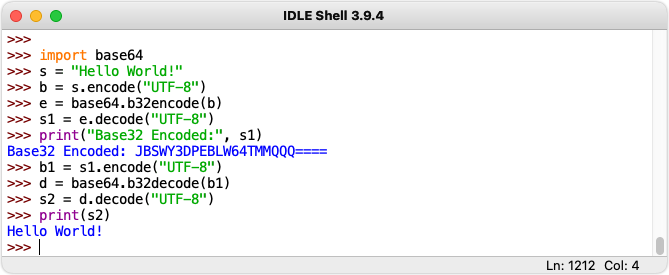
这将产生以下输出结果:
Base32 Encoded: JBSWY3DPEBLW64TMMQQQ====
Hello World!
Section 58.3: 编码和解码 Base16
base64 “模块还包括 ”Base16 "的编码和解码函数。Base 16 "通常被称为十六进制。这些函数与 Base64 和 Base32 函数非常相似:
import base64
# Creating a string
s = "Hello World!"
# Encoding the string into bytes
b = s.encode("UTF-8")
# Base16 Encode the bytes
e = base64.b16encode(b)
# Decoding the Base16 bytes to string
s1 = e.decode("UTF-8")
# Printing Base16 encoded string
print("Base16 Encoded:", s1)
# Encoding the Base16 encoded string into bytes
b1 = s1.encode("UTF-8")
# Decoding the Base16 bytes
d = base64.b16decode(b1)
# Decoding the bytes to string
s2 = d.decode("UTF-8")
print(s2)
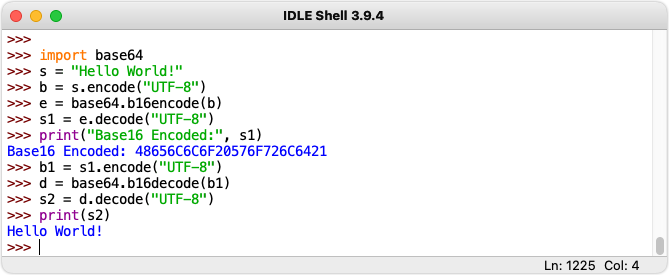
输出结果如下
Base16 Encoded: 48656C6C6F20576F726C6421
Hello World!
Section 58.4: 编码和解码 ASCII85
Adobe 创建了自己的编码,称为 ASCII85,与 “Base85 ”相似,但也有不同之处。Adobe PDF 文件中经常使用这种编码。这些函数已在 Python 3.4 版本中发布。否则,函数 base64.a85encode() 和 base64.a85encode() 与前一个函数类似:
import base64
# Creating a string
s = "Hello World!"
# Encoding the string into bytes
b = s.encode("UTF-8")
# ASCII85 Encode the bytes
e = base64.a85encode(b)
# Decoding the ASCII85 bytes to string
s1 = e.decode("UTF-8")
# Printing ASCII85 encoded string
print("ASCII85 Encoded:", s1)
# Encoding the ASCII85 encoded string into bytes
b1 = s1.encode("UTF-8")
# Decoding the ASCII85 bytes
d = base64.a85decode(b1)
# Decoding the bytes to string
s2 = d.decode("UTF-8")
print(s2)
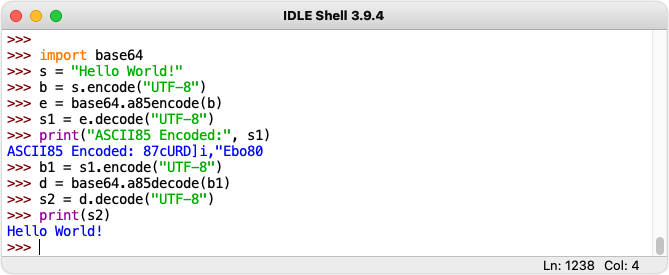
输出结果如下:
ASCII85 Encoded: 87cURD]i,"Ebo80
Hello World!
Section 58.5: 编码和解码 Base85
Just like the Base64, Base32, and Base16 functions, the Base85 encoding and decoding functions are base64.b85encode() and base64.b85decode():
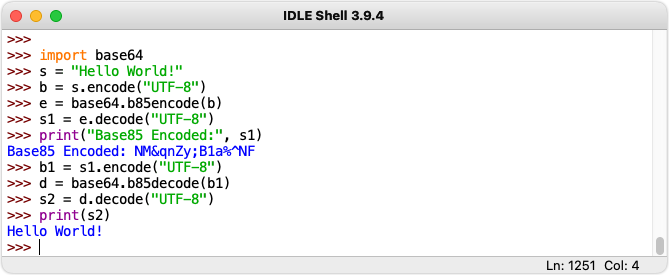
import base64

# Creating a string
s = "Hello World!"
# Encoding the string into bytes
b = s.encode("UTF-8")
# Base85 Encode the bytes
e = base64.b85encode(b)
# Decoding the Base85 bytes to string
s1 = e.decode("UTF-8")
# Printing Base85 encoded string
print("Base85 Encoded:", s1)
# Encoding the Base85 encoded string into bytes
b1 = s1.encode("UTF-8")
# Decoding the Base85 bytes
d = base64.b85decode(b1)
# Decoding the bytes to string
s2 = d.decode("UTF-8")
print(s2)
其输出结果如下:
Base85 Encoded: NM&qnZy;B1a%^NF
Hello World!