Section 70.1: 使用内置函数进行幂级数运算: ** 和 pow()
可以使用内置的 pow 函数或 ** 运算符进行幂级数运算:
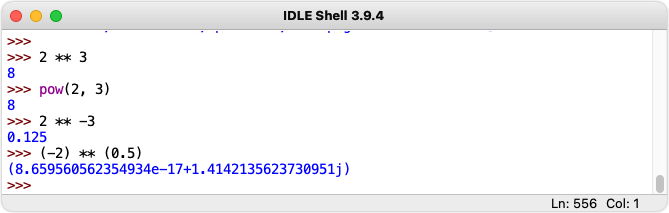
2 ** 3 # 8
pow(2, 3) # 8
对于大多数算术运算 (Python 2.x 中的所有运算),结果的类型将是较宽操作数的类型。但对于 ** 而言并非如此;以下情况是这一规则的例外:
- 基数:
int,指数:int < 0:
2 ** -3
# Out: 0.125 (result is a float)
-
这也适用于 Python 3.x。
-
在 Python 2.2.0 之前,这会引发
ValueError。 -
基数:
int < 0或float < 0, 指数:float != int.
(-2) ** (0.5) # also (-2.) ** (0.5)
# Out: (8.659560562354934e-17+1.4142135623730951j) (result is complex)
- 在 python 3.0.0 之前,这将导致
ValueError。
operator 模块包含两个与 ** 操作符等价的函数:
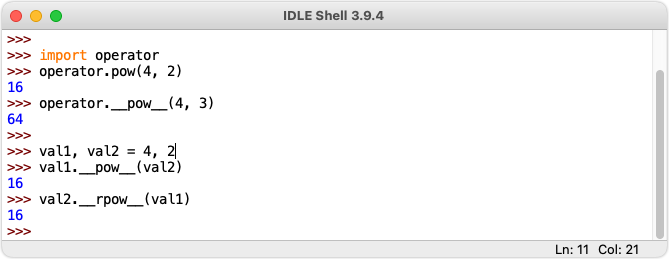
import operator
operator.pow(4, 2) # 16
operator.__pow__(4, 3) # 64
或直接调用 __pow__ 方法:
val1, val2 = 4, 2
val1.__pow__(val2) # 16
val2.__rpow__(val1) # 16
# int、float、complex 等不可变类不支持就地幂运算: val1.__ipow__(val2)
Section 70.2: 平方根:math.sqrt() 和 cmath.sqrt
math 模块包含 math.sqrt() 函数,它可以计算任何数字(可转换为 ”浮点数“)的平方根,且结果始终是 ”浮点数":
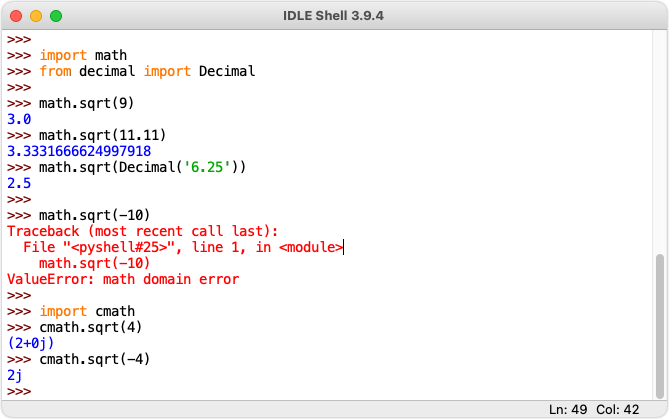
import math
from decimal import Decimal

math.sqrt(9) # 3.0
math.sqrt(11.11) # 3.3331666624997918
math.sqrt(Decimal('6.25')) # 2.5
如果结果是复数,math.sqrt() 函数会引发 ValueError:
math.sqrt(-10)
# ValueError: math domain error
math.sqrt(x) 比 math.pow(x, 0.5) 或 x ** 0.5 更快,但结果的精度是一样的。cmath 模块与 math 模块极为相似,只是它可以计算复数,而且所有结果都是 a + bi 的形式。它还可以使用 .sqrt():
import cmath
cmath.sqrt(4) # 2+0j
cmath.sqrt(-4) # 2j
j 是什么意思?j 相当于 -1 的平方根。所有的数字都可以用 a + bi 的形式表示,或者在本例中,用 a + bj 表示。b 代表数字的虚部,如 2j 中的 2。由于其中没有实部,所以 2j 也可以写成 0 + 2j。
Section 70.3: 模块化指数化:含 3 个参数的 pow()
为 pow() 提供 3 个参数 pow(a, b, c) 可以求出模态指数 ab mod c:
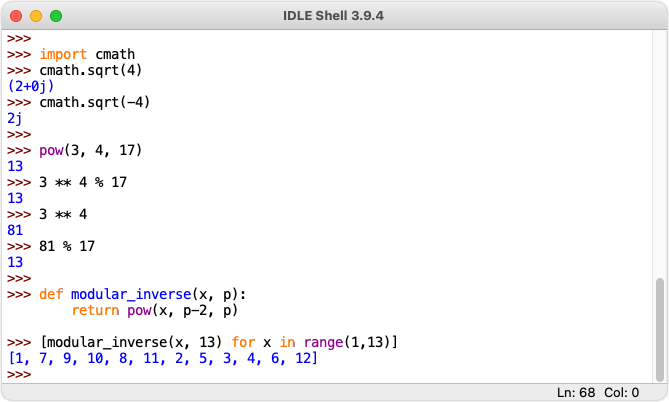
pow(3, 4, 17) # 13

# equivalent unoptimized expression:
3 ** 4 % 17 # 13

# steps:
3 ** 4 # 81
81 % 17 # 13
对于内置类型,只有在以下情况下才能使用模块化指数运算:
- 第一个参数是
int - 第二个参数是
int >= 0 - 第三个参数是
int != 0.
python 3.x 中也有这些限制
例如,我们可以使用 pow 的 3 参数形式定义一个模态反函数:
def modular_inverse(x, p):
  """Find a such as a·x ≡ 1 (mod p), assuming p is prime."""
  return pow(x, p-2, p)

[modular_inverse(x, 13) for x in range(1,13)]
# Out: [1, 7, 9, 10, 8, 11, 2, 5, 3, 4, 6, 12]
Section 70.4: 计算大整数根
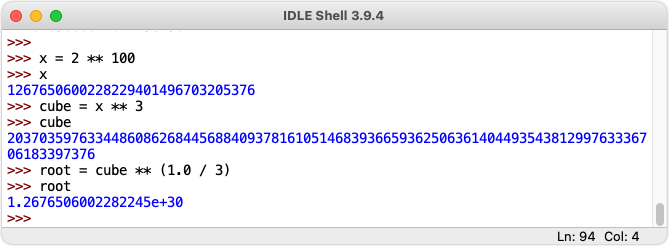
尽管 Python 本身支持大整数,但在 Python 中取非常大的数的 n 次根可能会失败。
x = 2 ** 100
cube = x ** 3
root = cube ** (1.0 / 3)
# OverflowError: long int too large to convert to float
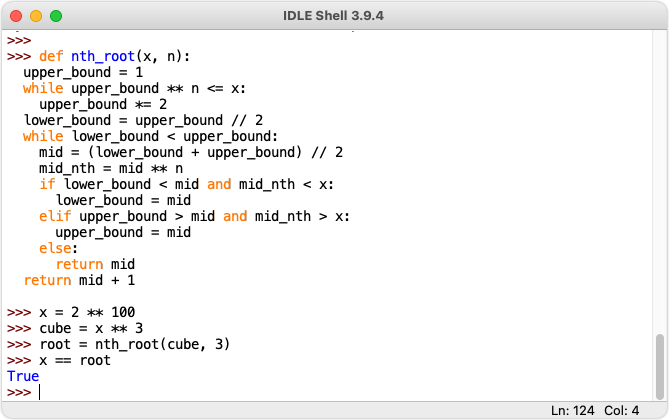
在处理如此大的整数时,您需要使用自定义函数来计算一个数字的 n 次根。
def nth_root(x, n):
  # 从 n 次根值附近的一些合理界限开始。
  upper_bound = 1
  while upper_bound ** n <= x:
    upper_bound *= 2
  lower_bound = upper_bound // 2
  # 只要边界有意义,就继续寻找更好的结果。
  while lower_bound < upper_bound:
    mid = (lower_bound + upper_bound) // 2
    mid_nth = mid ** n
    if lower_bound < mid and mid_nth < x:
      lower_bound = mid
    elif upper_bound > mid and mid_nth > x:
      upper_bound = mid
    else:
      # 找到完美的 n 次根
      return mid
  return mid + 1

x = 2 ** 100
cube = x ** 3
root = nth_root(cube, 3)
x == root
# True
Section 70.5: 使用数学模块进行幂级数运算:math.pow()
math模块包含另一个math.pow()函数。与内置的 pow() 函数或 ** 运算符不同的是,结果总是一个 float:
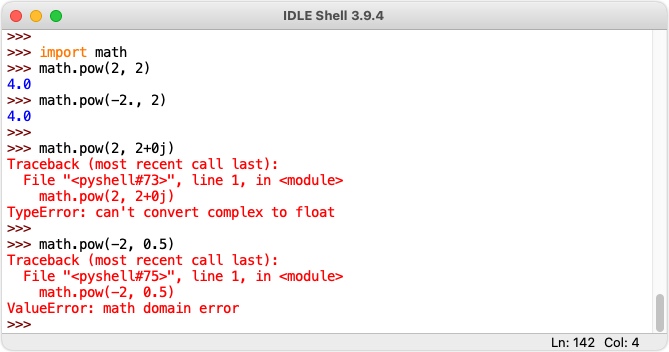
import math
math.pow(2, 2) # 4.0
math.pow(-2., 2) # 4.0
其中不包括复杂输入的计算:
math.pow(2, 2+0j)
# TypeError: can't convert complex to float
和计算,从而得出复杂的结果:
math.pow(-2, 0.5)
# ValueError: math domain error
Section 70.6: 指数函数:math.exp() 和 cmath.exp()
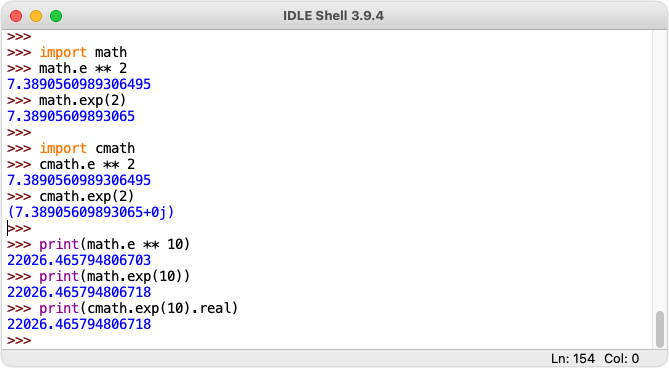
math 和 cmath 模块都包含欧拉数:e,使用内置的 pow() 函数或 ** 运算符时,其工作原理与 math.exp() 基本相同:
import math

math.e ** 2 # 7.3890560989306495
math.exp(2) # 7.38905609893065

import cmath
cmath.e ** 2 # 7.3890560989306495
cmath.exp(2) # (7.38905609893065+0j)
然而,结果是不同的,直接使用指数函数比使用数学基数的内置指数运算更可靠:
print(math.e ** 10) # 22026.465794806703
print(math.exp(10)) # 22026.465794806718
print(cmath.exp(10).real) # 22026.465794806718
# difference starts here ---------------^
Section 70.7: 指数函数减 1:math.expm1()
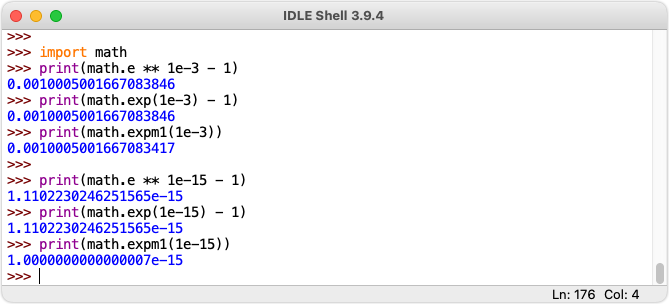
math 模块包含 expm1() 函数,它可以计算非常小的 x 的表达式 math.e ** x - 1,其精度高于 math.exp(x) 或 cmath.exp(x):
import math
print(math.e ** 1e-3 - 1) # 0.0010005001667083846
print(math.exp(1e-3) - 1) # 0.0010005001667083846
print(math.expm1(1e-3)) # 0.0010005001667083417
# ------------------^
对于非常小的 x,差异会越来越大:
print(math.e ** 1e-15 - 1) # 1.1102230246251565e-15
print(math.exp(1e-15) - 1) # 1.1102230246251565e-15
print(math.expm1(1e-15)) # 1.0000000000000007e-15
# ^-------------------
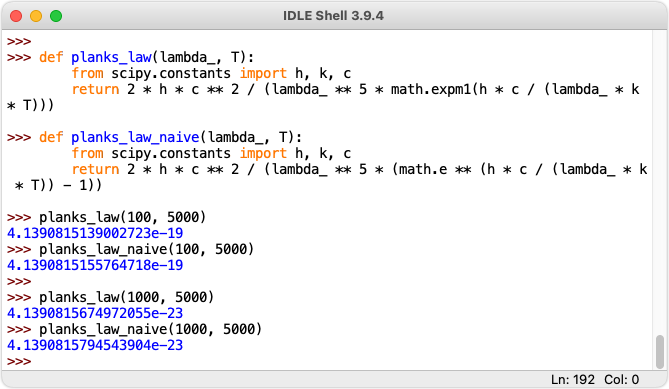
这一改进在科学计算方面意义重大。例如,普朗克定律包含一个指数函数减 1:
def planks_law(lambda_, T):
  from scipy.constants import h, k, c # 如果没有安装 scipy,则对这些内容进行硬编码!
  return 2 * h * c ** 2 / (lambda_ ** 5 * math.expm1(h * c / (lambda_ * k * T)))

def planks_law_naive(lambda_, T):
  from scipy.constants import h, k, c # 如果没有安装 scipy,则对这些内容进行硬编码!
  return 2 * h * c ** 2 / (lambda_ ** 5 * (math.e ** (h * c / (lambda_ * k * T)) - 1))

planks_law(100, 5000) # 4.139080074896474e-19
planks_law_naive(100, 5000) # 4.139080073488451e-19
# ^----------

planks_law(1000, 5000) # 4.139080128493406e-23
planks_law_naive(1000, 5000) # 4.139080233183142e-23
# ^------------
Section 70.8: 魔术方法和指数:内置、数学和 cmath
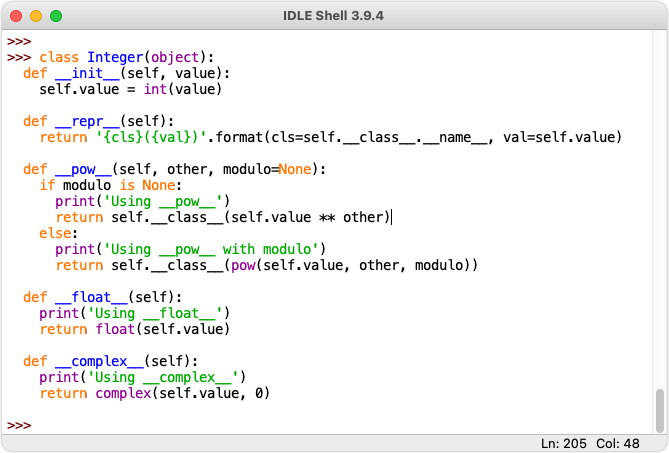
假设你有一个纯粹存储整数值的类:
class Integer(object):
  def __init__(self, value):
    self.value = int(value) # 转换为整数

  def __repr__(self):
    return '{cls}({val})'.format(cls=self.__class__.__name__, val=self.value)

  def __pow__(self, other, modulo=None):
    if modulo is None:
      print('Using __pow__')
      return self.__class__(self.value ** other)
    else:
      print('Using __pow__ with modulo')
      return self.__class__(pow(self.value, other, modulo))

  def __float__(self):
    print('Using __float__')
    return float(self.value)

  def __complex__(self):
    print('Using __complex__')
    return complex(self.value, 0)
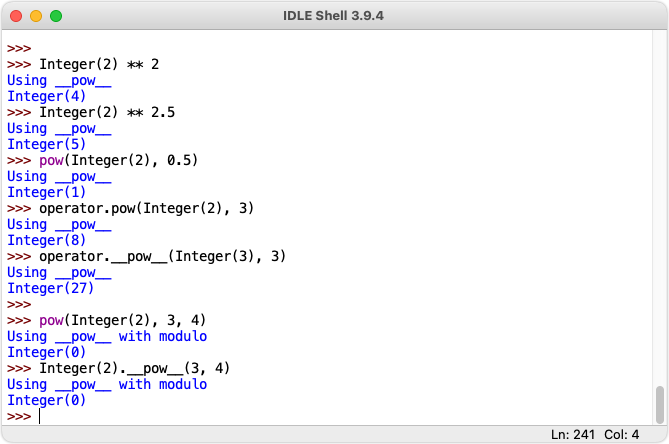
使用内置的 pow 函数或 ** 操作符总是调用 __pow__:
Integer(2) ** 2 # Integer(4)
# Prints: Using __pow__
Integer(2) ** 2.5 # Integer(5)
# Prints: Using __pow__
pow(Integer(2), 0.5) # Integer(1)
# Prints: Using __pow__
operator.pow(Integer(2), 3) # Integer(8)
# Prints: Using __pow__
operator.__pow__(Integer(3), 3) # Integer(27)
# Prints: Using __pow__
__pow__()方法的第二个参数只能通过使用内置的pow()或直接调用该方法来提供:
pow(Integer(2), 3, 4) # Integer(0)
# Prints: Using __pow__ with modulo
Integer(2).__pow__(3, 4) # Integer(0)
# Prints: Using __pow__ with modulo
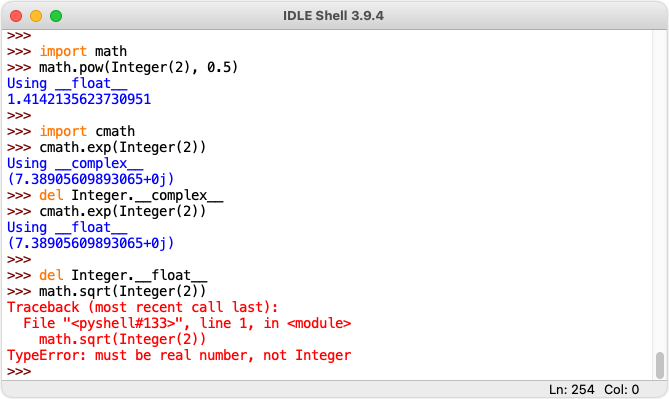
而 math 函数总是将其转换为 float 并使用 float 计算:
import math
math.pow(Integer(2), 0.5) # 1.4142135623730951
# Prints: Using __float__
cmath 函数会尝试将其转换为 "复数",但如果没有明确转换为复数,也会退回到 "浮点数":
import cmath

cmath.exp(Integer(2)) # (7.38905609893065+0j)
# Prints: Using __complex__

del Integer.__complex__ # Deleting __complex__ method - instances cannot be cast to complex

cmath.exp(Integer(2)) # (7.38905609893065+0j)
# Prints: Using __float__
如果缺少 __float__()- 方法,math 和 cmath 都无法工作:
del Integer.__float__ # Deleting __complex__ method
math.sqrt(Integer(2)) # also cmath.exp(Integer(2))
TypeError: a float is required
Section 70.9: 根:带分数指数的 n 次根
虽然 math.sqrt 函数是为平方根的特定情况而提供的,但使用带有小数指数的幂运算符 (**) 来执行 n 次根运算(如立方根)也很方便。
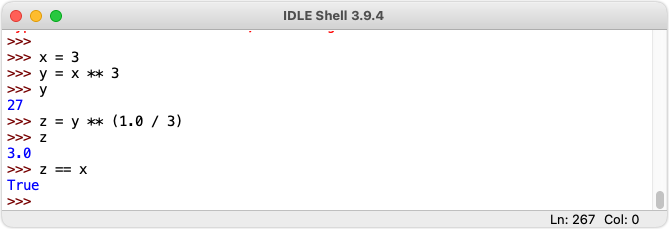
幂运算的逆运算是用指数的倒数进行幂运算。因此,如果您可以通过将一个数字与 3 的指数进行立方运算,那么您也可以通过将一个数字与 1/3 的指数进行运算,求出该数字的立方根。
>>> x = 3
>>> y = x ** 3
>>> y
27
>>> z = y ** (1.0 / 3)
>>> z
3.0
>>> z == x
True