在网络上,我们经常会看到重复讨论相同的错误: ImportError: No module named '??????',“SyntaxError: invalid syntax 或 NameError: name ‘???’ is not defined。这是为了减少这些错误,并提供一些文档链接。
Section 90.1: 其他错误
AssertError
几乎所有编程语言都有 assert 语句。使用时
assert condition
或者:
assert condition, message
这就相当于这样:
if __debug__:
  if not condition: raise AssertionError(message)
断言可以包含可选信息,调试完成后可以禁用断言。
注意:内置变量 debug 在正常情况下为 True,要求优化时为 False(命令行选项 -O)。向 debug 赋值是非法的。内置变量的值在解释器启动时确定。
KeyboardInterrupt
当用户按下中断键(通常为 【 Ctrl + C 】 或 【 Ctrl + del 】)时产生的错误。
ZeroDivisionError
您试图计算未定义的 1/0。请参阅此示例查找一个数字的除数:
div = int(input("Divisors of: "))
for x in range(div+1): #includes the number itself and zero
  if div/x == div//x:
    print(x, "is a divisor of", div)
它引发了ZeroDivisionError,因为 for 循环将该值赋值给了 x:
div = int(input("Divisors of: "))
for x in range(1,div+1): #includes the number itself but not zero
  if div/x == div//x:
    print(x, "is a divisor of", div)
Section 90.2: NameError: name '???' is not defined
当您试图使用一个未初始化(至少之前未初始化)的变量、方法或函数时会出现。换句话说,当找不到请求的局部或全局名称时,就会出现该问题。有可能是你拼错了对象的名称,或者忘记 “导入 ”了什么。也有可能它在另一个作用域中。我们将分别举例说明。
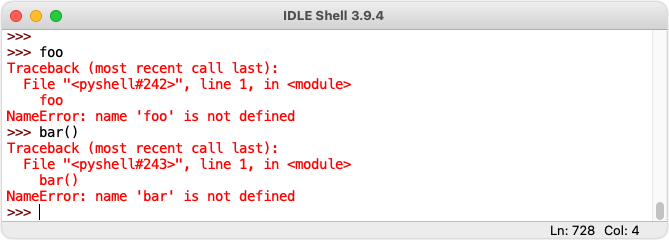
代码中没有定义
可能是忘记初始化了,特别是如果它是一个常量的话
foo # This variable is not defined
bar() # This function is not defined
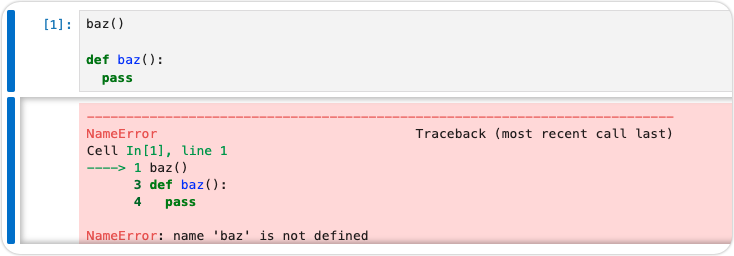
也许稍后会有定义:
baz()

def baz():
  pass
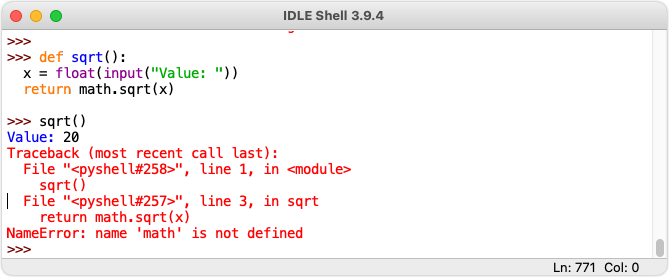
或者没有导入:
#needs import math

def sqrt():
  x = float(input("Value: "))
  return math.sqrt(x)
Python作用域和 LEGB 规则:
所谓的 LEGB 规则是关于 Python 作用域的。它的名称基于不同的作用域,按照相应的优先级排序:
Local → Enclosed → Global → Built-in.
-
Local: 未声明为全局变量或未在函数中赋值的变量。
-
Enclosed: 在一个函数中定义的变量,该函数封装在另一个函数中。
-
Global: 声明为全局或在文件顶层分配的变量。
-
Built-in: 在内置名称模块中预先分配的变量。
例如
for i in range(4):
  d = i * 2
  print(d)
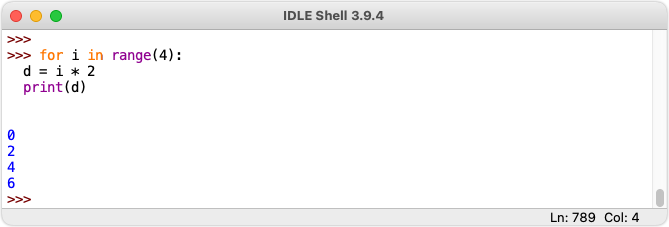
d 可以访问,因为 for 循环没有标记新作用域,但如果标记了新作用域,我们就会出错,其行为类似于
def noaccess():
  for i in range(4):
    d = i * 2
noaccess()
print(d)
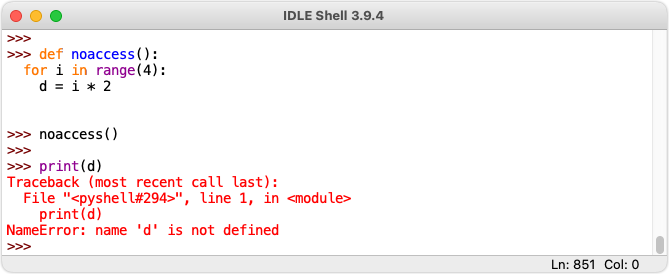
Python 说 NameError: name 'd' is not defined
Section 90.3: TypeErrors
当某些对象的类型应该不同时,就会产生这些异常
TypeError: [definition/method] takes ? positional arguments but ? was given
调用函数或方法时使用的参数多于(或少于)其可接受的参数。
示例
如果给出了更多参数:
def foo(a):
  return a
foo(a,b,c,d) #And a,b,c,d are defined
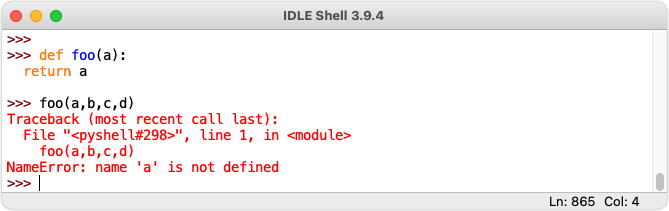
如果给出的参数较少:
def foo(a,b,c,d):
  return a += b + c + d
foo(a) #And a is defined
注意:如果想使用未知数量的参数,可以使用 *args 或 **kwargs。请参阅 *args 和 **kwargs 。
TypeError: unsupported operand type(s) for [operand]: '???' and '???'
有些类型不能同时操作,这取决于操作数。
例如
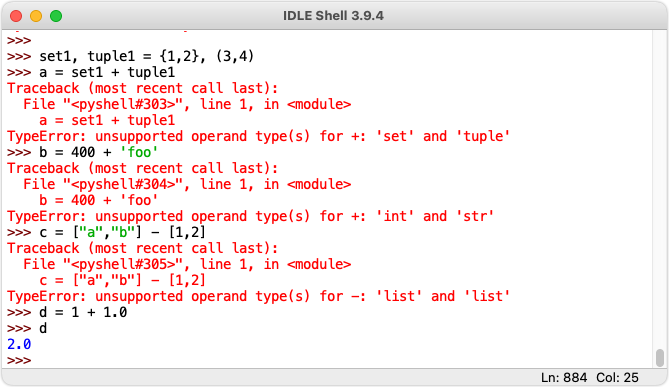
例如:+ 用于连接和加法,但不能同时用于两种类型。例如,试图通过连接(+ing)'set1' 和'tuple1' 来生成一个set,就会出现错误。代码:
set1, tuple1 = {1,2}, (3,4)
a = set1 + tuple1
有些类型(如:int 和字符串)同时使用两个 +,但用于不同的用途:
b = 400 + 'foo'
或者,它们可能根本没有被用来做任何事情:
c = ["a","b"] - [1,2]
但是,您可以将 float 添加到 int 中:
d = 1 + 1.0
TypeError: '???' object is not iterable/subscriptable:
要使一个对象具有可迭代性,它可以从零开始连续获取索引,直到索引不再有效并引发 IndexError 为止(更严格地说:它必须有一个返回 __iterator__ 的 __iter__ 方法,或者定义了一个执行前面提到的功能的 __getitem__ 方法)。
示例
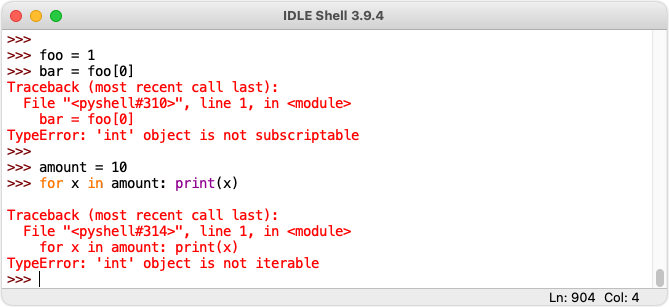
这里我们说 bar 是 1 的第零项:
foo = 1
bar = foo[0]
这是一个更离散的版本: 在这个示例中,for 试图将 x 设为 amount[0],即可迭代表中的第一个项目,但因为 amount 是一个 int,所以无法设置:
amount = 10
for x in amount: print(x)
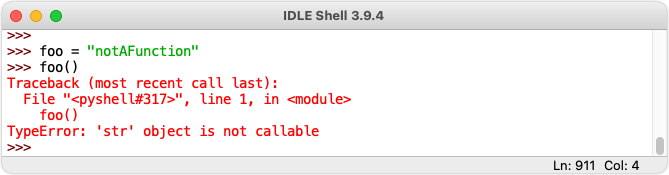
TypeError: '???' object is not callable
您正在定义一个变量,然后再调用它(就像使用函数或方法一样)。
示例
foo = "notAFunction"
foo()
Section 90.4: 良好代码的语法错误
绝大多数情况下,指向无意义行的语法错误(SyntaxError)意味着前面一行有问题(在本例中,是缺少了一个括号):
def my_print():
  x = (1 + 1
  print(x)
返回
File "<input>", line 3
print(x)
    ^
SyntaxError: invalid syntax
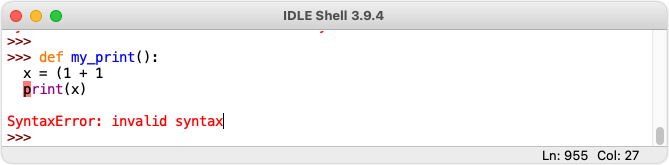
造成这一问题的最常见原因是括号/方括号不匹配,如示例所示。
Python 3 中的 print 语句有一个主要的注意事项:
Python 3.x 版本 ≥ 3.0
>>> print "hello world"
File "<stdin>", line 1
print "hello world"
                  ^
SyntaxError: invalid syntax
因为 print 语句已被 print() 函数取代,所以你要
print("hello world") # Note this is valid for both Py2 & Py3

Section 90.5: 缩进错误(或缩进语法错误)
在大多数其他语言中,缩进并不是强制性的,但在 Python(以及其他语言:早期版本的 FORTRAN、Makefiles、Whitespace(深奥的语言)等)中,缩进并不是强制性的,如果您来自其他语言,如果您从示例中复制代码到您自己的代码,或者如果您是新手,这可能会让您感到困惑。
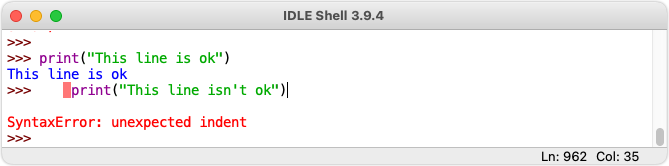
IndentationError/SyntaxError: unexpected indent
当缩进级别无故增加时,就会出现该异常。
示例
此处没有理由增加缩进级别:
print("This line is ok")
    print("This line isn't ok")
这里有两个错误:最后一个和缩进不符合任何缩进级别。但只显示了一个:
print("This line is ok")
  print("This line isn't ok")
IndentationError/SyntaxError: unindent does not match any outer indentation level
看来你没有完全取消缩进。
示例
print("This line is ok")
  print("This line isn't ok")
IndentationError: expected an indented block
在冒号之后(然后是新行),缩进级别必须增加。如果没有这样做,就会出现这个错误。
示例
if ok:
doStuff()

注意:使用关键字 pass(绝对没有任何意义),可以只输入 if、else、except、class、method 或 definition,但不说明如果调用/条件为真会发生什么(但稍后再做,或者在 except 的情况下:什么也不做):
def foo():
  pass
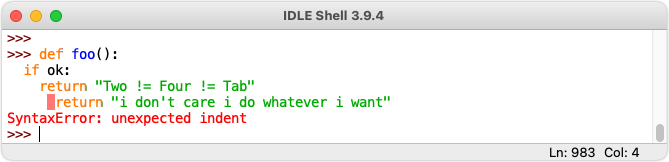
IndentationError: inconsistent use of tabs and spaces in indentation
示例
def foo():
  if ok:
    return "Two != Four != Tab"
      return "i don't care i do whatever i want"
如何避免此错误
不要使用制表符。Python 样式指南 PEP8 不鼓励使用制表符。
- 将编辑器设置为使用 4 个空格缩进。
- 进行搜索和替换,用 4 个空格替换所有制表符。
- 确保您的编辑器设置为将制表符显示为 8 个空格,这样您就能很容易地发现并纠正错误。


