Section 137.1: Python日志记录简介
该模块定义了实现灵活事件日志系统的函数和类,适用于应用程序和库。
将日志API作为标准库模块提供的关键好处是,所有Python模块都可以参与日志记录,因此您的应用程序日志可以集成您自己的消息以及第三方模块的消息。
那么,我们开始吧:
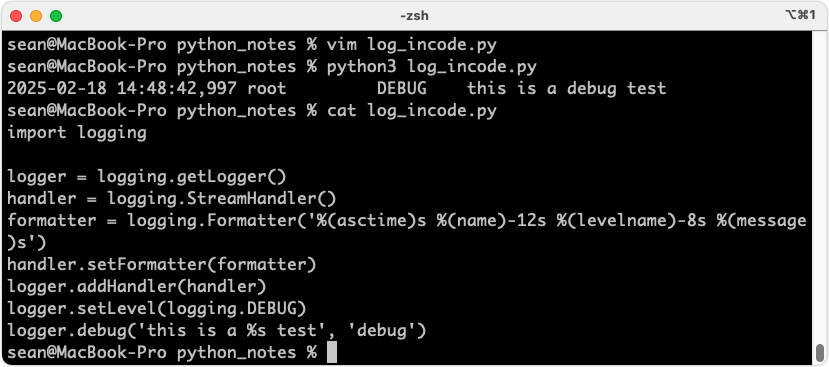
示例:直接在代码中配置
import logging

logger = logging.getLogger()
handler = logging.StreamHandler()
formatter = logging.Formatter('%(asctime)s %(name)-12s %(levelname)-8s %(message)s')
handler.setFormatter(formatter)
logger.addHandler(handler)
logger.setLevel(logging.DEBUG)
logger.debug('this is a %s test', 'debug')
输出示例:
2025-02-18 14:48:42,997 root DEBUG this is a debug test
示例:通过INI文件配置
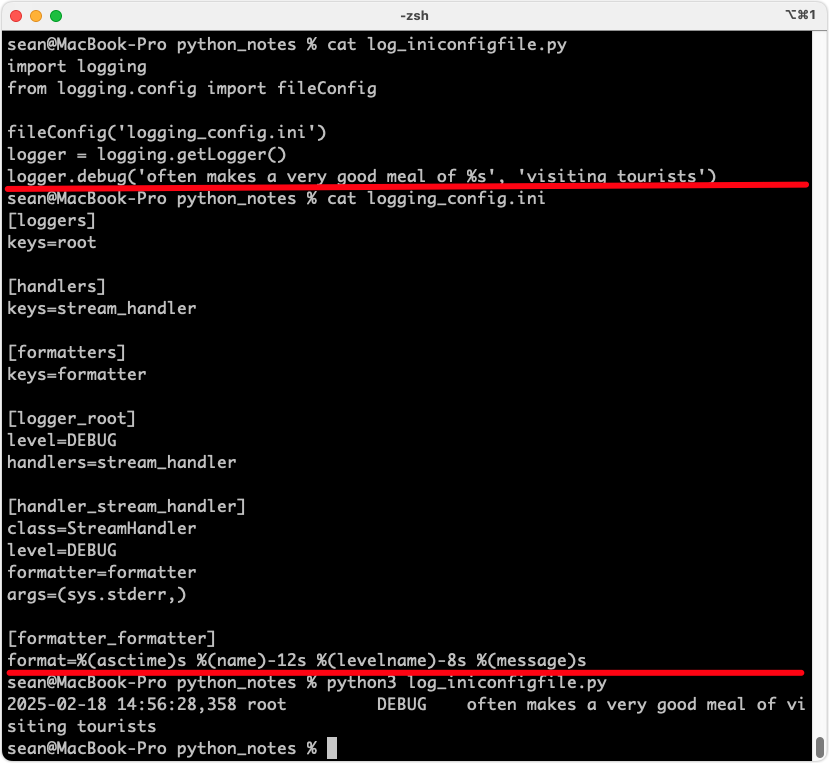
假设文件名为logging_config.ini。文件格式的更多细节可以在日志教程的日志配置部分找到。
[loggers]
keys=root

[handlers]
keys=stream_handler

[formatters]
keys=formatter

[logger_root]
level=DEBUG
handlers=stream_handler

[handler_stream_handler]
class=StreamHandler
level=DEBUG
formatter=formatter
args=(sys.stderr,)

[formatter_formatter]
format=%(asctime)s %(name)-12s %(levelname)-8s %(message)s
然后在代码中使用logging.config.fileConfig():
import logging
from logging.config import fileConfig

fileConfig('logging_config.ini')
logger = logging.getLogger()
logger.debug('often makes a very good meal of %s', 'visiting tourists')
示例:通过字典配置
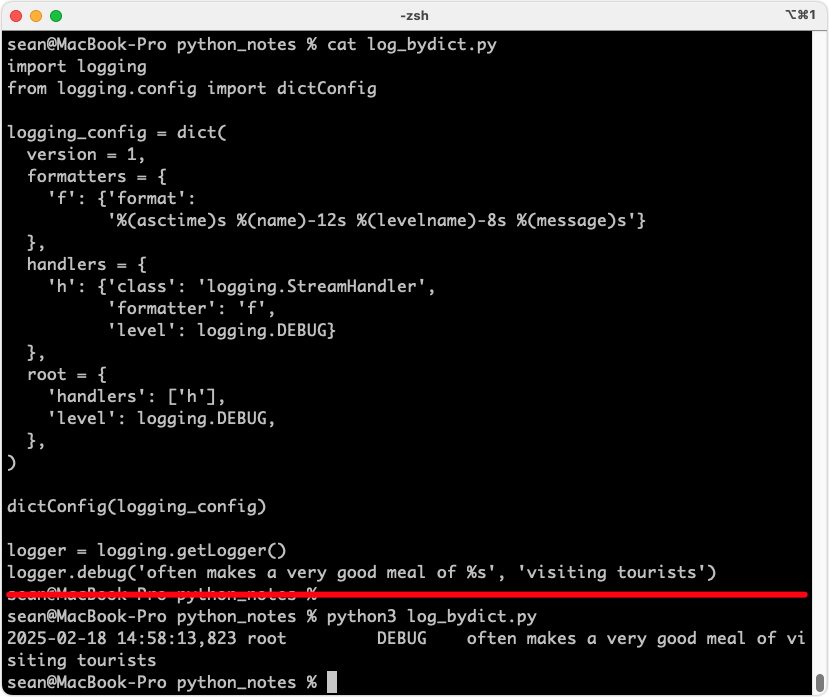
从Python 2.7开始,您可以使用带有配置细节的字典。PEP 391列出了配置字典中的强制性和可选元素。
import logging
from logging.config import dictConfig

logging_config = dict(
  version = 1,
  formatters = {
    'f': {'format':
          '%(asctime)s %(name)-12s %(levelname)-8s %(message)s'}
  },
  handlers = {
    'h': {'class': 'logging.StreamHandler',
          'formatter': 'f',
          'level': logging.DEBUG}
  },
  root = {
    'handlers': ['h'],
    'level': logging.DEBUG,
  },
)

dictConfig(logging_config)

logger = logging.getLogger()
logger.debug('often makes a very good meal of %s', 'visiting tourists')
Section 137.2: 记录异常
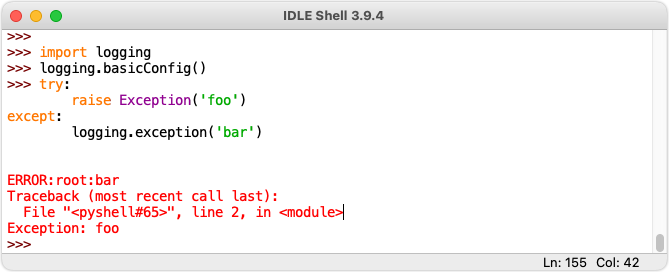
如果您想记录异常,应该使用logging.exception(msg)方法:
>>> import logging
>>> logging.basicConfig()
>>> try:
...     raise Exception('foo')
... except:
...     logging.exception('bar')
...
ERROR:root:bar
Traceback (most recent call last):
  File "<stdin>", line 2, in <module>
Exception: foo
不要将异常作为参数传递:
由于logging.exception(msg)需要一个msg参数,因此常见的错误是像这样将异常传递到日志调用中:
>>> try:
...     raise Exception('foo')
... except Exception as e:
...     logging.exception(e)
...
ERROR:root:foo
Traceback (most recent call last):
  File "<stdin>", line 2, in <module>
Exception: foo
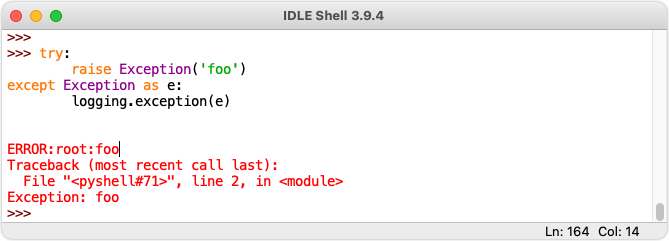
虽然一开始看起来这是正确的方法,但由于异常和日志模块中编码方式的原因,这实际上是有问题的:
>>> try:
...     raise Exception(u'f..')
... except Exception as e:
... logging.exception(e)
...
Traceback (most recent call last):
  File "/.../python2.7/logging/__init__.py", line 861, in emit
    msg = self.format(record)
  File "/.../python2.7/logging/__init__.py", line 734, in format
    return fmt.format(record)
  File "/.../python2.7/logging/__init__.py", line 469, in format
    s = self._fmt % record.__dict__
UnicodeEncodeError: 'ascii' codec can't encode characters in position 1-2: ordinal not in range(128)
Logged from file <stdin>, line 4
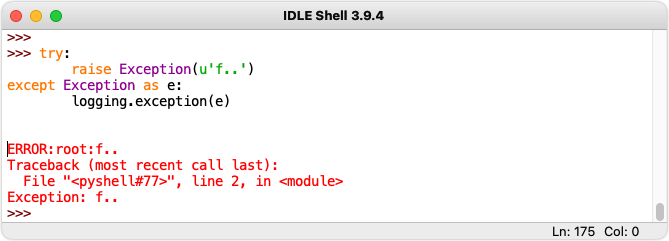
尝试记录包含Unicode字符的异常时,这种方法会失败得很惨。它会隐藏原始异常的堆栈跟踪,用在格式化logging.exception(e)调用期间引发的新异常替换它。
显然,在您自己的代码中,您可能知道异常中的编码方式。然而,第三方库可能以不同的方式处理。
正确用法:
如果您传递一个消息而不是异常,并让Python发挥其魔力,它就会工作:
>>> try:
...     raise Exception(u'f..')
... except Exception as e:
...     logging.exception('bar')
...
ERROR:root:bar
Traceback (most recent call last):
  File "<stdin>", line 2, in <module>
Exception: f\xf6\xf6
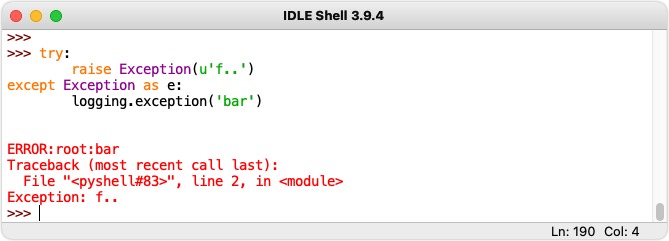
正如您所见,在这种情况下我们实际上并没有使用e,logging.exception(...)的调用神奇地格式化了最近的异常。
使用非ERROR日志级别记录异常
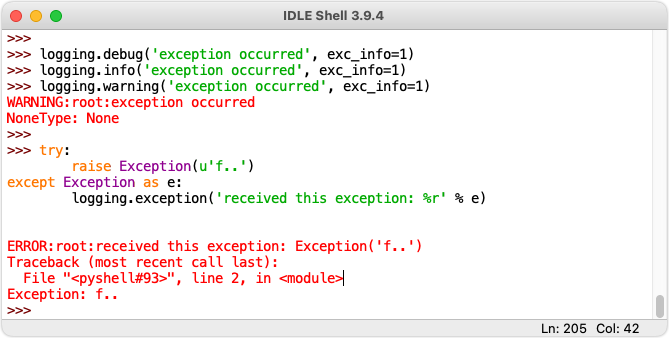
如果您想用其他日志级别(而不是ERROR)记录异常,可以使用默认日志记录器的exc_info参数:
logging.debug('exception occurred', exc_info=1)
logging.info('exception occurred', exc_info=1)
logging.warning('exception occurred', exc_info=1)
访问异常的消息
请注意,有些库可能会抛出带有Unicode或(如果你幸运的话)UTF-8字节字符串消息的异常。如果您确实需要访问异常的文本,唯一可靠的方法是使用repr(e)或%r字符串格式化:
>>> try:
...     raise Exception(u'f..')
... except Exception as e:
...     logging.exception('received this exception: %r' % e)
...
ERROR:root:received this exception: Exception(u'f\xf6\xf6',)
Traceback (most recent call last):
  File "<stdin>", line 2, in <module>
Exception: f\xf6\xf6