Section 1.10: 字符串函数 - str() 和 repr()
有两个函数可用来获取对象的可读表示。
repr(x) 调用 x.__repr__():类似于x.eval通常会将该函数的结果转换回原始对象。
str(x) 调用 x.__str__():描述对象的人类可读字符串。这可能会忽略一些技术细节。
repr()
对于许多类型,该函数会尝试返回一个字符串,当传递给 eval() 时,会产生一个具有相同值的对象。否则,返回的是一个用尖括号(<>)括起来的字符串,其中包含对象类型的名称和附加信息。这通常包括对象的名称和在内存中的地址。
str()
对于字符串,返回字符串本身。它与 repr(object) 的区别在于,str(object) 并不总是试图返回一个可被 eval() 接受的字符串。相反,它的目标是返回一个可打印或 “人类可读 ”的字符串。如果没有给出参数,则返回空字符串''。
例 1:
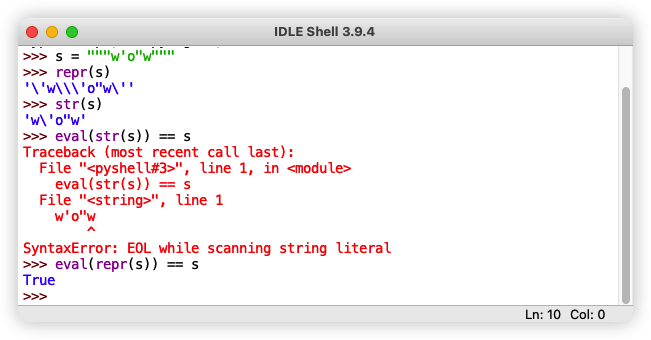
s = """w'o"w"""
repr(s) # 输出: '\'w\\\'o"w\''
str(s) # 输出: 'w\'o"w'
eval(str(s)) == s # 给出 SyntaxError 的报错
eval(repr(s)) == s # 输出: True
例 2:
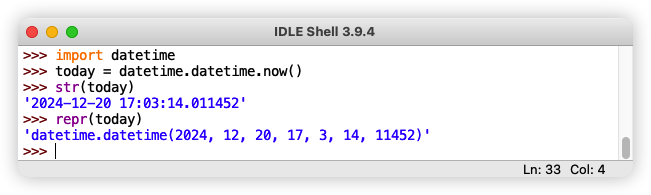
import datetime
today = datetime.datetime.now()
str(today) # 输出: '2024-12-20 17:03:14.011452'
repr(today) # 输出: 'datetime.datetime(2024, 12, 20, 17, 3, 14, 11452)'
在编写类时,你可以覆盖这些方法,做任何你想做的事情:
class Represent(object):

    def __init__(self, x, y):
        self.x, self.y = x, y

    def __repr__(self):
        return "Represent(x={},y=\"{}\")".format(self.x, self.y)

    def __str__(self):
        return "Representing x as {} and y as {}".format(self.x, self.y)
使用上面的类,我们可以看到结果:
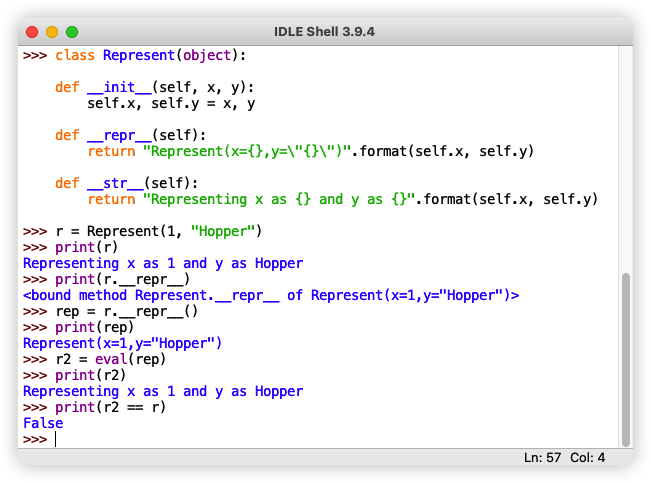
r = Represent(1, "Hopper")
print(r) # prints __str__
print(r.__repr__) # prints __repr__: '<bound method Represent.__repr__ of Represent(x=1,y="Hopper")>'
rep = r.__repr__() # sets the execution of __repr__ to a new variable
print(rep) # prints 'Represent(x=1,y="Hopper")'
r2 = eval(rep) # evaluates rep
print(r2) # prints __str__ from new object
print(r2 == r) # prints 'False' because they are different objects
Section 1.11: 使用 pip 安装外部模块
如果您使用的是从 python.org 下载的 Python3,那么 pip 已经安装好了。对于运行 Linux 或其他具有本地软件包管理器的 unix/Linux 计算机,通常必须手动安装 pip。
在同时安装了 Python 2 和 Python 3 的系统中,pip 通常指 Python 2,而 pip3 指 Python 3。使用 pip 只能安装 Python 2 的软件包,而 pip3 只能安装 Python 3 的软件包。
查找/安装软件包
搜索软件包很简单,只需输入类似下面的命令
$ pip search <query>
# 搜索名称或摘要包含 <query> 的软件包
安装软件包非常简单,只需输入类似下面的命令(在终端/命令提示符中,而不是在 Python 解释器中键入)
$ pip install [package_name] # 最新版本的软件包
$ pip install [package_name]==x.x.x # 软件包的特定版本
$ pip install '[package_name]>=x.x.x' # 软件包的最低版本
其中 x.x.x 是要安装软件包的版本号。
当服务器需要代理服务器才能连接外网时,可以使用以下命令安装软件包:
$ pip --proxy http://<server address>:<port> install
升级已安装的软件包
已安装软件包的新版本出现时,不会自动安装到系统中。要了解哪些已安装的软件包已经过时,请运行
$ pip list --outdated
要升级特定软件包,请使用
$ pip install [package_name] --upgrade
更新所有过期软件包不是 pip 的标准功能。
升级 pip
您可以使用以下命令升级现有的 pip 安装
- 在 Linux 或 macOS X 上
$ pip install -U pip
在某些 Linux 系统上,您可能需要使用 sudo 和 pip
- 在 Windows 系统上
py -m pip install -U pip
或者
python -m pip install -U pip
如需了解有关 pip 的更多信息,请点击此处。
Section 1.12: 帮助工具
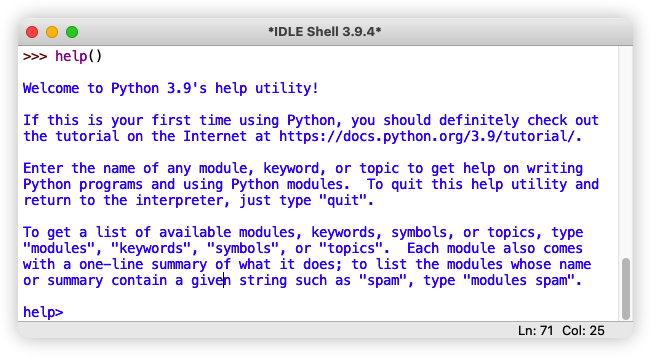
Python 解释器内置了多个函数。如果想获取关键字、内置函数、模块或主题的信息,请打开 Python 控制台并输入:
>>> help()
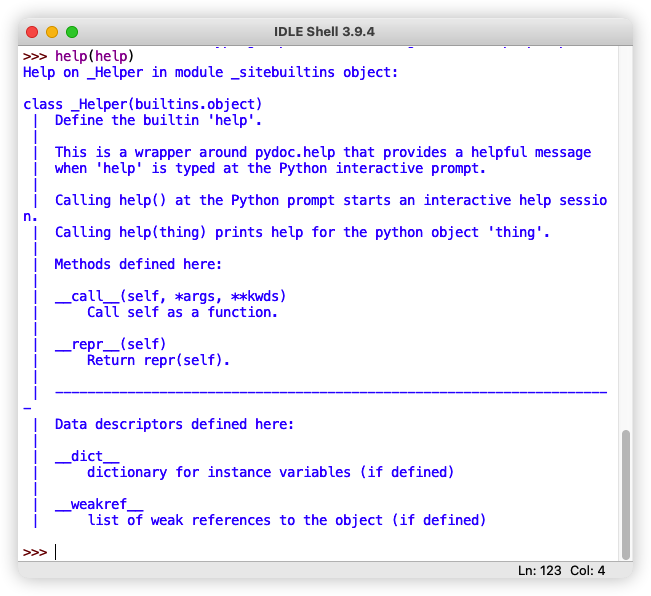
您可以通过直接输入关键字来接收信息:
>>> help(help)
或者在帮助工具里面:
help> help
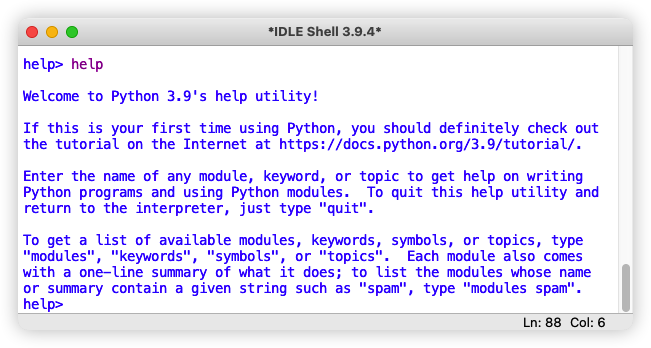
将显示解释:
>>> help(help)
Help on _Helper in module _sitebuiltins object:

class _Helper(builtins.object)
 |  Define the builtin 'help'.
 |
 |  This is a wrapper around pydoc.help that provides a helpful message
 |  when 'help' is typed at the Python interactive prompt.
 |
 |  Calling help() at the Python prompt starts an interactive help session.
 |  Calling help(thing) prints help for the python object 'thing'.
 |
 |  Methods defined here:
 |
 |  __call__(self, *args, **kwds)
 |      Call self as a function.
 |
 |  __repr__(self)
 |      Return repr(self).
 |
 |  ----------------------------------------------------------------------
 |  Data descriptors defined here:
 |
 |  __dict__
 |      dictionary for instance variables (if defined)
 |
 |  __weakref__
 |      list of weak references to the object (if defined)
您还可以请求查看模块的子类:
>>> help(pymysql.connections)
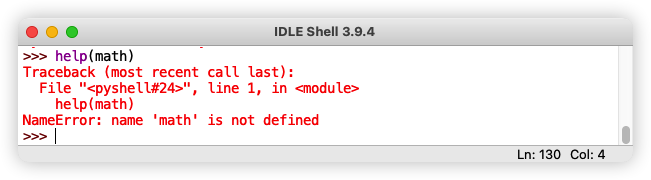
您可以使用帮助来访问已导入的不同模块的文档说明,例如,试试下面的方法:
>>> help(math)
就会出现错误
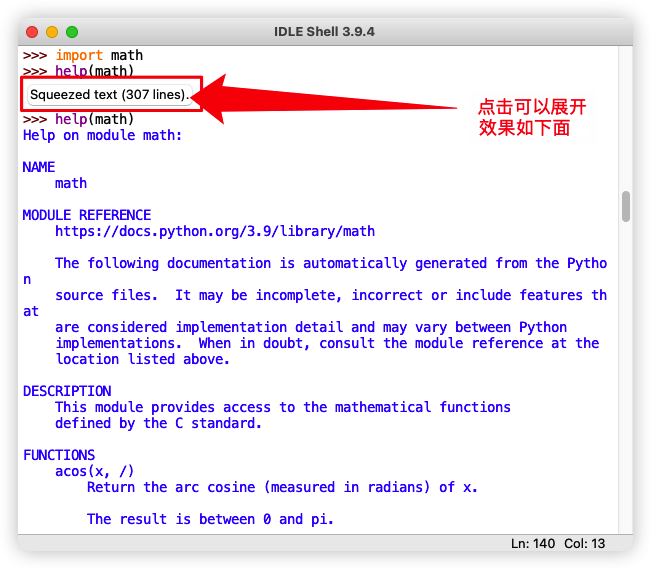
>>> import math
>>> help(math)
现在,你将获得模块中可用方法的列表,但仅限于导入模块之后。
如果需要退出帮助程序,输入 quit 命令退出并关闭帮助程序


