生成器是由生成器函数(使用 yield)或生成器表达式(使用 (an_expression for x in an_iterator))创建的懒惰迭代器。
Section 67.1: 简介
生成器表达式与列表、字典和集合理解类似,但用括号括起来。 在作为函数调用的唯一参数时,括号不必存在。
expression = (x**2 for x in range(10))
本例生成 10 个前完全平方,包括 0(其中 x = 0)。
生成器函数与普通函数类似,只是在其主体中包含一个或多个 yield 语句。此类函数不能返回任何值(但如果想提前停止生成器,则允许返回空值)。
def function():
  for x in range(10):
    yield x**2
该生成器函数与前一个生成器表达式等价,输出相同。
注意:所有生成器表达式都有自己的等价函数,反之亦然。
如果生成器表达式的两个括号会重复出现,则可以不使用括号:
sum(i for i in range(10) if i % 2 == 0) #Output: 20
any(x = 0 for x in foo) #Output: True or False depending on foo
type(a > b for a in foo if a % 2 == 1) #Output: <class 'generator'>
而不是
sum((i for i in range(10) if i % 2 == 0))
any((x = 0 for x in foo))
type((a > b for a in foo if a % 2 == 1))
但不是:
fooFunction(i for i in range(10) if i % 2 == 0,foo,bar)
return x = 0 for x in foo
barFunction(baz, a > b for a in foo if a % 2 == 1)
调用生成器函数会生成一个生成器对象,随后可以对其进行遍历。与其他类型的迭代器不同,生成器对象只能遍历一次。
g1 = function()
print(g1) # Out: <generator object function at 0x1012e1888>
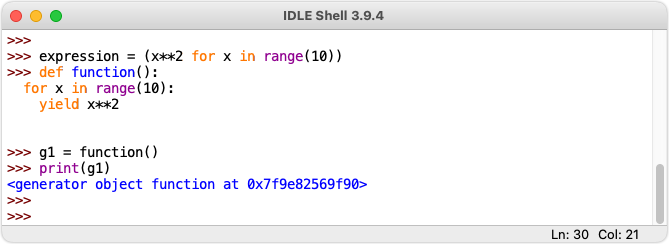
请注意,生成器的主体并不会立即执行:在上例中调用 function() 时,它会立即返回一个生成器对象,甚至连第一条打印语句都不会执行。这样,与返回列表的函数相比,生成器占用的内存更少,而且可以创建生成无限长序列的生成器。
因此,生成器常用于数据科学和其他涉及大量数据的场合。生成器的另一个优点是,其他代码可以立即使用生成器产生的值,而无需等待生成完整的序列。
不过,如果需要多次使用生成器生成的值,而且生成的成本高于存储的成本,那么将生成的值存储为列表可能比重新生成序列更好。详情请参阅下文 “重置生成器”。
生成器对象通常用于循环或任何需要可迭代的函数中:
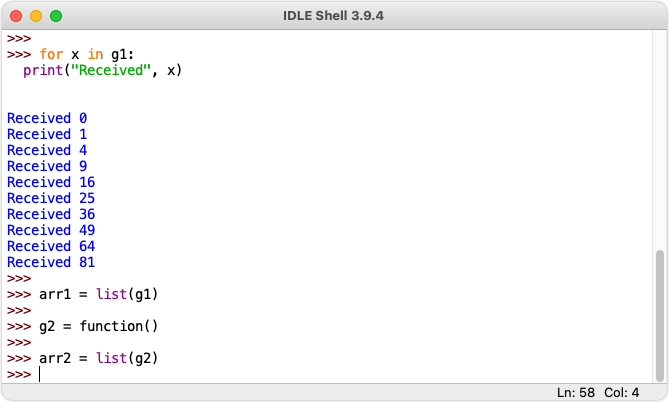
for x in g1:
  print("Received", x)

# Output:
# Received 0
# Received 1
# Received 4
# Received 9
# Received 16
# Received 25
# Received 36
# Received 49
# Received 64
# Received 81

arr1 = list(g1)
# arr1 = [], because the loop above already consumed all the values.
g2 = function()
arr2 = list(g2) # arr2 = [0, 1, 4, 9, 16, 25, 36, 49, 64, 81]
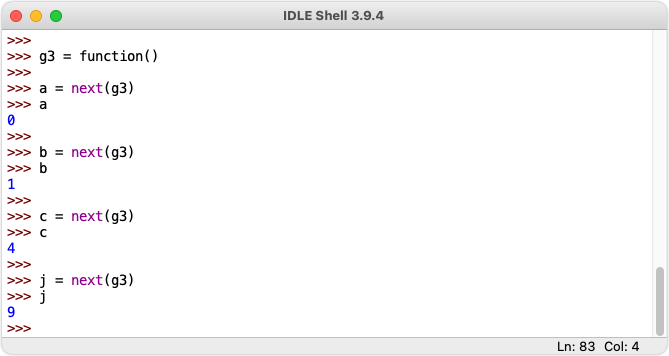
由于生成器对象是迭代器,因此可以使用 next() 函数手动迭代它们。这样做将在每次后续调用中逐一返回生成值。
在引擎盖下,每次对生成器调用 next() 时,Python 都会执行生成器函数体中的语句,直到执行到下一个 yield 语句。此时,它会返回 yield 命令的参数,并记住发生的时间点。再次调用 next() 将从该点开始继续执行,直到下一条yield语句。
如果 Python 到达生成器函数的末尾时没有再遇到任何yield,就会引发StopIteration异常(这是正常的,所有迭代器的行为都是一样的)。
g3 = function()
a = next(g3) # a becomes 0
b = next(g3) # b becomes 1
c = next(g3) # c becomes 4
...
j = next(g3) # Raises StopIteration, j remains undefined
请注意,在 Python 2 中,生成器对象有 .next() 方法,可以用来手动遍历生成的值。在 Python 3 中,这个方法被所有迭代器的 .__next__() 标准所取代。
重置生成器
请记住,您只能遍历一次生成器生成的对象。如果你已经遍历了脚本中的对象,任何进一步的尝试都将产生 None。
如果需要多次使用生成器生成的对象,可以重新定义生成器函数并第二次使用,或者在第一次使用时将生成器函数的输出存储在一个列表中。如果要处理大量数据,而存储所有数据项的列表会占用大量磁盘空间,那么重新定义生成器函数将是一个不错的选择。反之,如果最初生成项的成本较高,则可能更倾向于将生成的项存储在列表中,以便重复使用。
Section 67.2: 无限序列
生成器可用于表示无限序列:
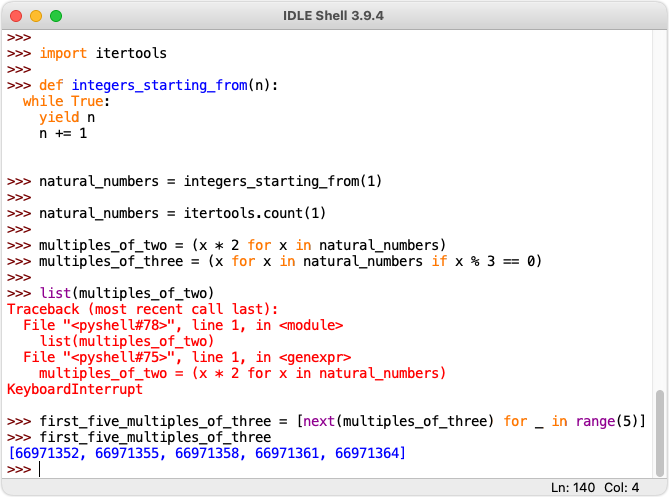
def integers_starting_from(n):
  while True:
    yield n
    n += 1

natural_numbers = integers_starting_from(1)
在 itertools.count 的帮助下,也可以生成上述的无穷级数序列。上述代码可写如下
natural_numbers = itertools.count(1)
您可以在无限生成器上使用生成器综合,生成新的生成器:
multiples_of_two = (x * 2 for x in natural_numbers)
multiples_of_three = (x for x in natural_numbers if x % 3 == 0)
请注意,无限生成器没有终点,因此将它传递给任何试图完全消耗生成器的函数都会导致严重后果:
list(multiples_of_two) # will never terminate, or raise an OS-specific error
取而代之的是使用 range 的 list/set comprehensions(或 xrange for python < 3.0):
first_five_multiples_of_three = [next(multiples_of_three) for _ in range(5)]
# [3, 6, 9, 12, 15]
或使用 itertools.islice() 将迭代器切成子集:
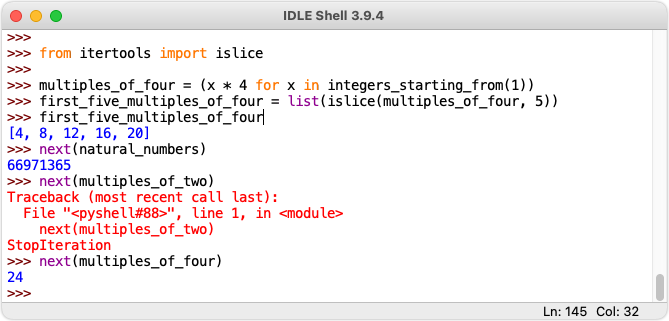
from itertools import islice
multiples_of_four = (x * 4 for x in integers_starting_from(1))
first_five_multiples_of_four = list(islice(multiples_of_four, 5))
# [4, 8, 12, 16, 20]
请注意,原始生成器也会更新,就像来自同一 “根 ”的所有其他生成器一样:
next(natural_numbers) # yields 16
next(multiples_of_two) # yields 34
next(multiples_of_four) # yields 24
无限序列也可以用 for 循环来遍历。确保包含一个条件中断语句,以便循环最终终止:
for idx, number in enumerate(multiplies_of_two):
  print(number)
  if idx == 9:
    break # stop after taking the first 10 multiplies of two
经典例子 - 斐波那契数列
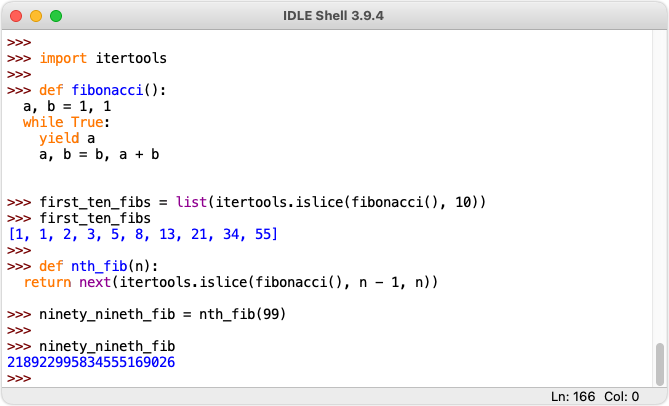
import itertools

def fibonacci():
  a, b = 1, 1
  while True:
    yield a
    a, b = b, a + b

first_ten_fibs = list(itertools.islice(fibonacci(), 10))
# [1, 1, 2, 3, 5, 8, 13, 21, 34, 55]

def nth_fib(n):
  return next(itertools.islice(fibonacci(), n - 1, n))

ninety_nineth_fib = nth_fib(99) # 354224848179261915075
Section 67.3: 向生成器发送对象
除了从生成器接收数值外,还可以使用 send() 方法向生成器发送对象。
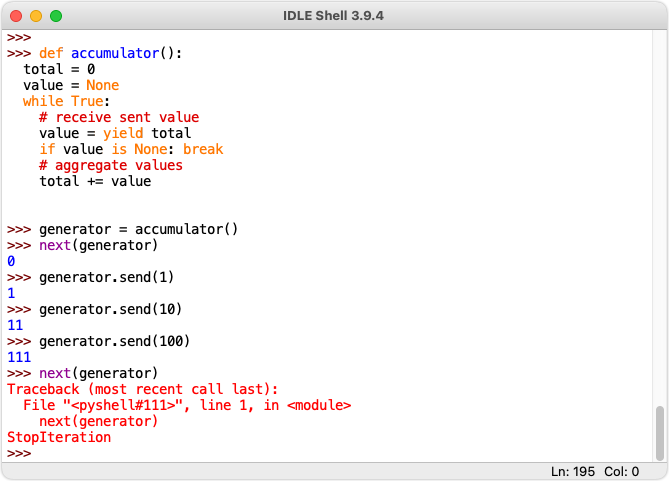
def accumulator():
  total = 0
  value = None
  while True:
    # receive sent value
    value = yield total
    if value is None: break
    # aggregate values
    total += value

generator = accumulator()

# advance until the first "yield"
next(generator) # 0

# from this point on, the generator aggregates values
generator.send(1) # 1
generator.send(10) # 11
generator.send(100) # 111
# ...

# Calling next(generator) is equivalent to calling generator.send(None)
next(generator) # StopIteration
这里发生的情况如下:
- 第一次调用
next(generator)时,程序会前进到第一个yield语句,并返回此时的total值,即 0。 - 然后调用
generator.send(x),解释器会接收参数 x 并将其作为最后一条yield语句的返回值,并赋值给 value。然后,生成器照常运行,直到产生下一个值。 - 当你最后调用
next(generator)时,程序会将其视为向生成器发送None。虽然None并没有什么特别之处,但这个示例将None作为一个特殊值来要求生成器停止。
Section 67.4: 从另一个可迭代器中获取所有值
Python 3.x Version ≥ 3.3
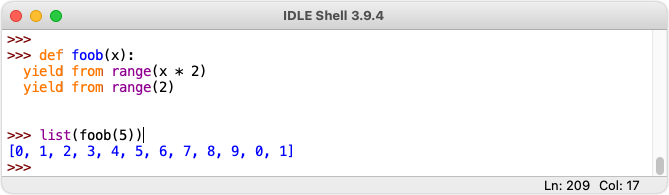
如果要从另一个可迭代器中产生所有值,请使用 yield from :
def foob(x):
  yield from range(x * 2)
  yield from range(2)

list(foob(5)) # [0, 1, 2, 3, 4, 5, 6, 7, 8, 9, 0, 1]
这种方法也适用于生成器。
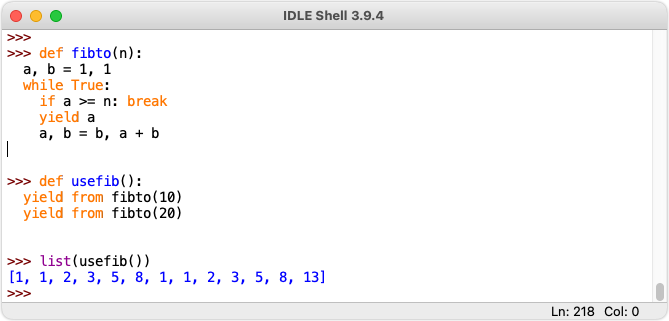
def fibto(n):
  a, b = 1, 1
  while True:
    if a >= n: break
    yield a
    a, b = b, a + b

def usefib():
  yield from fibto(10)
  yield from fibto(20)

list(usefib()) # [1, 1, 2, 3, 5, 8, 1, 1, 2, 3, 5, 8, 13]