Section 74.1: 打印基础
在 Python 3 及更高版本中,print 是一个函数,而不是一个关键字。
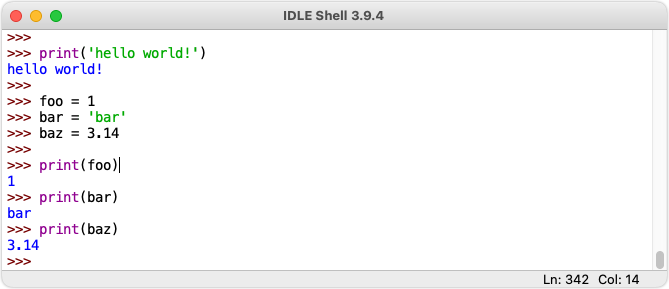
print('hello world!')
# out: hello world!

foo = 1
bar = 'bar'
baz = 3.14

print(foo)
# out: 1
print(bar)
# out: bar
print(baz)
# out: 3.14
您还可以向 print 传递多个参数:
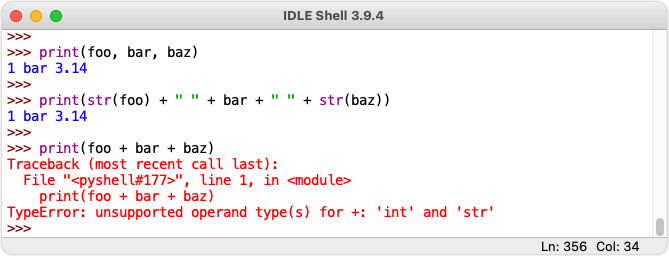
print(foo, bar, baz)
# out: 1 bar 3.14
另一种打印多个参数的方法是使用 +
print(str(foo) + " " + bar + " " + str(baz))
# out: 1 bar 3.14
不过,使用 + 打印多个参数时应注意的是,参数的类型必须相同。如果不先转换为 string 就尝试打印上面的示例,会导致错误,因为它会尝试将数字 1 添加到字符串 “bar” 中,并将其添加到数字 3.14 中。
# Wrong:
# type:int str float
print(foo + bar + baz)
# will result in an error
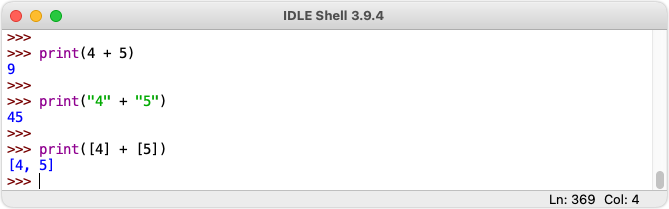
这是因为首先会对打印的内容进行评估:
print(4 + 5)
# out: 9
print("4" + "5")
# out: 45
print([4] + [5])
# out: [4, 5]
否则,使用 “+”可以很好地帮助用户读取变量的输出结果 在下面的示例中,输出结果非常容易读取!
下面的脚本演示了这一点
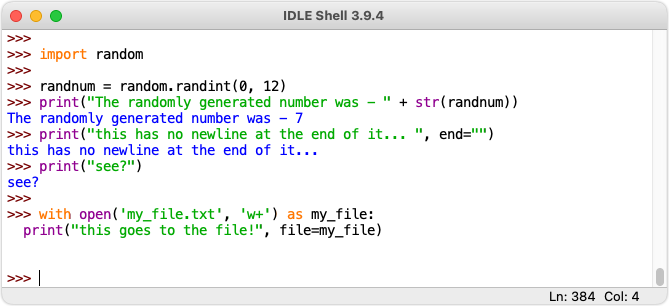
import random

# telling python to include a function to create random numbers
randnum = random.randint(0, 12)
# make a random number between 0 and 12 and assign it to a variable
print("The randomly generated number was - " + str(randnum))
使用结束参数可以防止打印功能自动打印换行:
print("this has no newline at the end of it... ", end="")
print("see?")
# out: this has no newline at the end of it... see?
如果要写入文件,可以将文件作为参数 file 传入:
with open('my_file.txt', 'w+') as my_file:
  print("this goes to the file!", file=my_file)
# output: this goes to the file!
Section 74.2: 打印参数
您可以做的不仅仅是打印文本。print 还有几个参数可以帮助你。
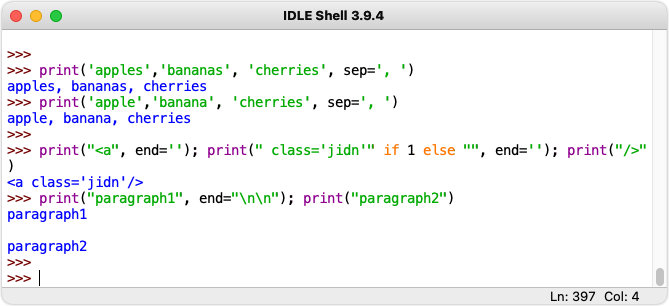
参数 sep:在参数之间放置一个字符串。
您需要打印由逗号或其他字符串分隔的单词列表吗?
>>> print('apples','bananas', 'cherries', sep=', ')
apple, bananas, cherries
>>> print('apple','banana', 'cherries', sep=', ')
apple, banana, cherries
>>>
参数 end:在末尾使用换行符以外的参数
如果没有 end 参数,所有 print() 函数都会写一行,然后转到下一行的开头。您可以将其改为什么也不做(使用''的空字符串),或者在段落之间使用两个换行符来加倍间距。
>>> print("<a", end=''); print(" class='jidn'" if 1 else "", end=''); print("/>")
<a class='jidn'/>

>>> print("paragraph1", end="\n\n"); print("paragraph2")
paragraph1

paragraph2
>>>
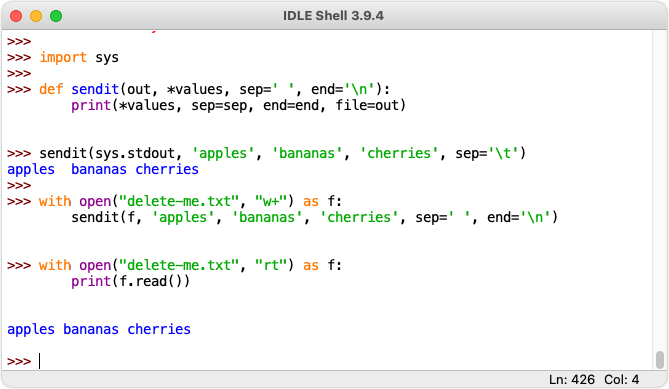
参数 file:将输出发送到 sys.stdout 以外的地方。
现在,你可以将文本发送到 stdout、文件或 StringIO,而不必关心给定的是哪个。如果它像文件一样呱呱叫,它就像文件一样工作。
>>> def sendit(out, *values, sep=' ', end='\n'):
...     print(*values, sep=sep, end=end, file=out)
...
>>> sendit(sys.stdout, 'apples', 'bananas', 'cherries', sep='\t')
apples bananas cherries
>>> with open("delete-me.txt", "w+") as f:
...     sendit(f, 'apples', 'bananas', 'cherries', sep=' ', end='\n')
...
>>> with open("delete-me.txt", "rt") as f:
...     print(f.read())
...
apples bananas cherries
>>>
还有第四个参数 flush,用于强制刷新数据流。


