Chapter 75: 正则表达式(Regex)
Python 通过 re 模块提供正则表达式。
正则表达式是字符的组合,被解释为匹配子串的规则。例如,表达式 'amount\D+\d+' 将匹配任何由单词 amount 加上一个整数(由一个或多个非数字分隔)组成的字符串,如:amount=100、amount is 3、amount is equal to: 33等。
Section 75.1: 匹配字符串开头
re.match() 的第一个参数是正则表达式,第二个参数是要匹配的字符串:
import re

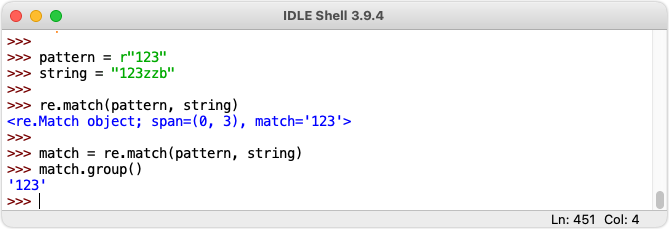
pattern = r"123"
string = "123zzb"

re.match(pattern, string)
# Out: <_sre.SRE_Match object; span=(0, 3), match='123'>

match = re.match(pattern, string)

match.group()
# Out: '123'
你可能会注意到,模式变量是一个前缀为 r 的字符串,这表示该字符串是一个原始字符串字面量。
原始字符串字面量的语法与字符串字面量略有不同,即原始字符串字面量中的反斜线 \ 表示 “只是一个反斜线”,不需要加倍反斜线来转义 “转义序列”,例如换行 (\n)、制表符 (\t)、空格 (\)、换页 (\r),等等。在普通字符串字面量中,每个反斜线都必须加倍,以避免被当作转义序列的开始。
因此,r"\n" 是由 2 个字符组成的字符串: 和 n。Regex 模式也使用反斜线,例如 \d 指任何数字字符。我们可以通过使用原始字符串 (r"\d"),避免对字符串 ("\d")进行双转义。
例如
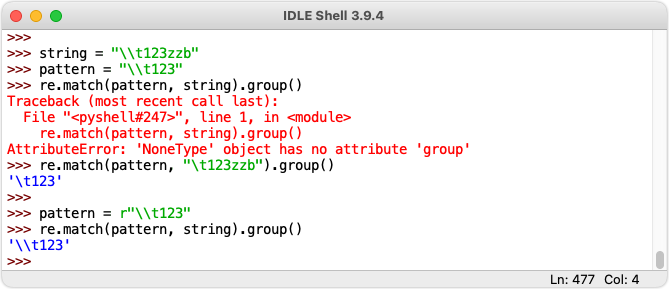
string = "\\t123zzb" # 这里的反斜杠被转义,所以没有制表符,只有“\”和 "t
pattern = "\\t123" # 这将匹配 \t(去掉反斜杠),然后是 123
re.match(pattern, string).group() # no match
re.match(pattern, "\t123zzb").group() # matches '\t123'

pattern = r"\\t123"
re.match(pattern, string).group() # matches '\\t123'
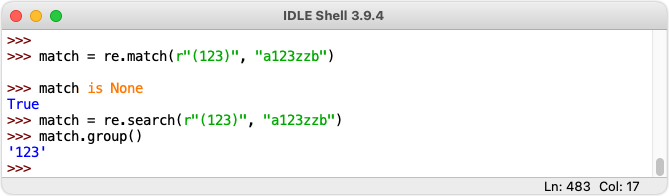
匹配只从字符串的开头开始。如果要匹配任何地方,请使用 re.search 代替:
match = re.match(r"(123)", "a123zzb")

match is None
# Out: True

match = re.search(r"(123)", "a123zzb")

match.group()
# Out: '123'
Section 75.2: 搜索
pattern = r"(your base)"
sentence = "All your base are belong to us."

match = re.search(pattern, sentence)
match.group(1)
# Out: 'your base'

match = re.search(r"(belong.*)", sentence)
match.group(1)
# Out: 'belong to us.'
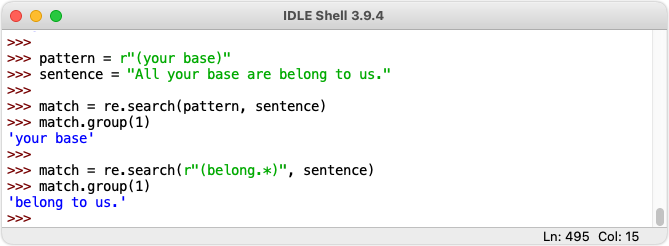
与 re.match 不同,搜索可在字符串的任何地方进行。你也可以使用 re.findall。
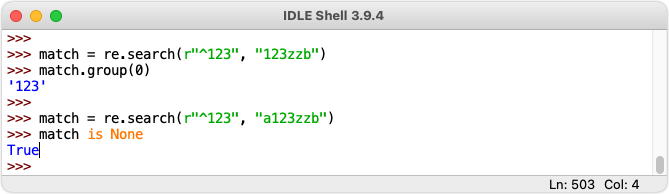
也可以在字符串的开头进行搜索(使用 ^)
match = re.search(r"^123", "123zzb")
match.group(0)
# Out: '123'

match = re.search(r"^123", "a123zzb")
match is None
# Out: True
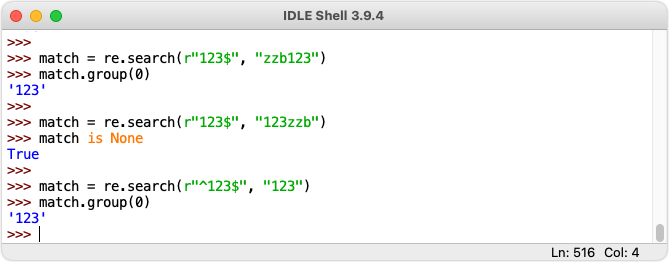
在字符串末尾(使用 $)
match = re.search(r"123$", "zzb123")
match.group(0)
# Out: '123'

match = re.search(r"123$", "123zzb")
match is None
# Out: True
或两者(同时使用 ^ 和 $):
match = re.search(r"^123$", "123")
match.group(0)
# Out: '123'
Section 75.3: 预编译模式
import re

precompiled_pattern = re.compile(r"(\d+)")
matches = precompiled_pattern.search("The answer is 41!")
matches.group(1)
# Out: 41

matches = precompiled_pattern.search("Or was it 42?")
matches.group(1)
# Out: 42
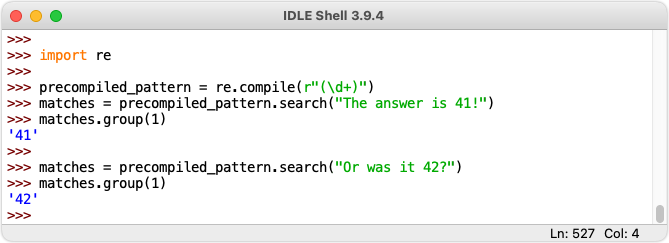
编译正则表达式可以让它在以后的程序中重复使用。不过,请注意 Python 会缓存最近使用过的表达式(文档,SO 答案),因此 “一次只使用少量正则表达式的程序不必担心编译正则表达式”。
import re

precompiled_pattern = re.compile(r"(.*\d+)")
matches = precompiled_pattern.match("The answer is 41!")
print(matches.group(1))
# Out: The answer is 41

matches = precompiled_pattern.match("Or was it 42?")
print(matches.group(1))
# Out: Or was it 42
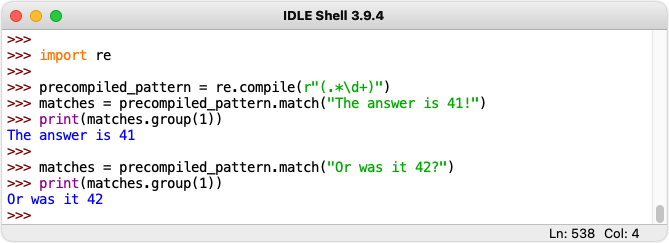
它可以与 re.match() 一起使用。
Section 75.4: 标志
在某些特殊情况下,我们需要改变正则表达式的行为,这可以使用标志来实现。设置标志有两种方法,一种是通过标志关键字,另一种是直接在表达式中设置。
标志关键字
以下是 re.search 的示例,但它适用于 re 模块中的大多数函数。
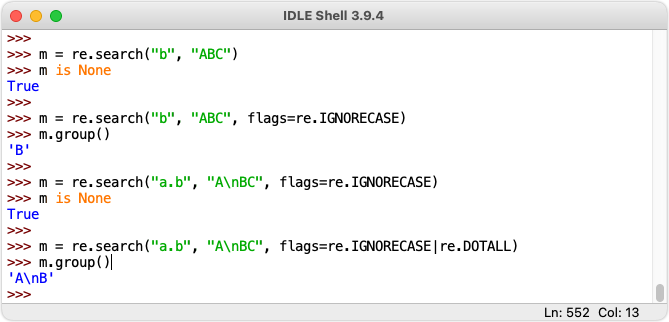
m = re.search("b", "ABC")
m is None
# Out: True

m = re.search("b", "ABC", flags=re.IGNORECASE)
m.group()
# Out: 'B'

m = re.search("a.b", "A\nBC", flags=re.IGNORECASE)
m is None
# Out: True

m = re.search("a.b", "A\nBC", flags=re.IGNORECASE|re.DOTALL)
m.group()
# Out: 'A\nB'
常用标志
| Flag | Short Description |
|---|---|
re.IGNORECASE, re.I |
使模式忽略情况 |
re.DOTALL, re.S |
使 . 匹配包括换行符在内的所有内容 |
re.MULTILINE, re.M |
使 ^ 与行首匹配,使 $ 与行尾匹配 |
re.DEBUG |
打开调试信息 |
有关所有可用标记的完整列表,请查看文档
在线标记
来自文档:
(?iLmsux)`('i'、'L'、'm'、's'、'u'、'x'中的一个或多个字母。)
该组匹配空字符串;字母设置相应的标志:
re.I(忽略大小写)、re.L(取决于本地语言)、re.M(多行)、re.S(点匹配所有)、re.U(取决于 Unicode) 和re.X(详细),用于整个正则表达式。如果您希望将标志作为正则表达式的一部分,而不是向 re.compile() 函数传递一个标志参数,这将非常有用。请注意,(
?x) 标志会改变表达式的解析方式。它应在表达式字符串中首先使用,或在一个或多个空格字符之后使用。如果在标志之前有非空格字符,结果将是未定义的。
Section 75.5: 更换
可使用 re.sub 对字符串进行替换。
替换字符串
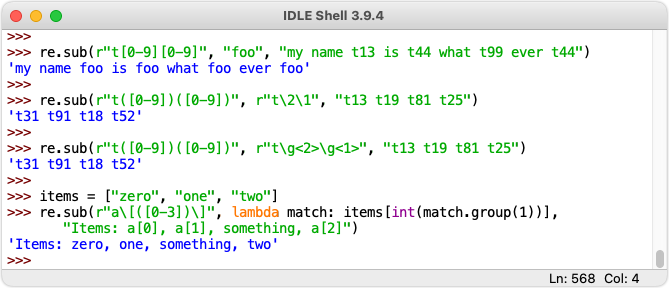
re.sub(r"t[0-9][0-9]", "foo", "my name t13 is t44 what t99 ever t44")
# Out: 'my name foo is foo what foo ever foo'
使用组的引用
使用少量组进行替换的方法如下:
re.sub(r"t([0-9])([0-9])", r"t\2\1", "t13 t19 t81 t25")
# Out: 't31 t91 t18 t52'
但是,如果你创建了一个像‘10’这样的组ID,这就不起作用了:‘ \10 ’会被读成‘ID number 1后跟0’。所以你必须更具体地使用\g<i>符号:
re.sub(r"t([0-9])([0-9])", r"t\g<2>\g<1>", "t13 t19 t81 t25")
# Out: 't31 t91 t18 t52'
使用替换功能
items = ["zero", "one", "two"]
re.sub(r"a\[([0-3])\]", lambda match: items[int(match.group(1))],
       "Items: a[0], a[1], something, a[2]")
\# Out: 'Items: zero, one, something, two'