Section 75.6: 查找所有非重叠匹配
re.findall(r"[0-9]{2,3}", "some 1 text 12 is 945 here 4445588899")
# Out: ['12', '945', '444', '558', '889']
请注意,"[0-9]{2,3}"前的 r 会告诉 python 将字符串解释为 "原始" 字符串。
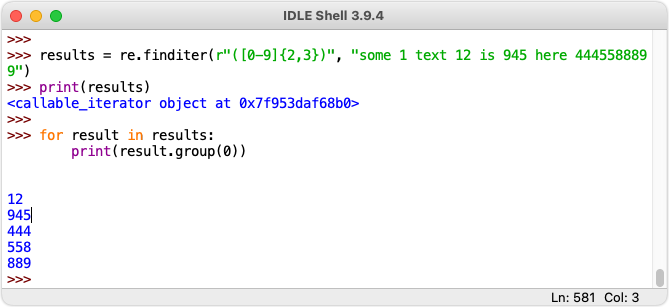
您也可以使用 re.finditer(),其工作方式与 re.findall() 相同,但返回的是一个包含 SRE_Match 对象的迭代器,而不是字符串列表:
results = re.finditer(r"([0-9]{2,3})", "some 1 text 12 is 945 here 4445588899")
print(results)
# Out: <callable-iterator object at 0x105245890>

for result in results:
  print(result.group(0))

''' Out:
12
945
444
558
889
'''
Section 75.7: 检查允许使用的字符
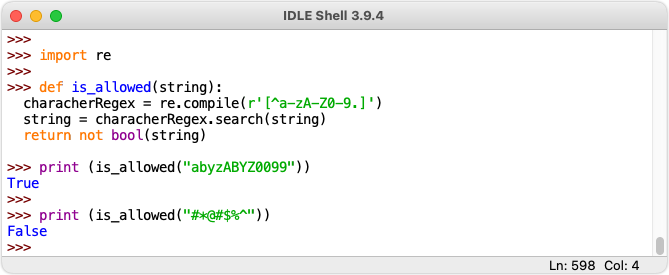
如果要检查字符串是否只包含一组特定的字符,这里是指 a-z、A-Z 和 0-9,可以这样做、
import re

def is_allowed(string):
  characherRegex = re.compile(r'[^a-zA-Z0-9.]')
  string = characherRegex.search(string)
  return not bool(string)

print (is_allowed("abyzABYZ0099"))
# Out: 'True'

print (is_allowed("#*@#$%^"))
# Out: 'False'
您也可以将表达式行从 [^a-zA-Z0-9.]调整为 [^a-z0-9.],以禁止使用大写字母。
Section 75.8: 使用正则表达式分割字符串
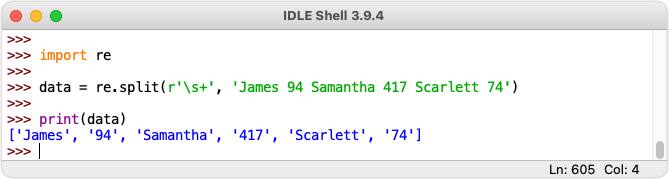
您还可以使用正则表达式分割字符串。例如
import re
data = re.split(r'\s+', 'James 94 Samantha 417 Scarlett 74')
print(data)
# Output: ['James', '94', 'Samantha', '417', 'Scarlett', '74']
Section 75.9: 分组
分组使用括号。调用 group() 会返回一个由匹配的括号分组组成的字符串。
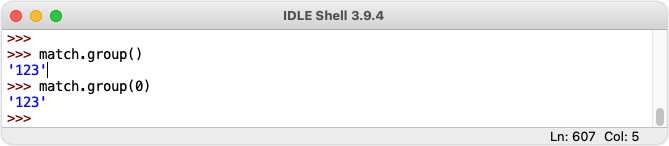
match.group() # 组不带参数,返回找到的整个匹配结果
# Out: '123'

match.group(0) # 指定 0 的结果与不指定参数的结果相同
# Out: '123'
也可以为 group() 提供参数,以获取特定子组。
来自文档:
如果只有一个参数,结果就是一个字符串;如果有多个参数,结果就是一个元组,每个参数包含一个项目。
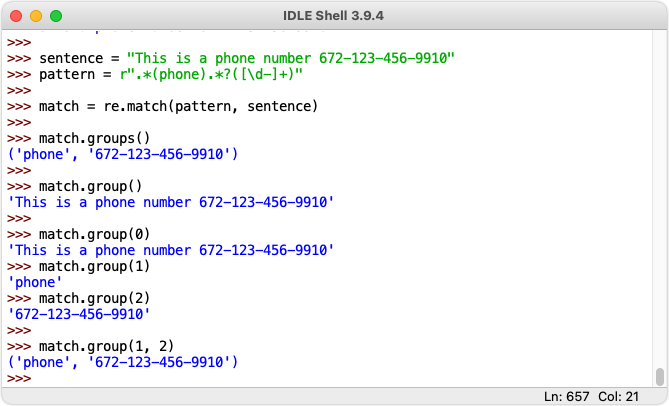
另一方面,调用 groups() 会返回一个包含子组的元组列表。
sentence = "This is a phone number 672-123-456-9910"
pattern = r".*(phone).*?([\d-]+)"

match = re.match(pattern, sentence)

match.groups() # The entire match as a list of tuples of the paranthesized subgroups
# Out: ('phone', '672-123-456-9910')

match.group() # The entire match as a string
# Out: 'This is a phone number 672-123-456-9910'

match.group(0) # The entire match as a string
# Out: 'This is a phone number 672-123-456-9910'

match.group(1) # The first parenthesized subgroup.
# Out: 'phone'

match.group(2) # The second parenthesized subgroup.
# Out: '672-123-456-9910'

match.group(1, 2) # Multiple arguments give us a tuple.
# Out: ('phone', '672-123-456-9910')
命名小组
match = re.search(r'My name is (?P<name>[A-Za-z ]+)', 'My name is John Smith')
match.group('name')
# Out: 'John Smith'

match.group(1)
# Out: 'John Smith'
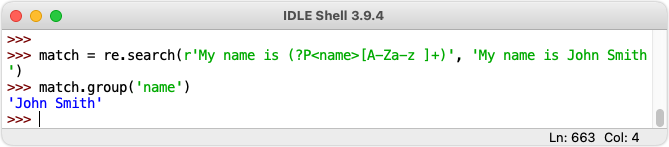
创建一个可通过名称和索引引用的捕获组。
非捕获组
使用 (?:) 会创建一个组,但该组不会被捕获。这意味着您可以将其用作组,但不会污染您的 “组空间”。
re.match(r'(\d+)(\+(\d+))?', '11+22').groups()
# Out: ('11', '+22', '22')

re.match(r'(\d+)(?:\+(\d+))?', '11+22').groups()
# Out: ('11', '22')
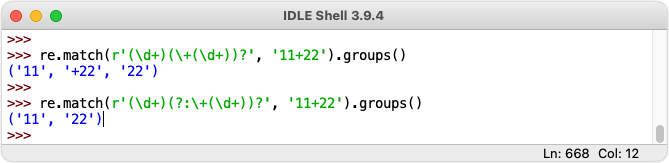
本例匹配 11+22 或 11,但不匹配 11+。这是因为 + 号和第二个项被分组了。另一方面,“+”号没有被捕获。
Section 75.10: 转义特殊字符
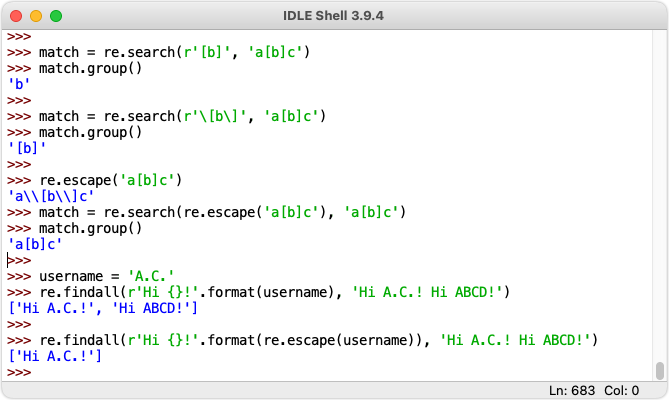
特殊字符(如下面的字符类括号“[”和“]”)不会按字面意思匹配:
match = re.search(r'[b]', 'a[b]c')
match.group()
# Out: 'b'
通过转义特殊字符,可以按字面意思进行匹配:
match = re.search(r'\[b\]', 'a[b]c')
match.group()
# Out: '[b]'
您可以使用 re.escape() 函数来实现这一功能:
re.escape('a[b]c')
# Out: 'a\\[b\\]c'

match = re.search(re.escape('a[b]c'), 'a[b]c')
match.group()
# Out: 'a[b]c'
re.escape() 函数可以转义所有特殊字符,因此在根据用户输入组成正则表达式时非常有用:
username = 'A.C.' # suppose this came from the user
re.findall(r'Hi {}!'.format(username), 'Hi A.C.! Hi ABCD!')
# Out: ['Hi A.C.!', 'Hi ABCD!']

re.findall(r'Hi {}!'.format(re.escape(username)), 'Hi A.C.! Hi ABCD!')
# Out: ['Hi A.C.!']
Section 75.11: 仅在特定位置匹配表达式
通常情况下,您只想在特定位置匹配表达式(也就是说,在其他位置不匹配)。请看下面的句子
An apple a day keeps the doctor away (I eat an apple everyday).
在这里,“apple ”出现了两次,这可以用所谓的回溯控制动词来解决,较新的 regex 模块支持这种控制动词。其原理是
forget_this | or this | and this as well | (but keep this)
以我们的 apple 为例,这将是
import regex as re
string = "An apple a day keeps the doctor away (I eat an apple everyday)."

rx = re.compile(r'''
           \([^()]*\) (*SKIP)(*FAIL) # match anything in parentheses and "throw it away"
           | # or
           apple # match an apple
           ''', re.VERBOSE)

apples = rx.findall(string)
print(apples)
# only one
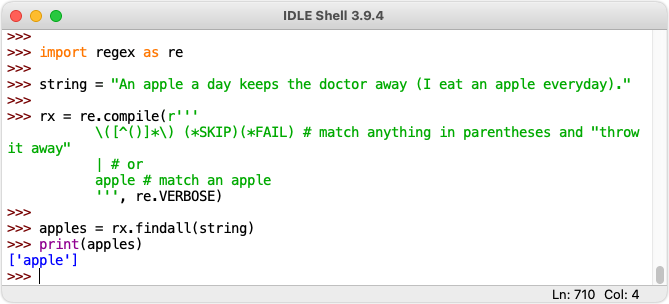
只有在括号外能找到 “apple ”时,它才会与之匹配。
工作原理如下:
-
当从左往右看时,
regex引擎会消耗左边的所有内容,(*SKIP) 起到 “始终真实断言 ”的作用。之后,它会正确地在 (*FAIL) 上失败并回溯。 -
现在,它到了 (
*SKIP) 从右向左转(也就是在回溯时)的位置,这时它被禁止再向左转。取而代之的是,引擎会被告知丢弃左侧的任何内容,并跳转到调用 (*SKIP) 的位置。
Section 75.12: 使用 re.finditer 遍历匹配结果
您可以使用 re.finditer 遍历字符串中的所有匹配结果。与 re.findall 相比,它能提供额外的信息,例如字符串中匹配位置的信息(索引):
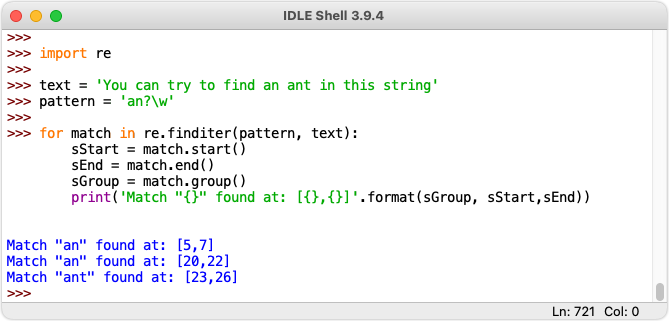
import re

text = 'You can try to find an ant in this string'
pattern = 'an?\w' # find 'an' either with or without a following word character

for match in re.finditer(pattern, text):
  # Start index of match (integer)
  sStart = match.start()

  # Final index of match (integer)
  sEnd = match.end()

  # Complete match (string)
  sGroup = match.group()

  # Print match
  print('Match "{}" found at: [{},{}]'.format(sGroup, sStart,sEnd))
Result:
Match "an" found at: [5,7]
Match "an" found at: [20,22]
Match "ant" found at: [23,26]