我们先来看一下这个项目github项目页面上的解释。
Douyin-Vue 是一个模仿
抖音|TikTok的移动端短视频项目,它展示了 Vue3 + pinia技术栈在移动端的"最佳实践",媲美原生App丝滑流畅的使用体验。使用了最新的Vue技术栈,基于Vue3、Vite5、Pinia实现。数据保存在项目本地,通过axios-mock-adapter库拦截Api 并返回本地json数据,模拟真实后端请求。
项目的官网:https://github.com/zyronon/douyin
项目的官网提供了直接部署docker和在本地开发环境克隆后运行两种部署方式。
一、docker部署
docker的部署很简单,就拉取镜像,然后启动容器即可
demouser@demohosts:~$ docker pull ghcr.io/zyronon/douyin-vue:latest
latest: Pulling from zyronon/douyin-vue
619be1103602: Pull complete
ed3e62e73b33: Pull complete
5126dce06df7: Pull complete
1d0dd2dc2265: Pull complete
2b1ab92f0231: Pull complete
6eba808ac059: Pull complete
57038e85fbb8: Pull complete
4267b5cfec09: Pull complete
f16c10e33257: Pull complete
26a7c53a8116: Pull complete
9c7339e3f018: Pull complete
Digest: sha256:1bdf8632fce5348f44c3dcfbc13cf60037bfcb2d212d989f7703a123a0608be8
Status: Downloaded newer image for ghcr.io/zyronon/douyin-vue:latest
ghcr.io/zyronon/douyin-vue:latest
demouser@demohosts:~$ docker image ls
REPOSITORY                   TAG       IMAGE ID       CREATED        SIZE
ghcr.io/zyronon/douyin-vue   latest    76a7d5495142   5 months ago   140MB
启动容器,你可以把80端口映射为一个没有被占有的其他端口。镜像里面用来nginx,所以是监听80端口。
demouser@demohosts:~$ docker run -d -p 80:80 ghcr.io/zyronon/douyin-vue:latest
9a42ccd5af6408947562e7e1c9380bcc9ed2aef977894c4ecc5ad21757e85ef8
在浏览器输入服务器IP即可访问,页面会提示用手机模式观看效果更好。
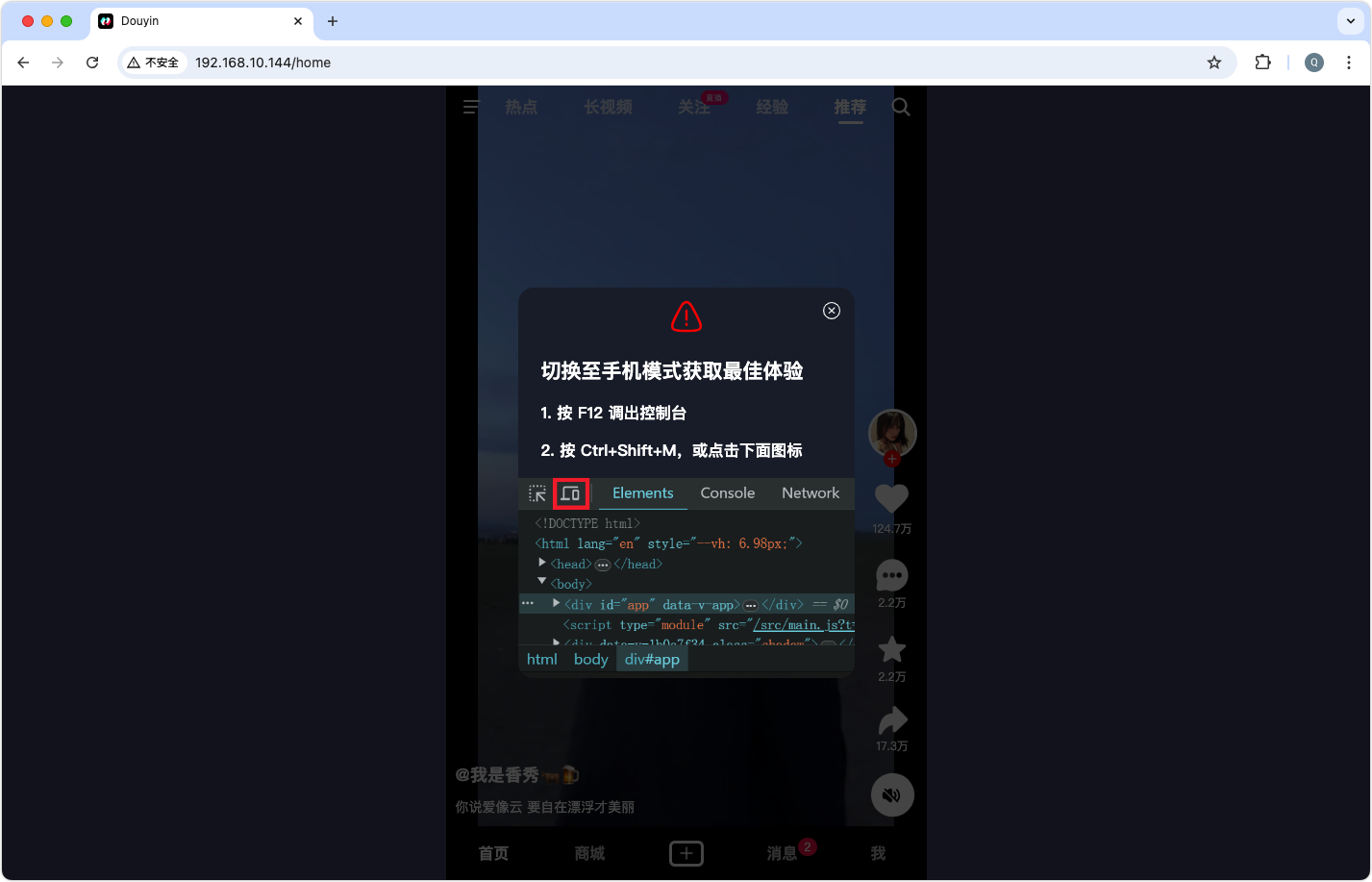
下面以chrome浏览器为例,打开开发者工具,直接按【F12】或者 【Ctrl + Shift + I 】。其他的浏览器操作大同小异。
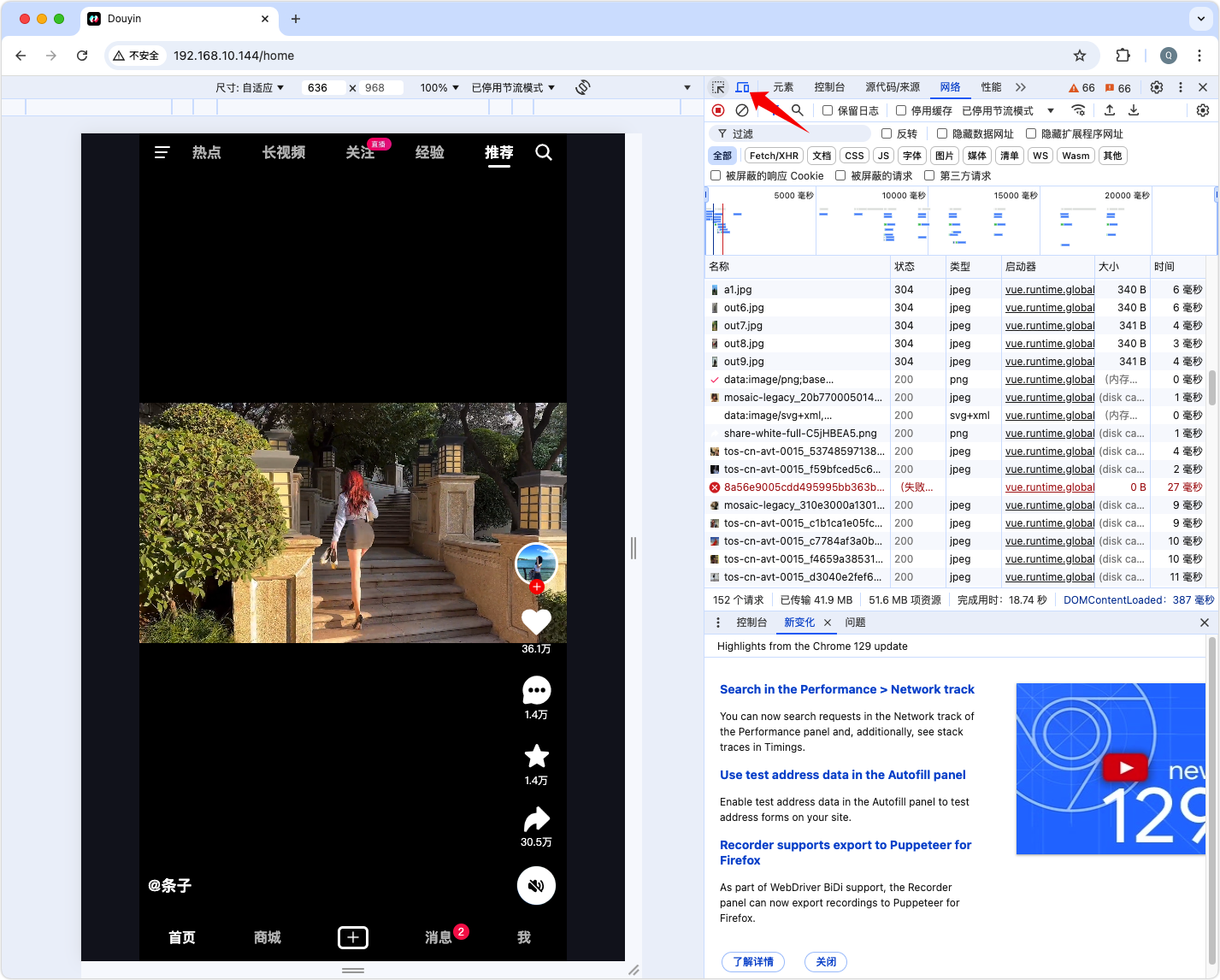
二、本地环境部署
本地环境部署采用的是ubuntu系统,先安装nodejs和npm,再克隆包下来,最后启动运行
demouser@demohosts:~$ sudo apt install -y nodejs npm
正在读取软件包列表... 完成
正在分析软件包的依赖关系树... 完成
正在读取状态信息... 完成
将会同时安装下列软件:
  libnode109 node-acorn node-busboy node-cjs-module-lexer node-undici node-xtend nodejs-doc
建议安装:
  npm
下列【新】软件包将被安装:
  libnode109 node-acorn node-busboy node-cjs-module-lexer node-undici node-xtend nodejs nodejs-doc
升级了 0 个软件包,新安装了 8 个软件包,要卸载 0 个软件包,有 3 个软件包未被升级。
需要下载 16.0 MB 的归档。
解压缩后会消耗 70.2 MB 的额外空间。
…… 略 ……
update-alternatives: 使用 /usr/bin/nodejs 来在自动模式中提供 /usr/bin/js (js)
正在处理用于 man-db (2.12.0-4build2) 的触发器 ...
正在处理用于 libc-bin (2.39-0ubuntu8.3) 的触发器 ...
为npm配置淘宝源
npm config set registry https://registry.npmmirror.com
克隆项目的代码
demouser@demohosts:~$ git clone https://gitee.com/zyronon/douyin.git
正克隆到 'douyin'...
remote: Enumerating objects: 15881, done.
remote: Counting objects: 100% (118/118), done.
remote: Compressing objects: 100% (118/118), done.
remote: Total 15881 (delta 16), reused 0 (delta 0), pack-reused 15763
接收对象中: 100% (15881/15881), 608.26 MiB | 19.22 MiB/s, 完成.
处理 delta 中: 100% (7425/7425), 完成.
正在更新文件: 100% (2314/2314), 完成.
进入目录,安装并启动项目
demouser@demohosts:~$ cd douyin/
demouser@demohosts:~/douyin$ npm install
npm WARN deprecated inflight@1.0.6: This module is not supported, and leaks memory. Do not use it. Check out lru-cache if you want a good and tested way to coalesce async requests by a key value, which is much more comprehensive and powerful.
npm WARN deprecated rimraf@3.0.2: Rimraf versions prior to v4 are no longer supported
npm WARN deprecated @humanwhocodes/object-schema@2.0.3: Use @eslint/object-schema instead
npm WARN deprecated sourcemap-codec@1.4.8: Please use @jridgewell/sourcemap-codec instead
npm WARN deprecated @humanwhocodes/config-array@0.13.0: Use @eslint/config-array instead
npm WARN deprecated glob@7.2.3: Glob versions prior to v9 are no longer supported
npm WARN deprecated eslint@8.57.1: This version is no longer supported. Please see https://eslint.org/version-support for other options.
npm WARN deprecated core-js@3.21.1: core-js@<3.23.3 is no longer maintained and not recommended for usage due to the number of issues. Because of the V8 engine whims, feature detection in old core-js versions could cause a slowdown up to 100x even if nothing is polyfilled. Some versions have web compatibility issues. Please, upgrade your dependencies to the actual version of core-js.

> douyin-vue@1.1.0 prepare
> husky


added 619 packages in 47s

127 packages are looking for funding
  run `npm fund` for details
demouser@demohosts:~/douyin$ npm run dev

> douyin-vue@1.1.0 dev
> vite --host


  VITE v5.4.9  ready in 1513 ms

  ➜  Local:   http://localhost:3000/
  ➜  Network: http://192.168.10.144:3000/
  ➜  Network: http://172.17.0.1:3000/
  ➜  press h + enter to show help
输入服务器IP+3000端口就可以正常使用了。


