#6: 字符串的操作
前面已经熟悉了bash中的变量,可以理解,其实string(字符串)、int(整数)这些数据类型,都是变量,而且不像某些语言的变量是强类型一样,需要先声明变量的类型。直接赋值就能使用。
但是这些特性并不影响字符串也拥有操作函数。
这一节,我们将学习使用各种字符串的操作行数来获得字符串的长度;拼接字符串;提取、替换、查找、删除子字符串等等针对字符串的操作。
获取字符串的长度
让我们从获取字符串的长度开始
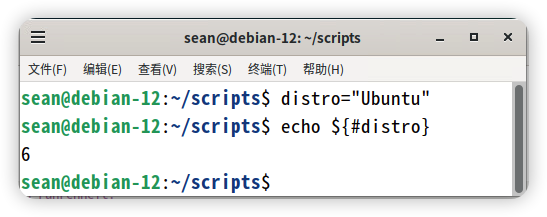
字符串可以看作是一个字符的数组序列。创建一个distro的变量,并赋值为Ubuntu。
distro="Ubuntu"
要获取变量distro变量里面字符串的长度,可以在变量名前面添加#。下面例子使用echo输出distro的字符串长度:
sean@debian-12:~/scripts$ echo ${#distro}
6
echo命令用于打印值。{#string}给出了字符串的长度。
拼接两个字符串
将一个字符串添加到另一个字符串的末尾;这个过程称为字符串拼接(string concatenation)。
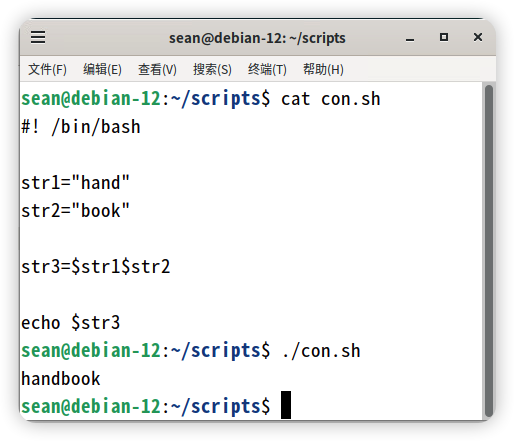
为方便演示,我们首先创建两个字符串str1和str2,如下所示:
str1="hand"
str2="book"
现在你可以连接两个字符串并将结果赋值给str3的新字符串,如下所示:
str3=$str1$str2
没有比这个更简单的:
查找子字符串
你可以找到特定字母或单词在字符串中的索引。为了演示,首先创建一个名为str的字符串:
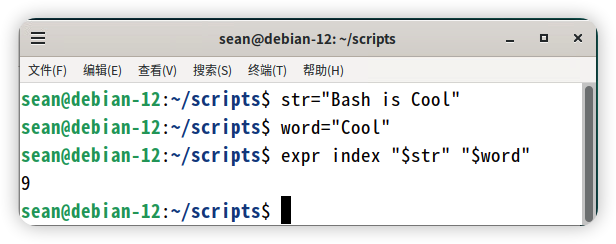
str="Bash is Cool"
假设你想得到子字符串Cool的位置索引,可以使用expr命令:
sean@debian-12:~/scripts$ word="Cool"
sean@debian-12:~/scripts$ expr index "$str" "$word"
9
得出的结果9是单词Cool在str字符串中单词第一个字母的索引。
在这里,故意没有使用判断条件的语句,后面才介绍条件判断语句。
提取子字符串
除了上面的获取索引,还可以从字符串中提取一个字母、一个单词、或者几个单词。
下面的演示中,首先创建一个变量名为foss的字符串:
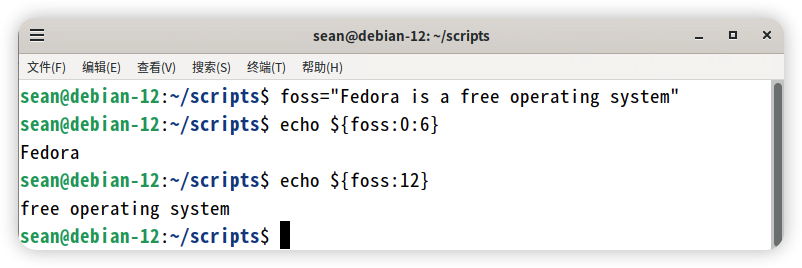
foss="Fedora is a free operating system"
假设现在有需求需要提取foss中的第一个单词“Fedora”。就需要指定所需子字符串的起始位置(索引)和需要提取多少个字符。
例子中,要提取单词“Fedora”,就需要从0开始提取,提取6个字符:
sean@debian-12:~/scripts$ echo ${foss:0:6}
Fedora
再次提醒,字符串的第一个位置的索引是0,和数组一样。如果是只指定字符串的起始位置,而省略后面的字符数,就会从字符串的指定起始位置一直截取到字符串结果的全部内容。
比如下面的例子,想截取子字符串“free operating system”,只需指定起始位从索引12开始,后面的可以省略:
sean@debian-12:~/scripts$ echo ${foss:12}
free operating system
替换子字符串
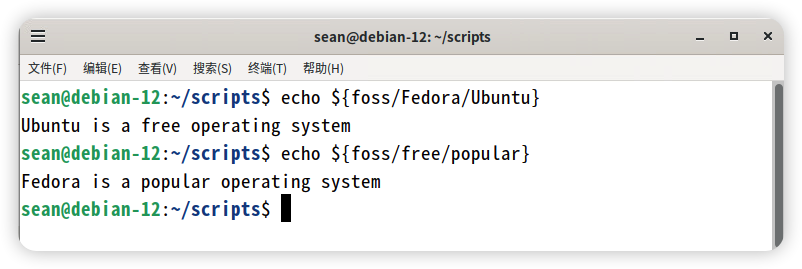
你可以用一个子字符串来替换掉另一个字符串;例如下面的例子就是这样,将foss中的“Fedora”替换为“Ubuntu”:
sean@debian-12:~/scripts$ echo ${foss/Fedora/Ubuntu}
Ubuntu is a free operating system
再来一个例子,把"free"替换为“popular”:
sean@debian-12:~/scripts$ echo ${foss/free/popular}
Fedora is a popular operating system
上面的例子,因为你只是用echo命令打印出新的值,原始的字符串里面的值并没有被改变。
删除子字符串
You can also remove substrings. To demonstrate, let’s first create a string named fact as follows:
“增删改查”,上面已经演示了查、改、增(拼接),就剩下删了,现在就来接收删,还是想创建一个变量名为fact的变量,用于演示:
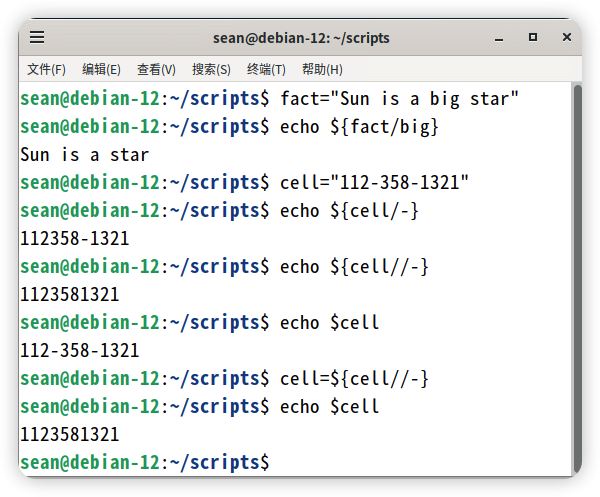
fact="Sun is a big star"
You can now remove the substring “big” from the string fact:
现在的需求是,删掉fact变量里面的“big”这个单词:
sean@debian-12:~/scripts$ echo ${fact/big}
Sun is a star
Let’s create another string named cell:
再来创建例外一个字符串,变量名为cell:
cell="112-358-1321"
Now let’s say you want to remove all the dashes from the cell string; the following statement will only remove the first dash occurrence in the cell string:
假设需要cell变量中的所有破折号;但是下面的例子只能删掉第一个破折号:
sean@debian-12:~/scripts$ echo ${cell/-}
112358-1321
To remove all dash occurrences from the cell string, you have to use double forward slashes as follows:
要删除所有的破折号,需要用到双斜杠:
sean@debian-12:~/scripts$ echo ${cell//-}
1123581321
Notice that you are using echo statements and so the cell string is intact and not modified; you are just displaying the desired result!
还是和上面一样,这里是使用了echo命令,变量的原文没有被改变,只是输出的内容改变而已。
To modify the string, you need to assign the result back to the string as follows:
要修改原文的字符串,就需要重新复制结果给cell变量:
sean@debian-12:~/scripts$ echo $cell
112-358-1321
sean@debian-12:~/scripts$ cell=${cell//-}
sean@debian-12:~/scripts$ echo $cell
1123581321
字符串中转换大小写
英文字母组成的字符串,还有一个中文语系没有的处理需求,那就是字母的大小写。最后咱们来演示一下这个功能。先创建两个变量legend和actor:
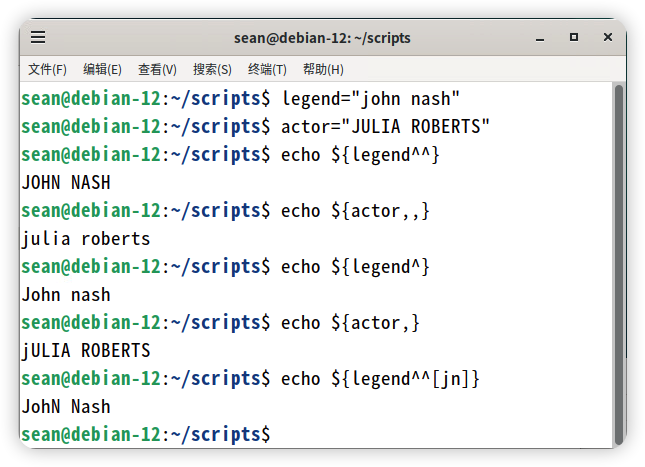
legend="john nash"
actor="JULIA ROBERTS"
先来看看将legend的字母全部转换成大写:
sean@debian-12:~/scripts$ echo ${legend^^}
JOHN NASH
再来把actor的字母全部转换成小写:
sean@debian-12:~/scripts$ echo ${actor,,}
julia roberts
你也可以将legend的第一个字母转换成大写:
sean@debian-12:~/scripts$ echo ${legend^}
John nash
同理,也可以将actor的第一个字母转换成小写:
sean@debian-12:~/scripts$ echo ${actor,}
jULIA ROBERTS
最后是将字符串中的某些字符改为大写或者小写。例如将legend中的j和n改为大写:
sean@debian-12:~/scripts$ echo ${legend^^[jn]}
JohN Nash
练习题
自己动手做练习可以帮助你记忆刚学到的东西,下面是几到简单的练习题,用到了上面提到的内容。如果您是初学者,建议您可以自己动手做一下。
练习 1:创建一个字符串
创建一个名为distro的字符串变量并且初始化它的值为“Rocky Linux is Cool”,然后在命令行输出。
难度级别:容易
提示:使用双引号来存储字符串的值。
练习 2:字符串的长度
获取练习1中变量distro字符串值的长度。
难度级别:容易
提示:在变量名前加#可以打印任意字符串变量的长度。
练习 3:拼接字符串
创建一个名为rocky的字符串变量,并将其值初始化为“and Awesome!”。将字符串distro和rocky拼接成第三个字符串并打印出来。
难度级别:容易到中等
提示:假设第三个变量名为merge,使用merge=$distro$rocky
练习 4:单词中的位置
找出字母o在练习3拼接的merge变量字符串中首次出现的位置索引。
难度级别:中等
提示: 使用expr index $merge后面跟着需要查找索引的单词或字母。
练习 5:替换字符串中的单词
用练习3的例子,用Fantastic替换Awesome。显示修改后的字符串内容。
难度级别:中等
提示:使用merge="${merge/Awesome/Fantastic}"
练习题答案
答案 1:创建一个字符串
创建一个名为distro的字符串变量并且初始化它的值为“Rocky Linux is Cool”,然后在命令行输出。
#! /bin/bash
distro="Rocky Linux is Cool"
echo $distro
答案 2:字符串的长度
获取练习1中变量distro字符串值的长度。
#!/bin/bash
distro="Rocky Linux is Cool"
echo $distro
echo "Length of the above string"
echo ${#distro}
答案 3:拼接字符串
创建一个名为rocky的字符串变量,并将其值初始化为“and Awesome!”。将字符串distro和rocky拼接成第三个字符串并打印出来。
#!/bin/bash
distro="Rocky Linux is Cool"
echo $distro
rocky=" and Awesome!"
echo 'Merging with " and Awesome!"'
merge=$distro$rocky
echo $merge
答案 4:单词中的位置
找出字母o在练习3拼接的merge变量字符串中首次出现的位置索引。
#!/bin/bash
distro="Rocky Linux is Cool"
echo $distro
rocky=" and Awesome!"
echo 'Merging with " and Awesome!"'
merge=$distro$rocky
echo $merge
echo 'The letter "o" in the new string first occurs at position:'
expr index "$merge" o
答案 5:替换字符串中的单词
用练习3的例子,用Fantastic替换Awesome。显示修改后的字符串内容。
#!/bin/bash
distro="Rocky Linux is Cool"
echo $distro
rocky=" and Awesome!"
echo 'Merging with " and Awesome!"'
merge=$distro$rocky
echo $merge
echo 'Replacing the word "Awesome" with "Fantastic"'
sleep 2
merge=${merge/Awesome/Fantastic}
echo $merge


