一、介绍
Docker容器应用的开发和运行路不开可靠的镜像管理,虽然Docker官方也提供了公共的镜像仓库,但是从安全和效率等方面考虑,部署我们私有环境的Registry也是非常必要的。 Harbor是由VMware公司开源的企业级的Docker Registry管理项目,它包括权限管理(RBAC)、LDAP、日志审核、管理界面、自我注册、镜像复制和中文支持等功能。
二、组件
用于部署 Harbor 的 Docker Compose 模板位于 /Deployer/docker-compose.yml. 打开这个模板文件,会发现 Harbor 由 5 个容器组成:
- proxy:由 Nginx 服务器构成的反向代理。
- registry:由 Docker 官方的开源 registry 镜像构成的容器实例。
- ui:即架构中的 core services, 构成此容器的代码是 Harbor 项目的主体。
- mysql:由官方 MySql 镜像构成的数据库容器。
- log: 运行着 rsyslogd 的容器,通过 log-driver 的形式收集其他容器的日志。
这几个容器通过 Docker link 的形式连接在一起,这样,在容器之间可以通过容器名字互相访问。对终端用户而言,只需要暴露 proxy (即 Nginx)的服务端口。
三、工作原理
实验目标
- 构建出一个企业级的docker仓库
- 存放自己私有的docker镜像
1.环境准备
- IP:10.147.17.243/24
-
操作系统:centos7
-
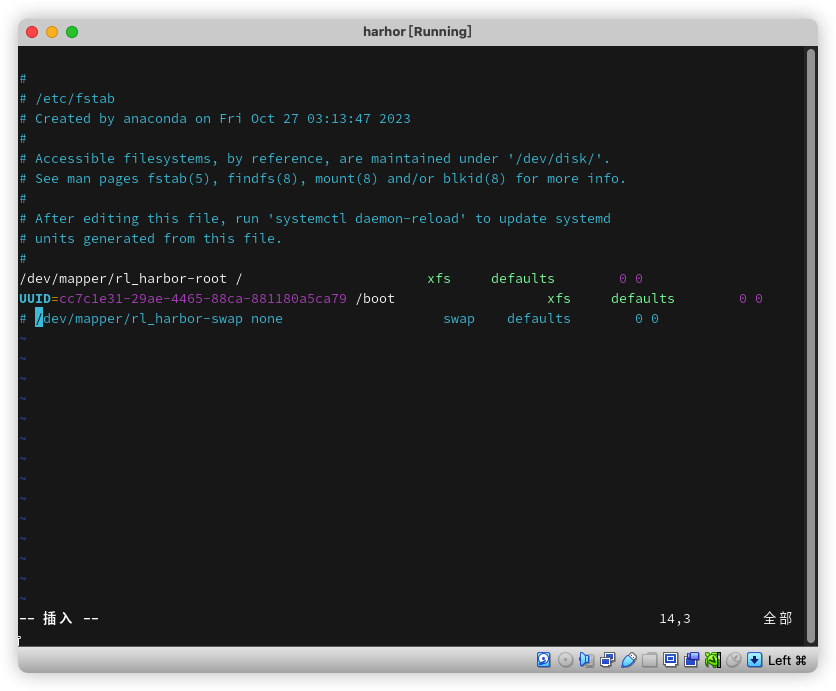
禁用swap分区
[root@harbor ~]# vim  /etc/fstab
#/dev/mapper/centos-swap swap    swap    defaults        0 0

# 或者
[root@harbor ~]# sed -i "s/^\/dev\/mapper\/almalinux_192-swap/#\/dev\/mapper\/almalinux_192-swap/g" /etc/fstab
- 修改主机名和时间同步
hostnamectl  set-hostname   harbor

yum install  chrony  -y
systemctl  enable  chronyd.service
systemctl  start  chronyd.service

timedatectl set-timezone Asia/Shanghai

chronyc   sources
- 关闭防火墙和关闭selinux
systemctl stop firewalld
systemctl disable firewalld
setenforce 0
sed -i 's/^SELINUX=.*/SELINUX=disabled/g' /etc/selinux/config
2.安装Docker、Docker-compose
2.1安装Docker-CE
如果不做下面的动作,因为centos7已经停止了生命周期,docker的版本是旧的,不能继续后面的安装步骤。
yum  install  yum-utils -y
yum-config-manager --add-repo https://mirrors.aliyun.com/docker-ce/linux/centos/docker-ce.repo
yum  repolist
yum install docker-ce docker-ce-cli -y
systemctl enable docker.service
systemctl start docker.service

[root@harbor ~]# cat > /etc/docker/daemon.json <<EOF
> {
>   "registry-mirrors": ["https://docker.m.daocloud.io"]
> }
> EOF

systemctl start docker && sysyemctl enable docker

# 查看版本
[root@harbor ~]# docker version
Client: Docker Engine - Community
 Version:           27.1.1
 API version:       1.46
 Go version:        go1.21.12
 Git commit:        6312585
 Built:             Tue Jul 23 19:58:57 2024
 OS/Arch:           linux/amd64
 Context:           default

Server: Docker Engine - Community
 Engine:
  Version:          27.1.1
  API version:      1.46 (minimum version 1.24)
  Go version:       go1.21.12
  Git commit:       cc13f95
  Built:            Tue Jul 23 19:57:11 2024
  OS/Arch:          linux/amd64
  Experimental:     false
 containerd:
  Version:          1.7.19
  GitCommit:        2bf793ef6dc9a18e00cb12efb64355c2c9d5eb41
 runc:
  Version:          1.7.19
  GitCommit:        v1.1.13-0-g58aa920
 docker-init:
  Version:          0.19.0
  GitCommit:        de40ad0
2.2.安装Docker-compose
[root@harbor ~]# wget -c  https://github.com/docker/compose/releases/download/1.25.5/docker-compose-Linux-x86_64
[root@harbor ~]# mv docker-compose-Linux-x86_64  /usr/bin/docker-compose
[root@harbor ~]# chmod  a+x /usr/bin/docker-compose
[root@harbor ~]# docker-compose  --version
docker-compose version 1.25.5, build 8a1c60f6
3.安装离线安装包
3.1下载harbor离线安装包并解压
https://github.com/goharbor/harbor/releases
[root@harbor ~]# wget -c https://github.com/goharbor/harbor/releases/download/v2.10.3/harbor-offline-installer-v2.10.3.tgz
[root@harbor ~]# tar -xvf harbor-offline-installer-v2.10.3.tgz
3.2.配置harbor
##  创建 https 证书
# 创建证书目录,并赋予权限
[root@harbor ~]# mkdir /https/ca -p
[root@harbor ~]# chmod -R 777 /https/ca/
[root@harbor ~]# cd /https/ca/

# 生成私钥,需要设置密码:1234
[root@harbor ca]# openssl genrsa -des3 -out harbor.key 2048
Generating RSA private key, 2048 bit long modulus
.........+++
..................................+++
e is 65537 (0x10001)
Enter pass phrase for harbor.key:
Verifying - Enter pass phrase for harbor.key:

# 生成CA证书,需要输入密码1234
[root@harbor ca]# openssl req -sha512 -new -subj "/C=CN/ST=GD/L=FS/O=shangguan/OU=sgkj/CN=harbor.three-corner.xyz" -key harbor.key -out harbor.csr
Enter pass phrase for harbor.key:1234

# 备份证书
[root@harbor ca]# cp harbor.key  harbor.key.org

# 退掉私钥密码,以便docker访问(也可以参考官方进行双向认证)
[root@harbor ca]# openssl rsa -in harbor.key.org -out harbor.key
Enter pass phrase for harbor.key.org:1234
writing RSA key

# 使用证书进行签名
[root@harbor ca]# openssl x509 -req -days 100000  -in harbor.csr -signkey harbor.key -out harbor.crt
Signature ok
subject=/C=CN/ST=JS/L=WX/O=zwx/OU=jhmy/CN=harbor
Getting Private key

[root@harbor ~]# cd  ~/harbor/
[root@harbor harbor]# cp harbor.yml.tmpl harbor.yml
[root@harbor harbor]# vim  harbor.yml
hostname: harbor.three-corner.xyz
http:
  port: 80
https:
  # https port for harbor, default is 443
  port: 443
  # The path of cert and key files for nginx
  certificate: /https/ca/harbor.crt
  private_key: /https/ca/harbor.key
harbor_admin_password: Harbor12345
3.3.安装harbor
- --with-clair参数是启用漏洞扫描功能
[root@harbor harbor]# ./install.sh

[Step 0]: checking if docker is installed ...

Note: docker version: 26.1.1

[Step 1]: checking docker-compose is installed ...

Note: Docker Compose version v2.27.0

[Step 2]: loading Harbor images ...
2a1ecf1a5624: Loading layer [==================================================>]  40.28MB/40.28MB
1ffa30c514e7: Loading layer [==================================================>]  115.6MB/115.6MB
Loaded image: goharbor/nginx-photon:v2.9.4
fe9d27457645: Loading layer [==================================================>]  9.117MB/9.117MB
8a1bd330387a: Loading layer [==================================================>]  4.096kB/4.096kB
de5aec39cfef: Loading layer [==================================================>]  3.072kB/3.072kB
b2dc5f9b0adc: Loading layer [==================================================>]  209.9MB/209.9MB
867f6775e77c: Loading layer [==================================================>]  17.45MB/17.45MB
3d23e7d1c061: Loading layer [==================================================>]  228.1MB/228.1MB
Loaded image: goharbor/trivy-adapter-photon:v2.9.4
8e8d9c5fab4c: Loading layer [==================================================>]  115.6MB/115.6MB
8c2100da7b2f: Loading layer [==================================================>]   6.46MB/6.46MB
beb75a4af778: Loading layer [==================================================>]  245.8kB/245.8kB
8b93536ed20c: Loading layer [==================================================>]  1.233MB/1.233MB
Loaded image: goharbor/harbor-portal:v2.9.4
303f42b51cc2: Loading layer [==================================================>]  11.61MB/11.61MB
f6d69dd1d0ad: Loading layer [==================================================>]  3.584kB/3.584kB
8dbc774dc94d: Loading layer [==================================================>]   2.56kB/2.56kB
baba5716726a: Loading layer [==================================================>]  58.75MB/58.75MB
5b67417f435d: Loading layer [==================================================>]  5.632kB/5.632kB
31a7f7742aaa: Loading layer [==================================================>]  122.4kB/122.4kB
a9bc112e775d: Loading layer [==================================================>]  80.38kB/80.38kB
3c10f76aad84: Loading layer [==================================================>]  59.74MB/59.74MB
6c5eb2684647: Loading layer [==================================================>]   2.56kB/2.56kB
Loaded image: goharbor/harbor-core:v2.9.4
807b050bbb83: Loading layer [==================================================>]  125.3MB/125.3MB
00b81cc4331d: Loading layer [==================================================>]  3.584kB/3.584kB
73d4601a8fa0: Loading layer [==================================================>]  3.072kB/3.072kB
873b556fed34: Loading layer [==================================================>]   2.56kB/2.56kB
d34eaff1dda9: Loading layer [==================================================>]  3.072kB/3.072kB
875416323a99: Loading layer [==================================================>]  3.584kB/3.584kB
04668820172e: Loading layer [==================================================>]  20.48kB/20.48kB
Loaded image: goharbor/harbor-log:v2.9.4
fc9708739fba: Loading layer [==================================================>]  11.61MB/11.61MB
5fbf23947d53: Loading layer [==================================================>]  3.584kB/3.584kB
8980553d20e3: Loading layer [==================================================>]   2.56kB/2.56kB
394a06e3fead: Loading layer [==================================================>]  44.64MB/44.64MB
0b32832b0417: Loading layer [==================================================>]  45.43MB/45.43MB
Loaded image: goharbor/harbor-jobservice:v2.9.4
649c2fb761b1: Loading layer [==================================================>]  11.61MB/11.61MB
dee3ec490421: Loading layer [==================================================>]  27.58MB/27.58MB
ce1ae31f2333: Loading layer [==================================================>]  4.608kB/4.608kB
67b43b0afe41: Loading layer [==================================================>]  28.37MB/28.37MB
Loaded image: goharbor/harbor-exporter:v2.9.4
7410b8d05205: Loading layer [==================================================>]  106.8MB/106.8MB
6d047e1bd50c: Loading layer [==================================================>]  47.71MB/47.71MB
c87b036184e3: Loading layer [==================================================>]  13.59MB/13.59MB
3a5d244d03b3: Loading layer [==================================================>]  65.54kB/65.54kB
879613b8145c: Loading layer [==================================================>]   2.56kB/2.56kB
d2cd9b4bcddc: Loading layer [==================================================>]  1.536kB/1.536kB
cba7f0d728dd: Loading layer [==================================================>]  12.29kB/12.29kB
3254d17aca93: Loading layer [==================================================>]  2.741MB/2.741MB
ec67e6c79557: Loading layer [==================================================>]  429.6kB/429.6kB
Loaded image: goharbor/prepare:v2.9.4
9680f9b537e4: Loading layer [==================================================>]  16.08MB/16.08MB
5c80f459c1fa: Loading layer [==================================================>]  173.8MB/173.8MB
b4a8872dec5a: Loading layer [==================================================>]  25.53MB/25.53MB
273925008692: Loading layer [==================================================>]   18.3MB/18.3MB
61756a3742aa: Loading layer [==================================================>]   5.12kB/5.12kB
6aef2ba5f411: Loading layer [==================================================>]  6.144kB/6.144kB
06b8309f6264: Loading layer [==================================================>]  3.072kB/3.072kB
2378215d8cc7: Loading layer [==================================================>]  2.048kB/2.048kB
61639698f424: Loading layer [==================================================>]   2.56kB/2.56kB
11138989c354: Loading layer [==================================================>]   7.68kB/7.68kB
Loaded image: goharbor/harbor-db:v2.9.4
5476b1e98825: Loading layer [==================================================>]  8.603MB/8.603MB
21306bf47b19: Loading layer [==================================================>]  4.096kB/4.096kB
b6a29409bcb0: Loading layer [==================================================>]  17.39MB/17.39MB
f923c3b9c6b2: Loading layer [==================================================>]  3.072kB/3.072kB
b65b25d422a3: Loading layer [==================================================>]  32.69MB/32.69MB
f33443527772: Loading layer [==================================================>]  50.88MB/50.88MB
Loaded image: goharbor/harbor-registryctl:v2.9.4
297dfef001b5: Loading layer [==================================================>]  16.08MB/16.08MB
628e609117e3: Loading layer [==================================================>]  110.6MB/110.6MB
d3164a9024b3: Loading layer [==================================================>]  3.072kB/3.072kB
3bbb99540044: Loading layer [==================================================>]   59.9kB/59.9kB
0b8ee78ceda9: Loading layer [==================================================>]  61.95kB/61.95kB
Loaded image: goharbor/redis-photon:v2.9.4
a4efec05118e: Loading layer [==================================================>]  8.603MB/8.603MB
fc5a28753b96: Loading layer [==================================================>]  4.096kB/4.096kB
e7ebcb1d0d37: Loading layer [==================================================>]  3.072kB/3.072kB
f5a739f25b3b: Loading layer [==================================================>]  17.39MB/17.39MB
3bdc4fd383a7: Loading layer [==================================================>]  18.19MB/18.19MB
Loaded image: goharbor/registry-photon:v2.9.4


[Step 3]: preparing environment ...

[Step 4]: preparing harbor configs ...
prepare base dir is set to /root/harbor
Generated configuration file: /config/portal/nginx.conf
Generated configuration file: /config/log/logrotate.conf
Generated configuration file: /config/log/rsyslog_docker.conf
Generated configuration file: /config/nginx/nginx.conf
Generated configuration file: /config/core/env
Generated configuration file: /config/core/app.conf
Generated configuration file: /config/registry/config.yml
Generated configuration file: /config/registryctl/env
Generated configuration file: /config/registryctl/config.yml
Generated configuration file: /config/db/env
Generated configuration file: /config/jobservice/env
Generated configuration file: /config/jobservice/config.yml
Generated and saved secret to file: /data/secret/keys/secretkey
Successfully called func: create_root_cert
Generated configuration file: /compose_location/docker-compose.yml
Clean up the input dir


Note: stopping existing Harbor instance ...
WARN[0000] /root/harbor/docker-compose.yml: `version` is obsolete


[Step 5]: starting Harbor ...
WARN[0000] /root/harbor/docker-compose.yml: `version` is obsolete
[+] Running 10/10
 ✔ Network harbor_harbor        Created                                                                                                     0.3s
 ✔ Container harbor-log         Started                                                                                                     5.7s
 ✔ Container redis              Started                                                                                                     7.0s
 ✔ Container harbor-db          Started                                                                                                     8.3s
 ✔ Container registry           Started                                                                                                     8.3s
 ✔ Container registryctl        Started                                                                                                     8.3s
 ✔ Container harbor-portal      Started                                                                                                     8.3s
 ✔ Container harbor-core        Started                                                                                                    13.3s
 ✔ Container harbor-jobservice  Started                                                                                                    13.9s
 ✔ Container nginx              Started                                                                                                    14.0s
✔ ----Harbor has been installed and started successfully.----
[root@harbor harbor]#
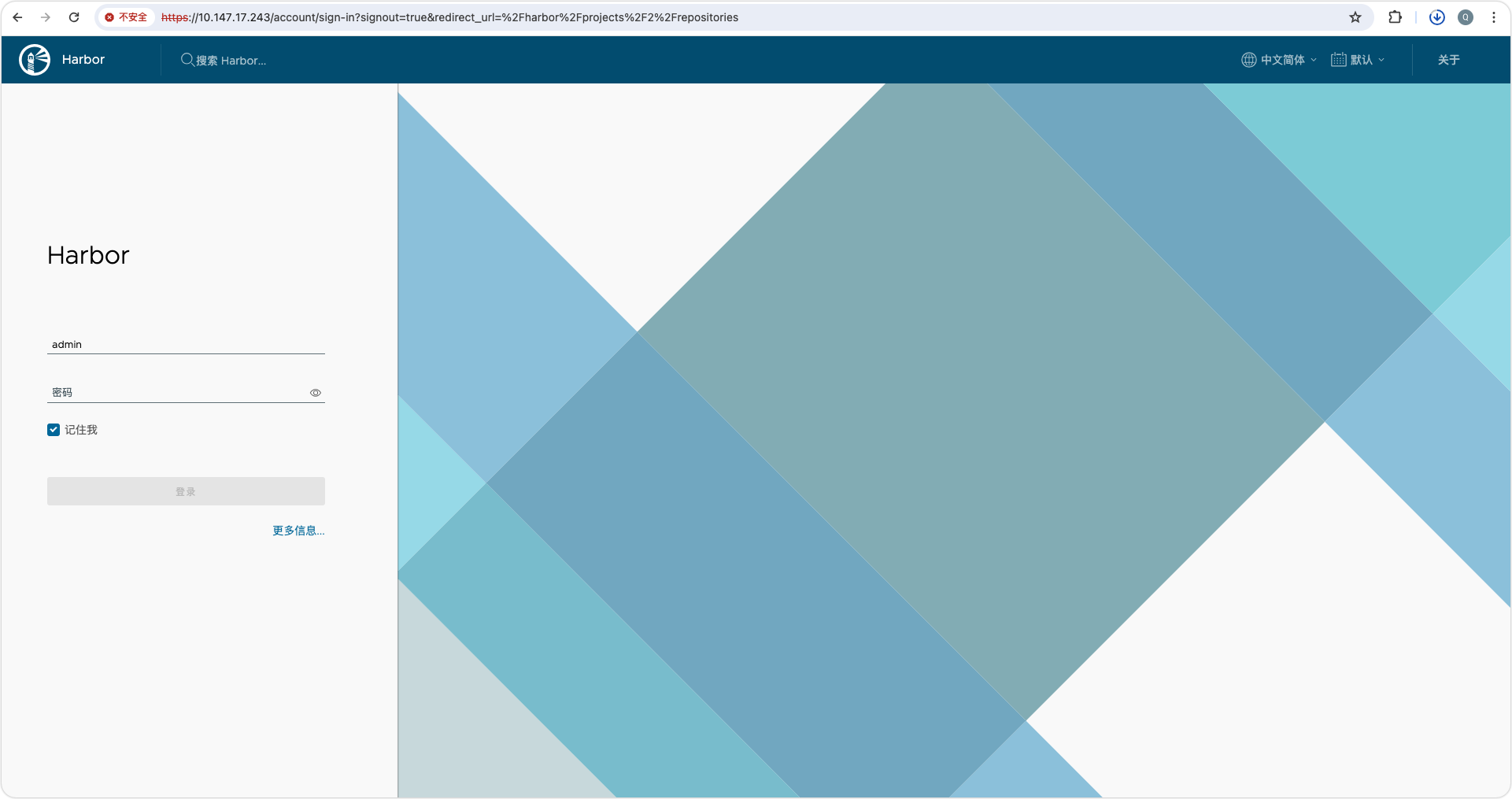
4.测试访问
5.配置私有仓库
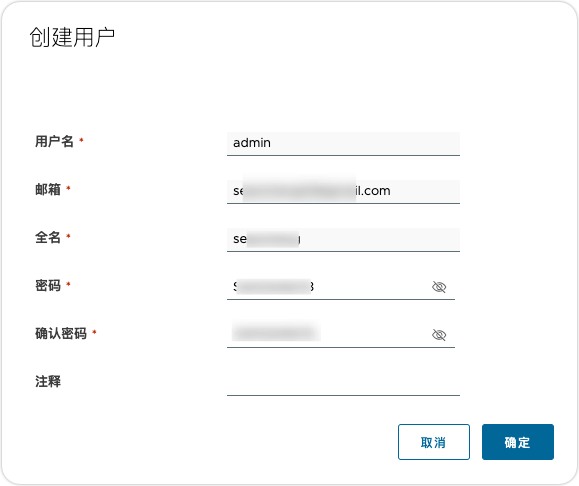
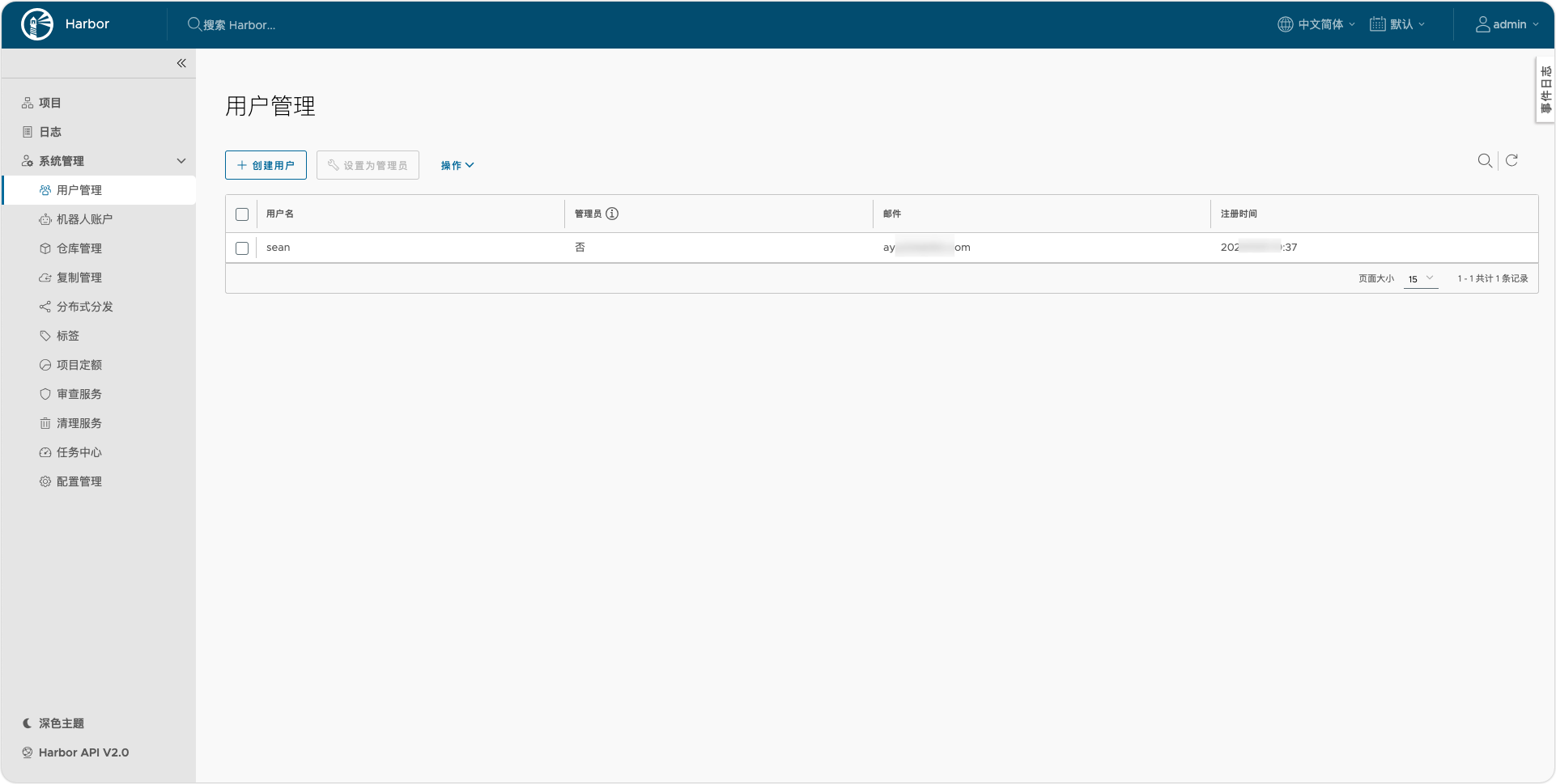
5.1.创建用户
- 点击系统管理>>用户管理>>创建用户
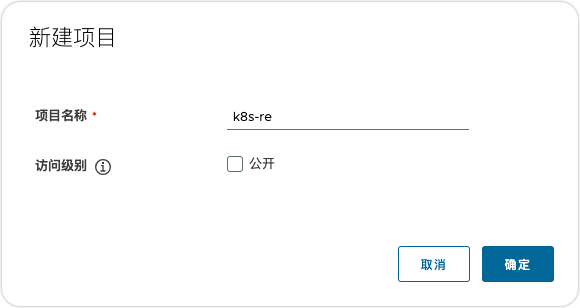
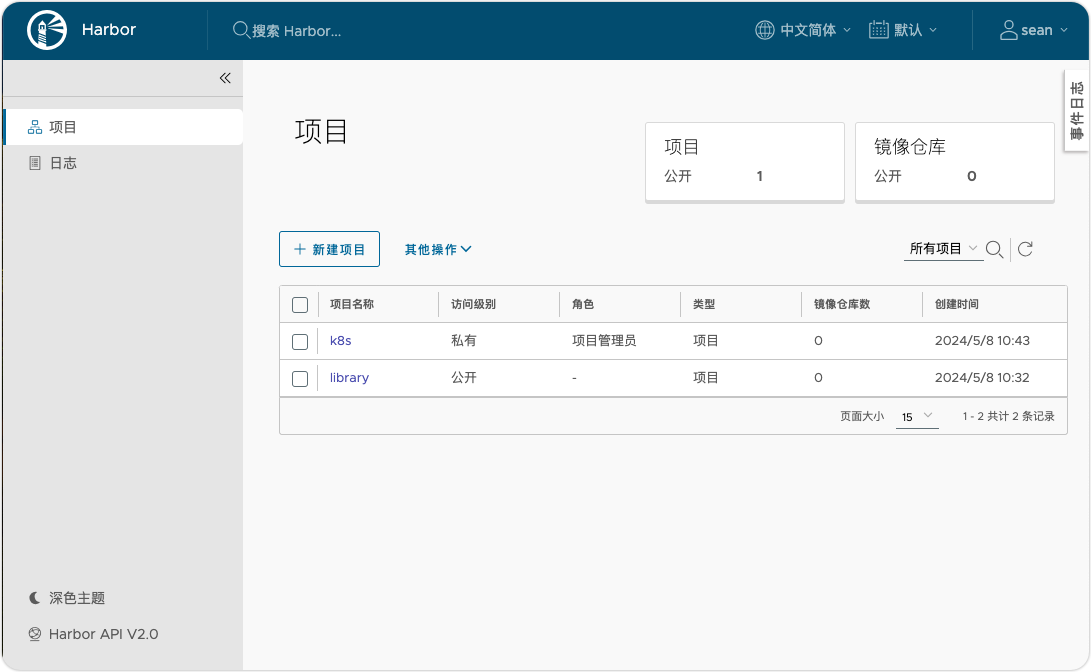
5.2.创建项目
- 点击项目>>新建项目
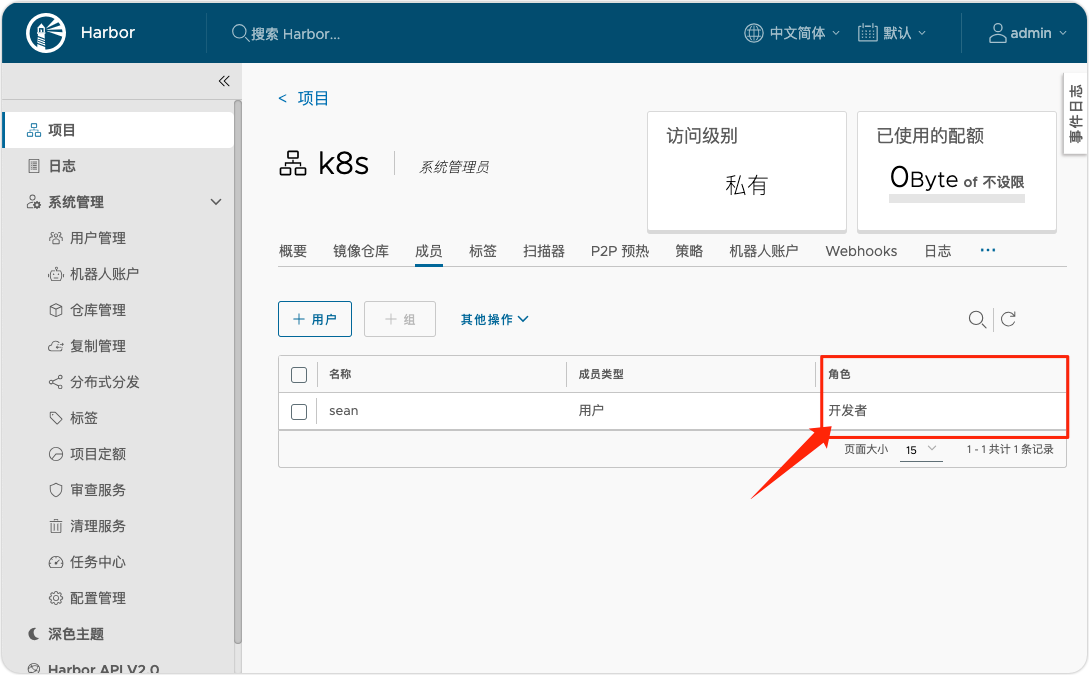
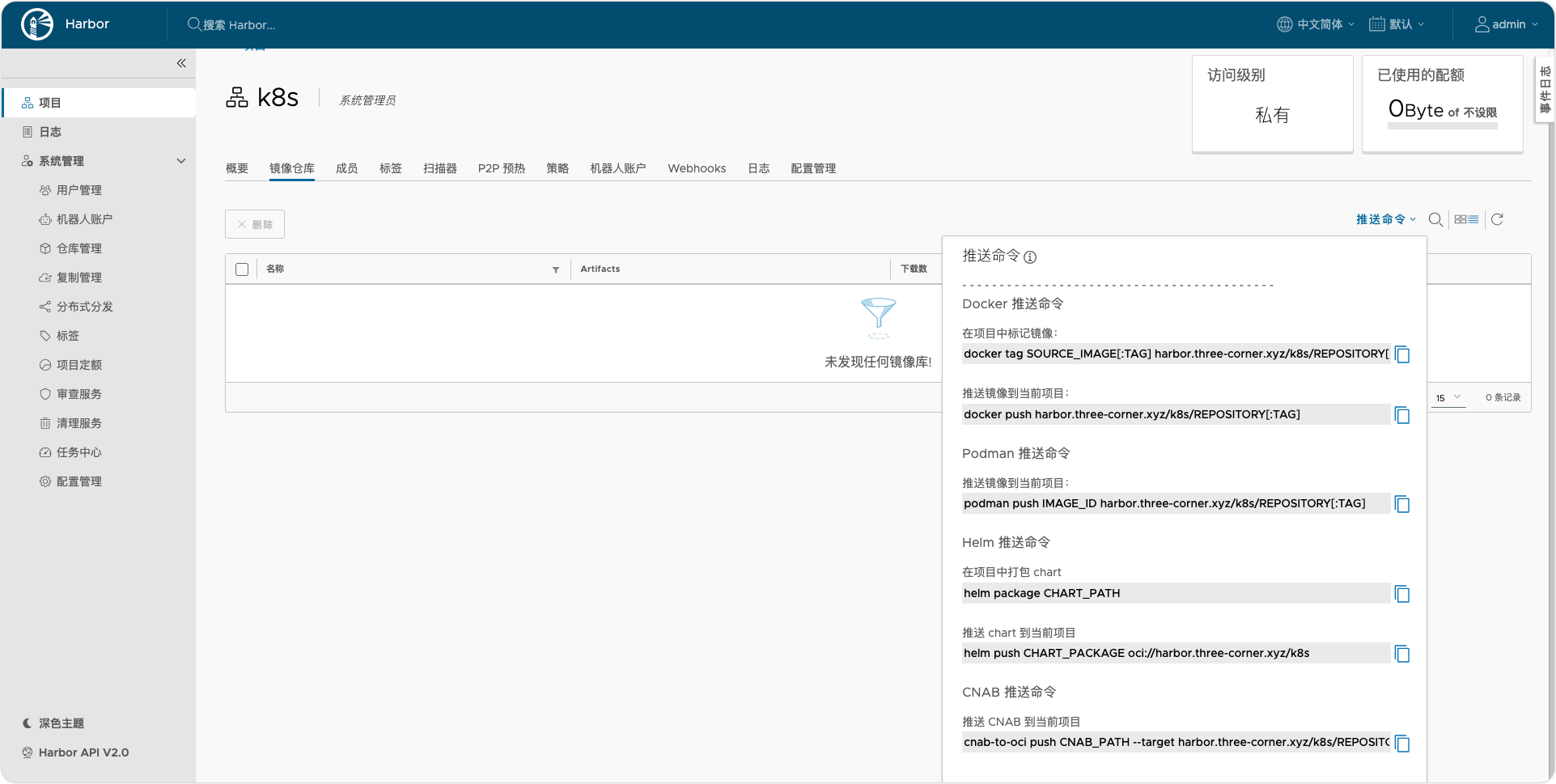
5.3.查看拉取镜像命令
- 在项目里面,添加成员 ,角色为开发人员,具有推送拉取镜像的权限
6.拉取镜像,并打标上传到我的私有仓库
上面的自定义证书是使用了域名,不要用IP,使用IP的话,可以会无法登陆。
# 配置镜像仓库地址并重启docker和harbor服务
[root@harbor ~]# cat  /etc/docker/daemon.json
{
   "registry-mirrors": ["https://7bc3o1s2.mirror.aliyuncs.com"],
   "insecure-registries": ["https://harbor.three-corner.xyz"]
}
# 拉取Nginx镜像作为测试使用
[root@harbor ~]# docker  pull  nginx:1.24
# 给镜像打上标签
- 镜像仓库地址/项目名称/标签信息
[root@harbor ~]#  docker tag nginx:1.24 harbor.three-corner.xyz/k8s/nginx:latest
# 登录仓库
[root@harbor ~]# docker login https://harbor.three-corner.xyz
Username: sean
Password:
WARNING! Your password will be stored unencrypted in /root/.docker/config.json.
Configure a credential helper to remove this warning. See
https://docs.docker.com/engine/reference/commandline/login/#credentials-store

Login Succeeded
[root@harbor ~]# docker push harbor.three-corner.xyz/k8s/nginx:latest
The push refers to repository [harbor.three-corner.xyz/k8s/nginx]
bc4a3582faa9: Pushed
29492f82bbc2: Pushed
96c08fed6a4c: Pushed
b9a187a24e19: Pushed
13c8460bfc9a: Pushed
420179ad2efa: Pushed
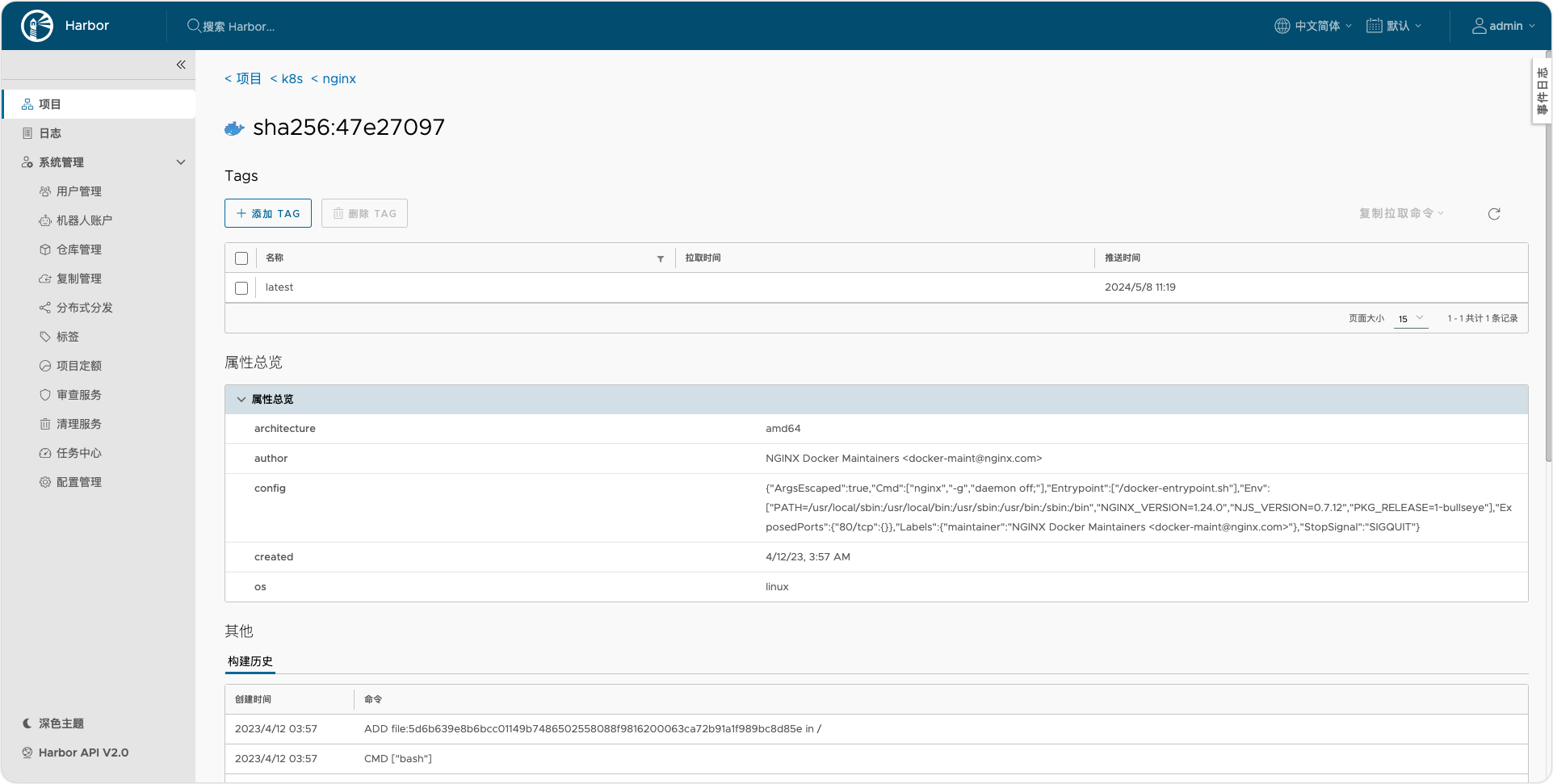
latest: digest: sha256:47e27097c9c6a7ee3b07d44888a6c441af465cfb79bb6b9d205a1294093bb9d0 size: 1570
[root@harbor ~]#